9 Visualization
Maschinenfabrik Reinhausen GmbH 2020290 6385142/08 ENETOS
®
ED
9. Press the Accept button to save the data point.
Editing a sensor definition
Editing the sensor definition does not have any effect on sensors that have
already been added to the sensor management function. The edited sensor
definition is available only if you add a new sensor to the sensor manage-
ment function.
To edit the sensor definition, proceed as follows:
1. Go to Settings > Sensor bus > Sensor editor.
2. Press the button.
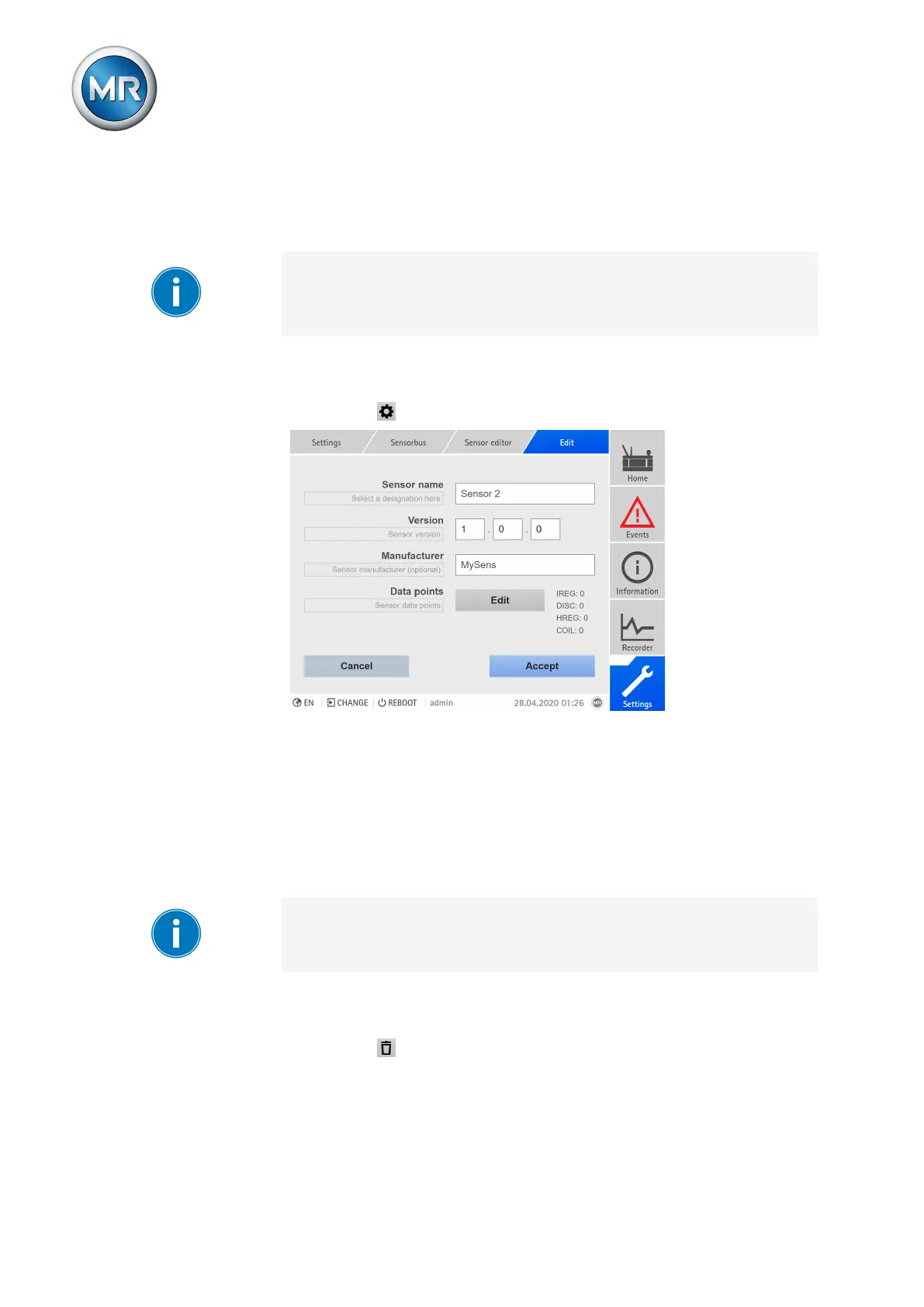
Figure217: Editing a sensor definition
3. Enter the sensor name, sensor version and sensor manufacturer (op-
tional).
4. Optional: Press the Edit button to go to the data point configuration. Any
changes made are applied in this case.
5. Press the Accept button to save the settings.
Deleting a sensor definition
Deleting the sensor definition does not have any effect on sensors that have
already been added to the sensor management function.
To delete the sensor definition, proceed as follows:
1. Go to Settings > Sensor bus > Sensor editor.
2. Press the button.



 To Next Page