9 Visualization
Maschinenfabrik Reinhausen GmbH 2020 2896385142/08 EN ETOS
®
ED
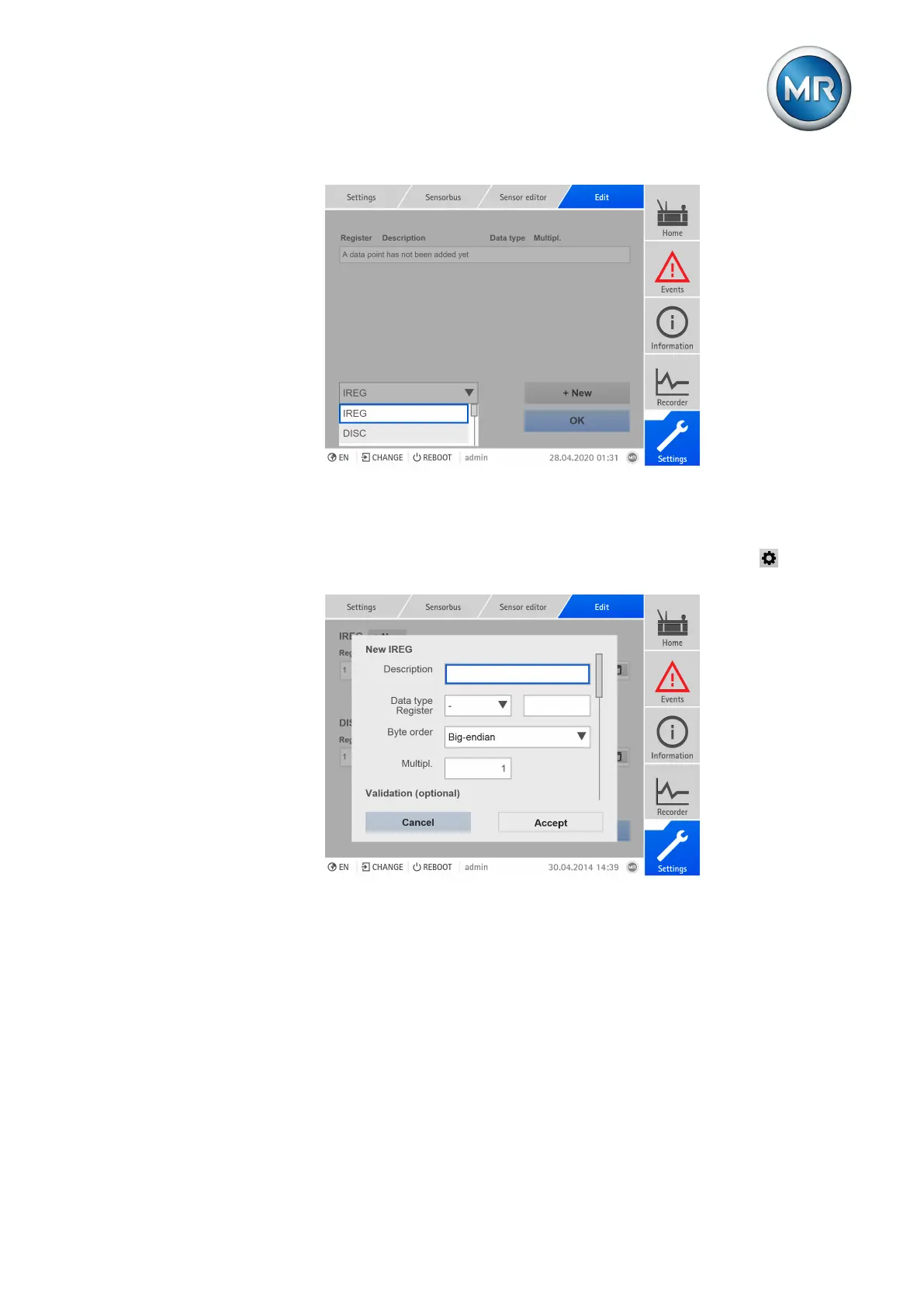
Figure215: Configuring data points
To configure a data point, proceed as follows:
1. Select the desired type.
2. Press the + new button to add a new data point or press the button to
edit a data point.
Figure216: Adding a data point
3. Enter a description.
4. Select a data type and register.
5. Select the byte order of the sensor.
6. Only with IREG or HREG: Enter the multiplier.
7. Optional (only with IREG or HREG): Enter the register of the DISC or
COIL for validation and select the value for validity (High-active: 1 = valid;
Low-active: 0 = valid).
8. Optional (only with IREG or HREG): Enter the minimum and maximum
value for the validation. If the raw value is not within the set range, the
value is interpreted as being invalid.



 To Next Page