SW
4
Innovation. Quality. Performance. Best in Industry. Worldwide.
EnRoute Driver Setup
The EnRoute software package is used to assist operators in creating job files for the MultiCam Laser. Each
operator must have an installation CD to set up the capability and a dongle
to connect with the host
PC each time the program is run.
Verifying Computer Compatibility
1. Refer to the EnRoute Recommended System Requirements to make sure the host PC is compatible with the
software package.
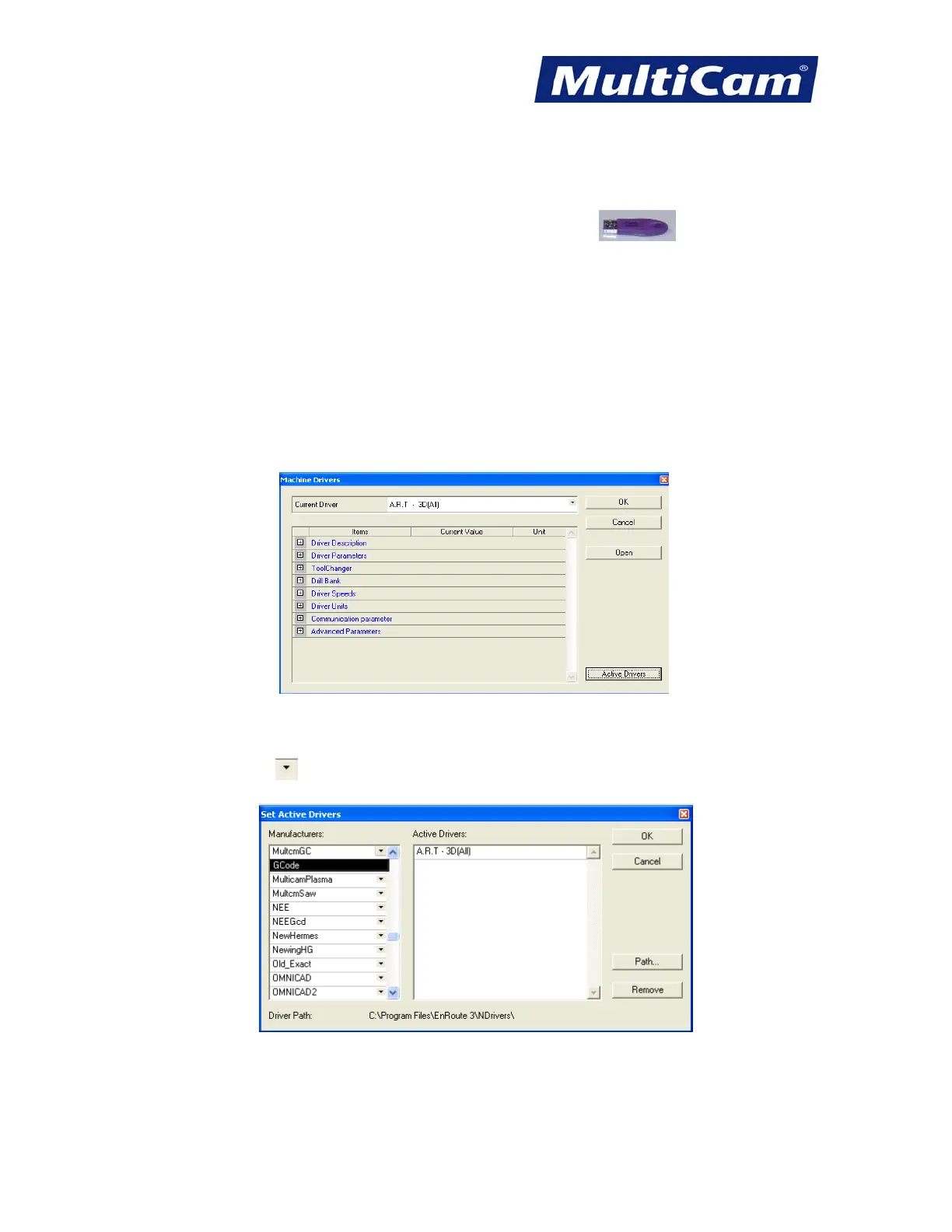
2. Open EnRoute and select Setup/Machine Setup from the toolbar at the top.
3. Click Active Drivers in the Machine Drivers dialog.
4. Scroll down on the left side to MultcmGC in the Manufacturers Window.
5. Click on the down arrow
to the right of MultcmGC and double-click GCode.
This will add MultcmGC/GCode to the active drivers list on the right.
Routers * Lasers * Plasma * WaterJets * Knife Cutters
www.MultiCam.com v. 11 10



 To Next Page