SW
6
Innovation. Quality. Performance. Best in Industry. Worldwide.
Adjusting Table Settings
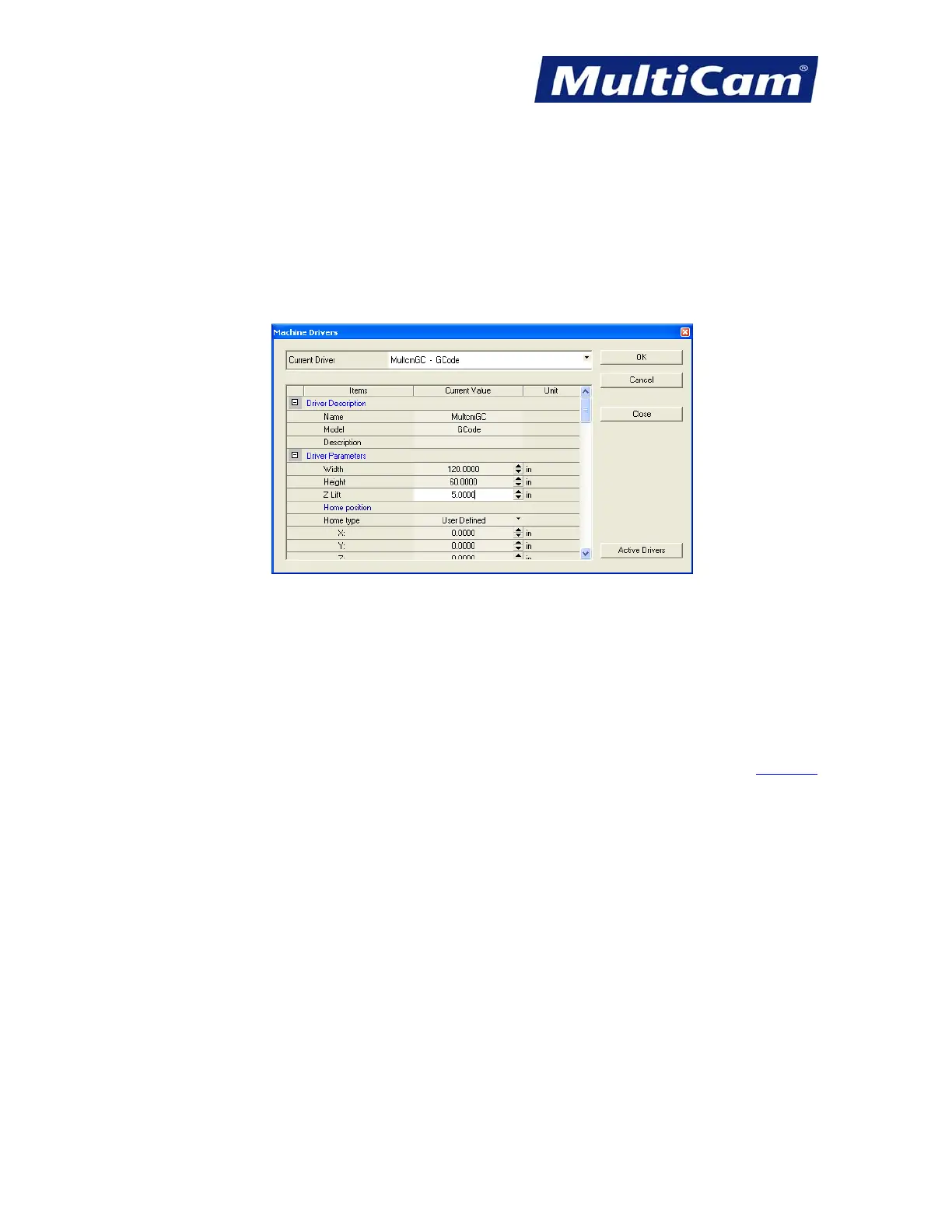
1. Select Open to adjust the table settings.
2. Scroll down to Driver Parameters and change the width, height, and Z lift to match the table.
a. Width = X-axis (front to back; long side of the table)
b. Height = Y-axis (left to right; short side of the table along the gantry)
c. Z lift = Z-axis (up and down; Lift Height above the table)
3. Make sure the dimensions are correct before completing setup.
Completing EnRoute Setup
1. Select OK in the Machine Driver Dialog to finish the EnRoute Setup.
2. Make no changes to the Driver Units section as the system is configured with default settings and will not work
if these settings are changed. The operator can modify the settings under Preferences or the view setup F10.
Software
Routers * Lasers * Plasma * WaterJets * Knife Cutters
www.MultiCam.com v. 11 10



 To Next Page