SW
9
Innovation. Quality. Performance. Best in Industry. Worldwide.
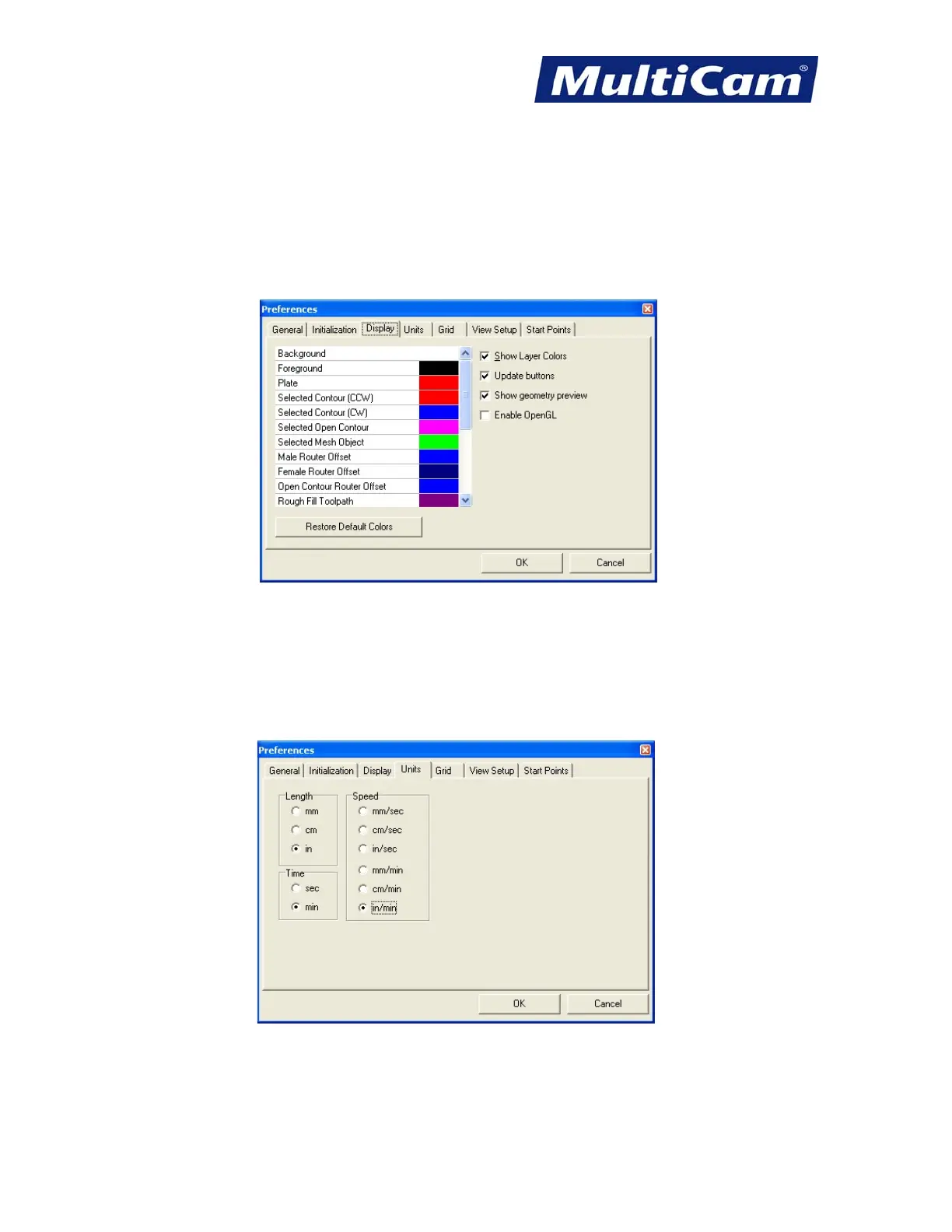
Display
* Avoid changing the Display Settings from the default setting.
* Double-click the individual Colors to make any preferential changes for contour appearance during viewing.
* Leave the 3 options to the far right checked in order to make certain commands user friendly and more
functional.
Units
* Adjust the Length Time and Speed only when working with metric systems as most companies in the US use
inches per minute, which is also the basis for most tool catalog formulas.
* Change unit measurements in this window only. Operators should avoid making any changes in the Machine
Setup/Driver configuration.
Routers * Lasers * Plasma * WaterJets * Knife Cutters
www.MultiCam.com v. 11 10


 To Next Page