SW
10
Innovation. Quality. Performance. Best in Industry. Worldwide.
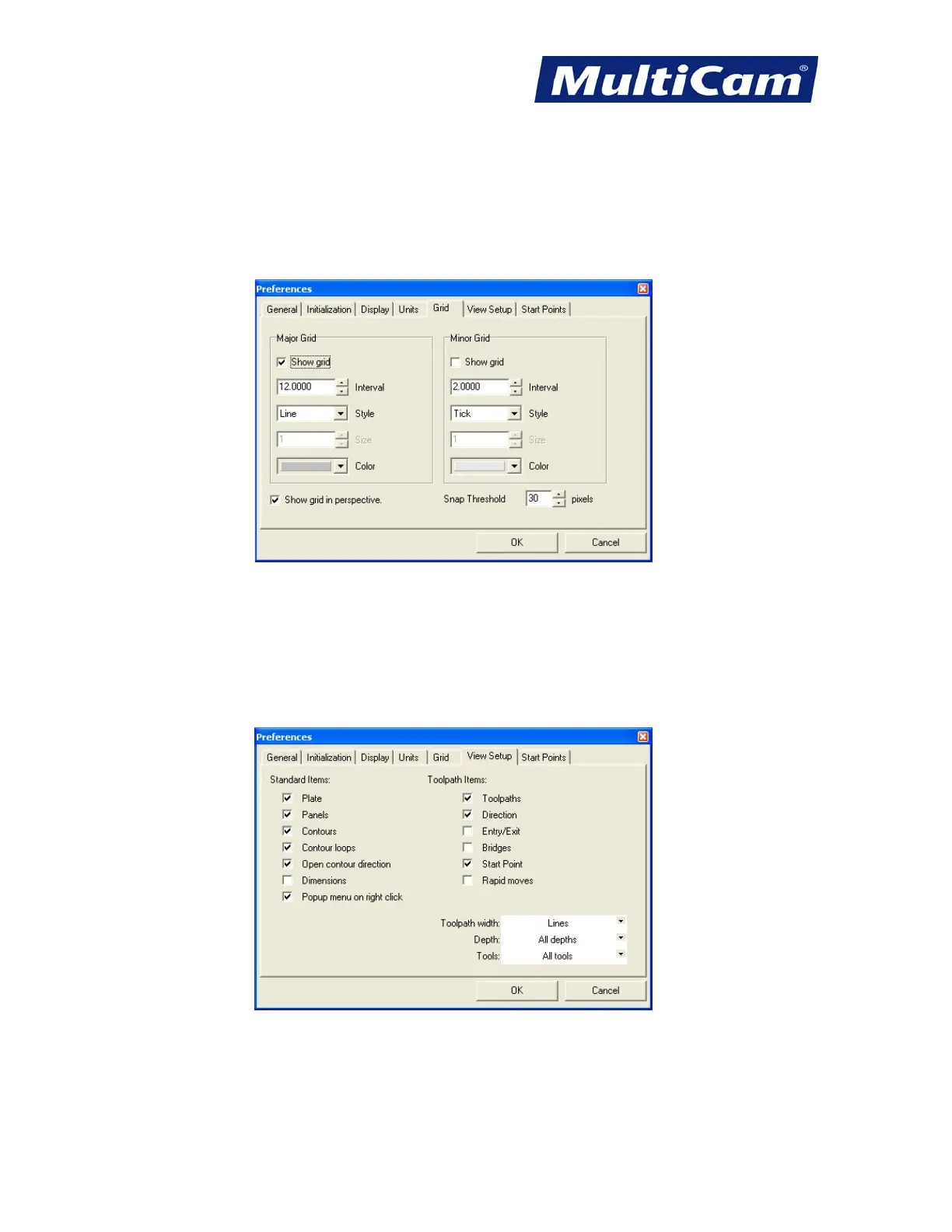
Grid
* Change the Major and Minor Grids when creating contours in Contour Creation, which can be turned off when
not in use.
* Review the parameters of the grid. The Interval describes the size of the grid while Size describes the pixel size
of the Style.
View Setup
* Adjust View Setup settings to show or hide the listed items when creating contours and toolpaths.
* Avoid changing the options in the white window until all paths and options for them have been created. At that
point, these settings can be changed to see only certain paths with these 3 options.
Routers * Lasers * Plasma * WaterJets * Knife Cutters
www.MultiCam.com v. 11 10


 To Next Page
 Loading...
