SW
25
Innovation. Quality. Performance. Best in Industry. Worldwide.
Saving the Material Thickness
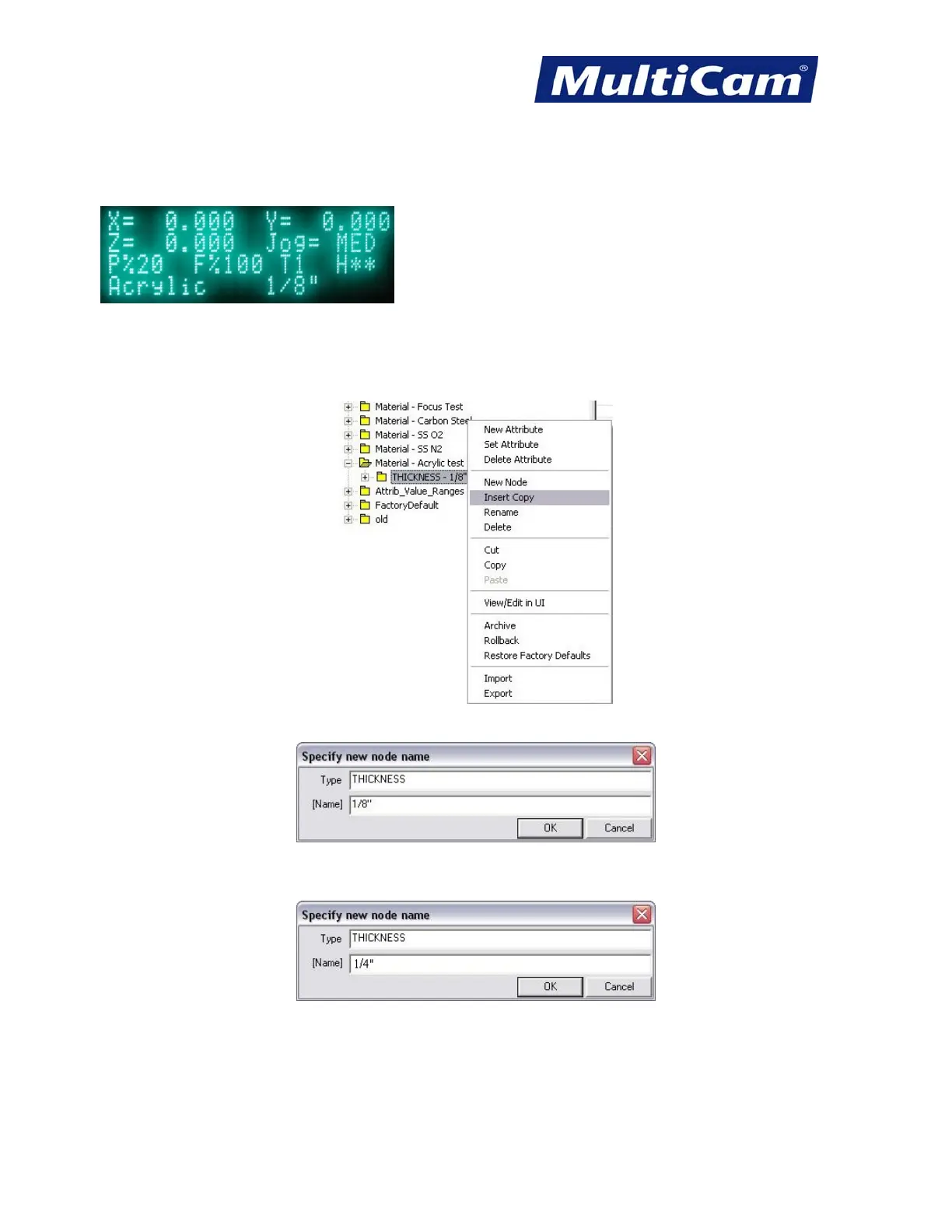
1. Cancel out of the Material Library until the home screen is displayed on the keypad.
2. Open Material Library Editor. The system will automatically provide material thicknesses and attributes based
on the last material added, so operators will need to update the information for the new material.
3. Right-click on any thickness under the new material and select Insert Copy.
This will automatically open the material attribute folder.
4. Change the name of the thickness if necessary (e.g., 1/8” to 1/4”) and select OK. Operators can use up to 6
characters for the thickness.
5. Select File >> Save. The tool information will be copied from the previous file.
Routers * Lasers * Plasma * WaterJets * Knife Cutters
www.MultiCam.com v. 11 10


 To Next Page
 Loading...
