SW
27
Innovation. Quality. Performance. Best in Industry. Worldwide.
Saving Material Library Information
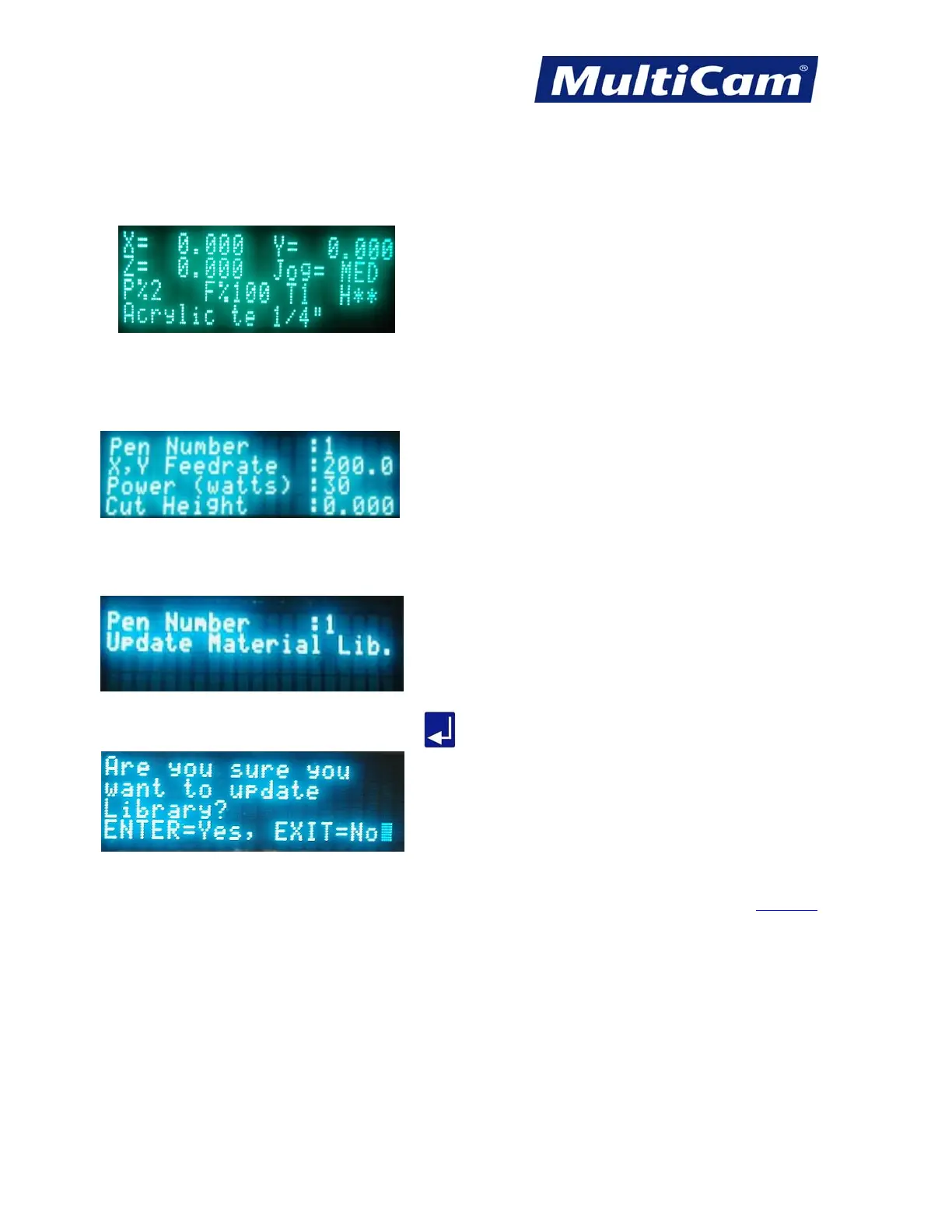
Operators can double-check the material library information before each cut by reviewing the information
available on the home screen.
If the operator decides to make changes to the material library information currently available for that material,
then he or she should complete the following:
1. Open Params_2D from the keypad.
2. Change the parameters as needed (e.g., feedrate, power, cut height).
3. Scroll down to Update Material Library.
4. Open Update Material Library and press Enter
to update the information for that material.
Software
Routers * Lasers * Plasma * WaterJets * Knife Cutters
www.MultiCam.com v. 11 10


 To Next Page
 Loading...
