SW
40
Innovation. Quality. Performance. Best in Industry. Worldwide.
Mapping M Code to Output
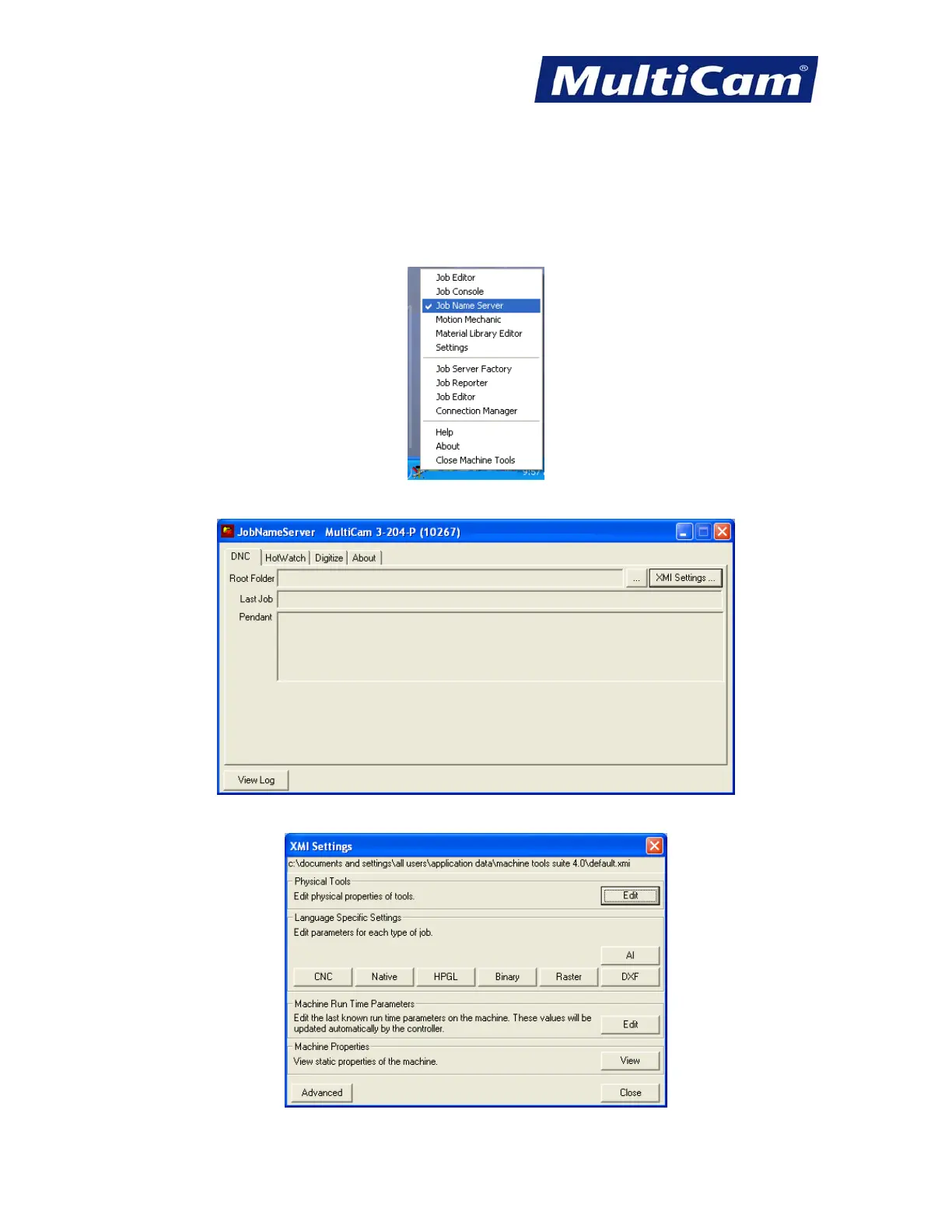
Operators can add M Codes to an output on their existing machines, assign the code to a particular device, and set
the active status by completing the following steps:
1. Open MachineTools and select JobNameServer.
2. Select XMI Settings.
3. Select CNC.
Routers * Lasers * Plasma * WaterJets * Knife Cutters
www.MultiCam.com v. 11 10


 To Next Page
 Loading...
