FS
9
Innovation. Quality. Performance. Best in Industry. Worldwide.
Rastering an Image – Suite4 Operation
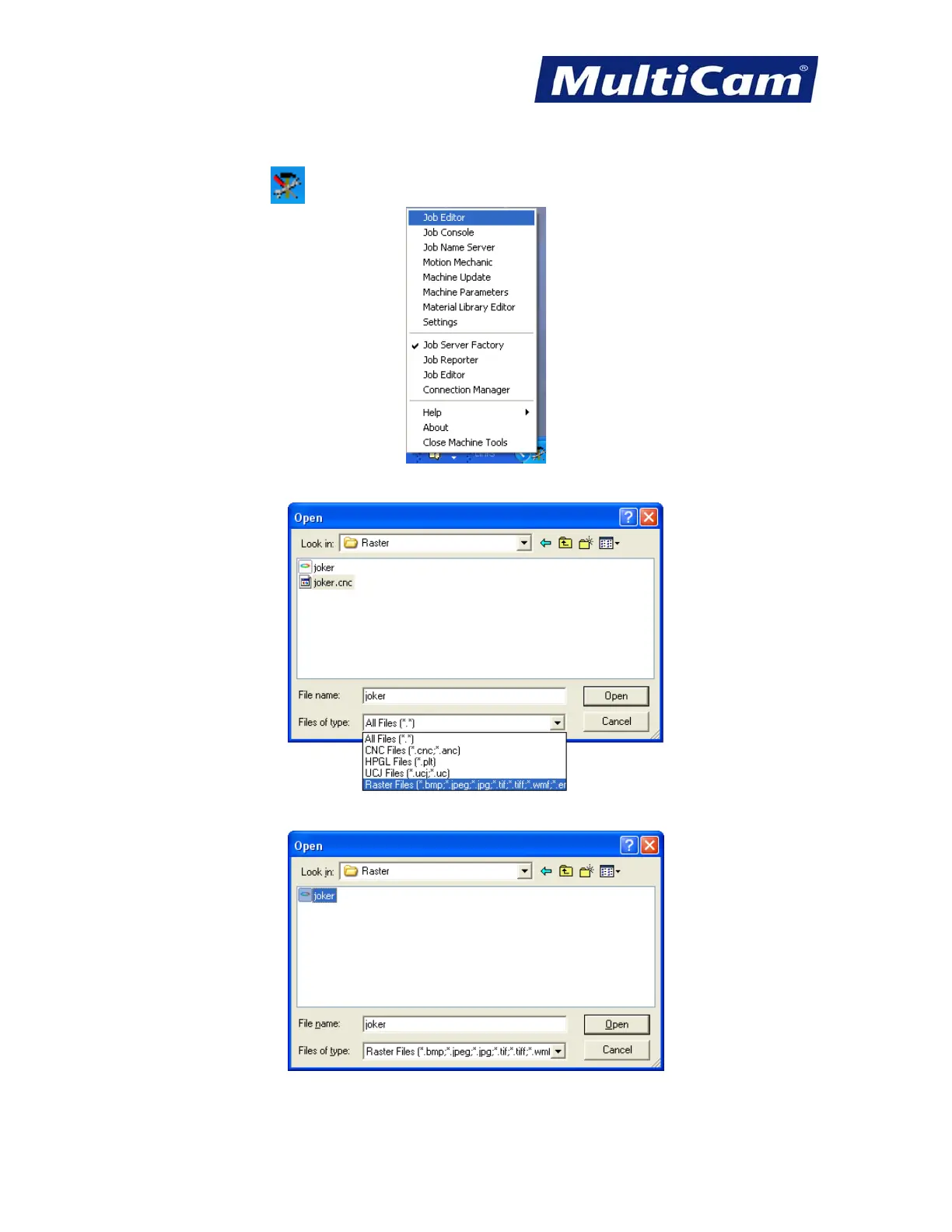
1. Click on Machine Tools in the bottom toolbar next to the clock and open JobEditor.
2. Open a raster file (e.g., Raster) and change the file of type to Raster Files.
3. Highlight the file to be output on the system (e.g., joker) and select Open.
4. Complete Rastering an Image – Basic Operation as shown above.
Routers * Lasers * Plasma * WaterJets * Knife Cutters
www.MultiCam.com v. 11 10



 To Next Page