5 Menu Key
130 Pulse Laser Station NPL-302 Series Instruction Manual
4.
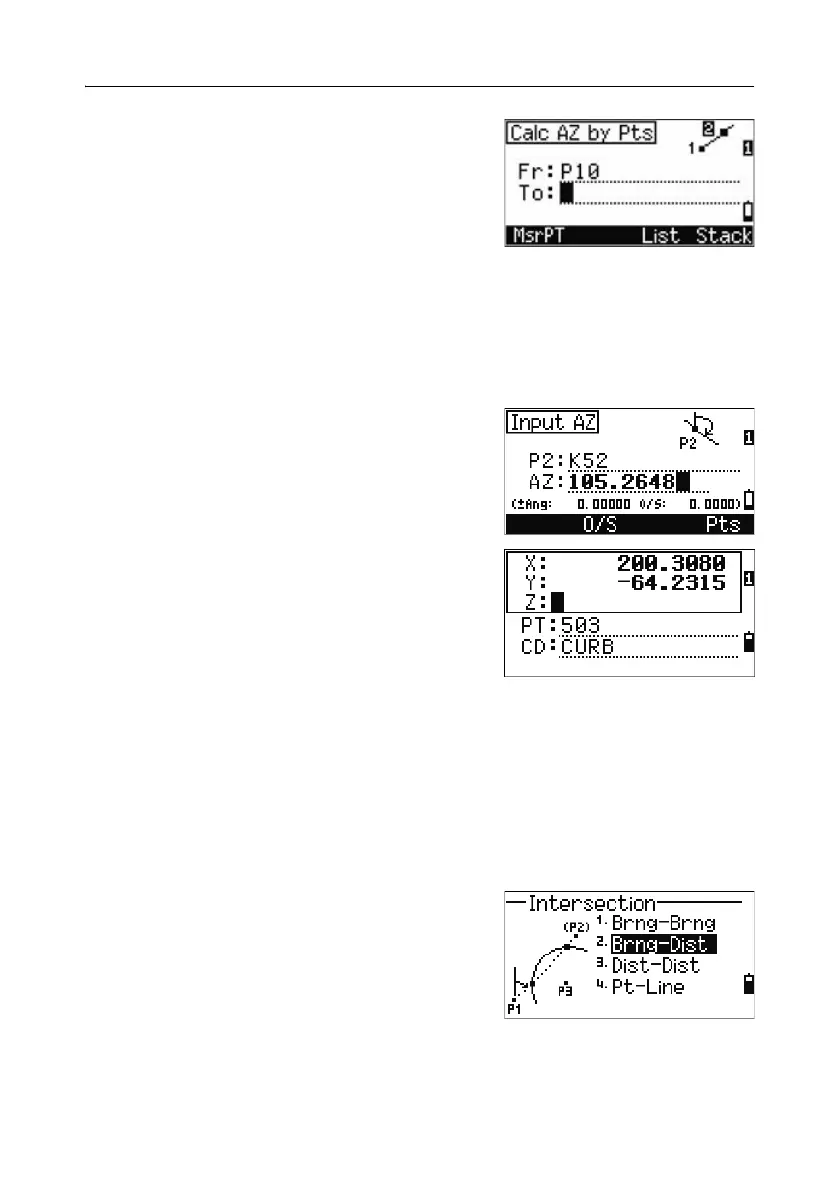
To define the line by two points, press the Pts
softkey. The Fr field defaults to the P1 point,
but you can change the selected point. In the
To field, enter or measure to the second point.
For more information about the
O/S softkey,
see Advanced feature: Entering angle and
distance offsets, page 134.
5. Do one of the following:
– To return to the previous screen, press
[ENT]. The calculated value appears in
the AZ field.
– To go to the next screen, press
[ENT].
6. Define the second line by two points or by P2
and AZ.
7. To calculate the coordinates of the intersection
point, press
[ENT] in the AZ field.
The calculated coordinates are displayed. You
can input a Z coordinate if necessary.
8. Enter a value in the PT field and in the CD
field.
9. To record the point, press [ENT].
Sample records
CO,Int BB P1:P10 AZ:330.54175-90.00000
CO, P2:408 AZ:100.0000+0.0000
CC,A123,,4567.3080,200.1467,-1.2056,POT
Calculating a bearing-distance intersection
1.
Press [2] or select Brng-Dist in the
Intersection menu.
Brng-Dist calculates the intersection point
formed by one line and one distance (radius).



 To Next Page