5 Menu Key
144 Pulse Laser Station NPL-302 Series Instruction Manual
AR records
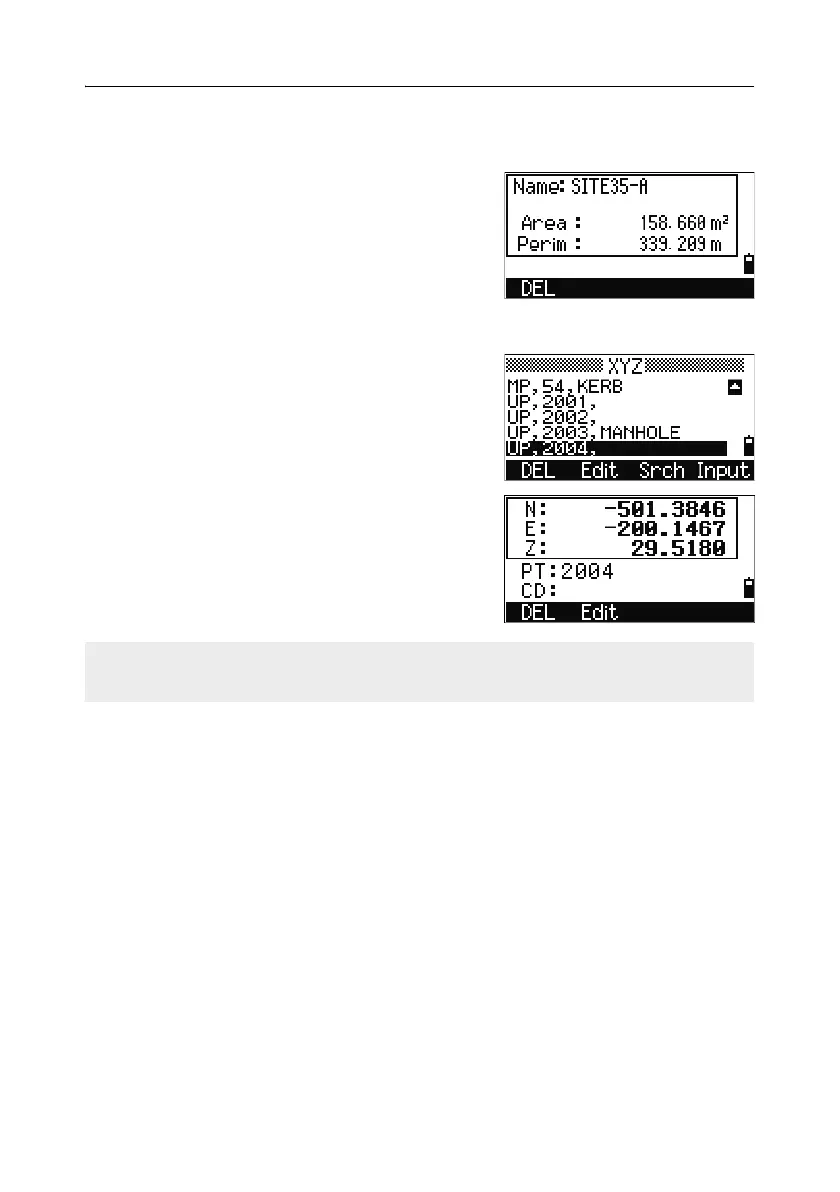
An AR record stores an area and perimeter calculation.
When you download data in Nikon RAW format,
AR records are output as comment (CO) records.
View coordinate data
When you press [2] or select XYZ data in the
Data menu, coordinate data appears in a list, with
the newest record at the bottom of the screen. Use
[^] or [v] to scroll through the records. Use [<] or [>]
to move up or down one page.
Press [ENT] to see more detailed information about
the selected record.
UP, MP, CC, and RE records
All coordinate records contain PT, CD, X, Y, and Z fields.
UP records are uploaded point coordinates. MP records are manually input point
coordinates. CC records are points calculated in Cogo, and RE records are points
calculated in Resection.
When the Store data setting is set to RAW+XYZ or to XYZ, shots in the BMS (SS
records), in various O/S functions (SS records), in 2Pt-RefLine and Arc-RefLine in
PRG (SS records) and in some Stakeout functions (SO records) store coordinate
records as well. The format of the data is the same as other coordinate records.
The header (XYZ,YXZ,NEZ, or ENZ) depends on the Coord. Label setting in MENU
> Settings > Coord.
For more information, see Coordinate, page 138.



 To Next Page