Menu Key 5
Pulse Laser Station NPL-302 Series Instruction Manual 145
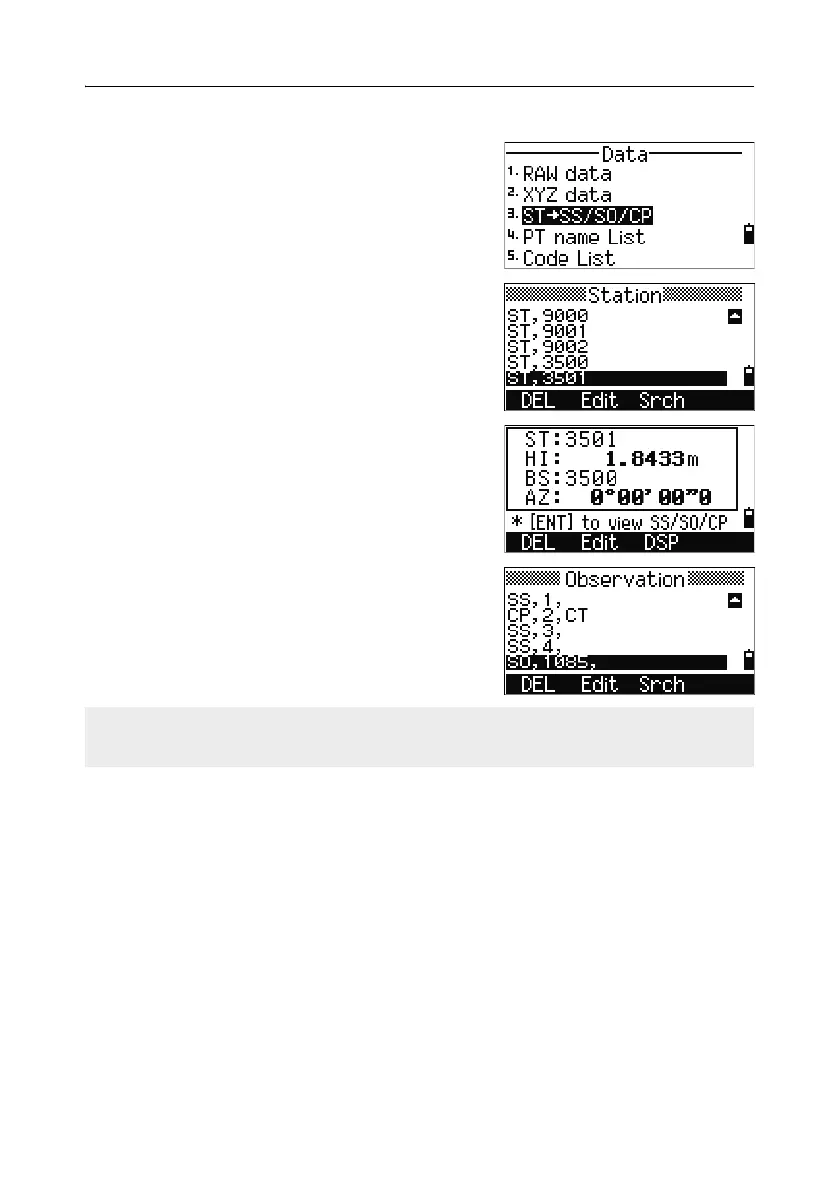
View records by station
To view records by station, press [3] or select
ST->SS/SO/CP in the Data menu.
A list of all stations appears.
Use
[^] or [v] to highlight the station name that you
want to view. Use
[<] or [>] to move up or down one
page.
To view detailed information about the selected
station, press
[ENT].
To display all the observation data from the
selected station in chronological order, press
[ENT]
again.
Detailed data is as for raw data. For detailed information about each point type and
format, see Viewing raw data, page 141.



 To Next Page