4 Applications
72 Pulse Laser Station NPL-302 Series Instruction Manual
1.
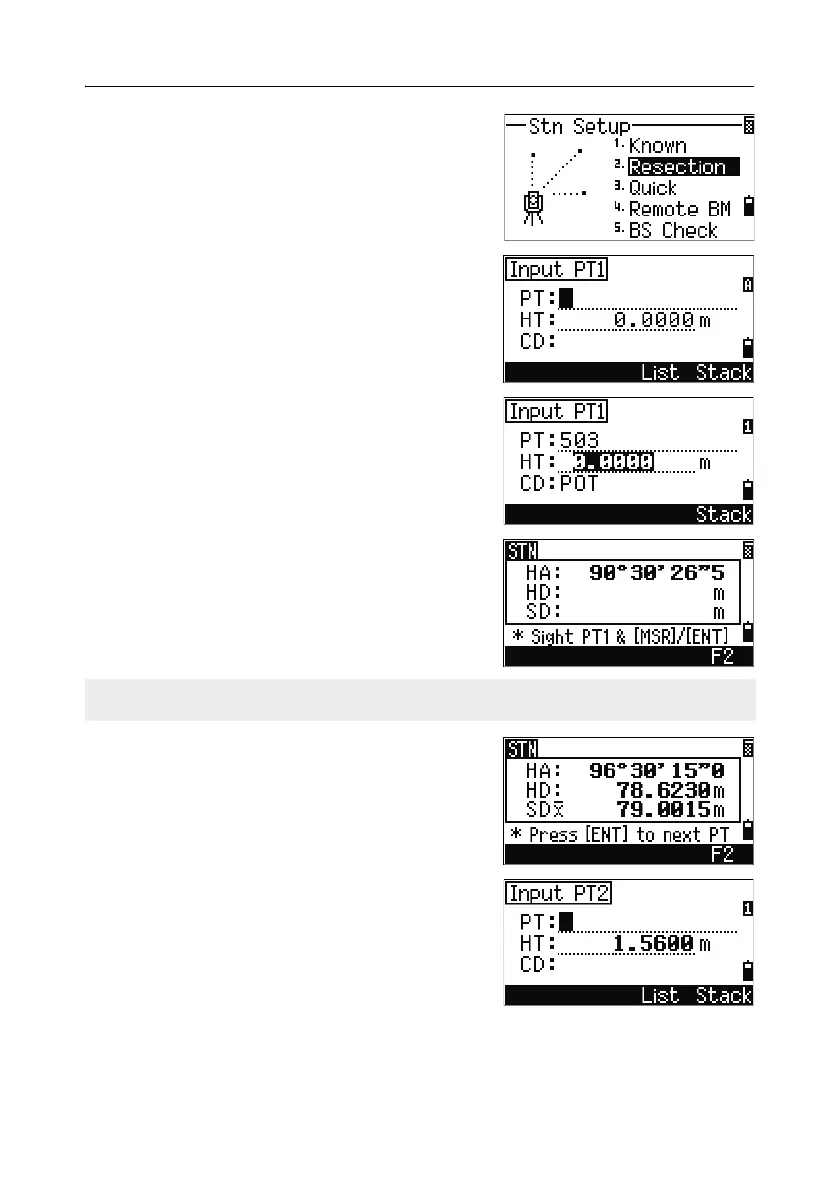
To start the resection, press [2] or select
Resection in the Stn Setup menu.
2. Enter the point name for the first observation
point (PT1).
3. Enter the target height and press [ENT].
4. Sight PT1 and press [MSR1] or [MSR2].
To use the
F2 softkey for F1/F2
measurements, see Advanced feature:
Measuring F1 and F2, page 69.
5. To proceed to the next point, press [ENT].
6. Enter the second point (PT2) and its height of
target.
The F2 softkey is not available on the NPL-332.



 To Next Page