Full Color Card Printer
60
Cleaning the Feeding Roller
If the printing location on printed cards is out of adjustment, or there is white space at the edge
of printed areas, then clean the secondary transfer section feeding roller at the bottom of the
top cover.
Be sure to turn off the printer before cleaning the rollers.
Read the cautions in "Before Cleaning" on page 54.
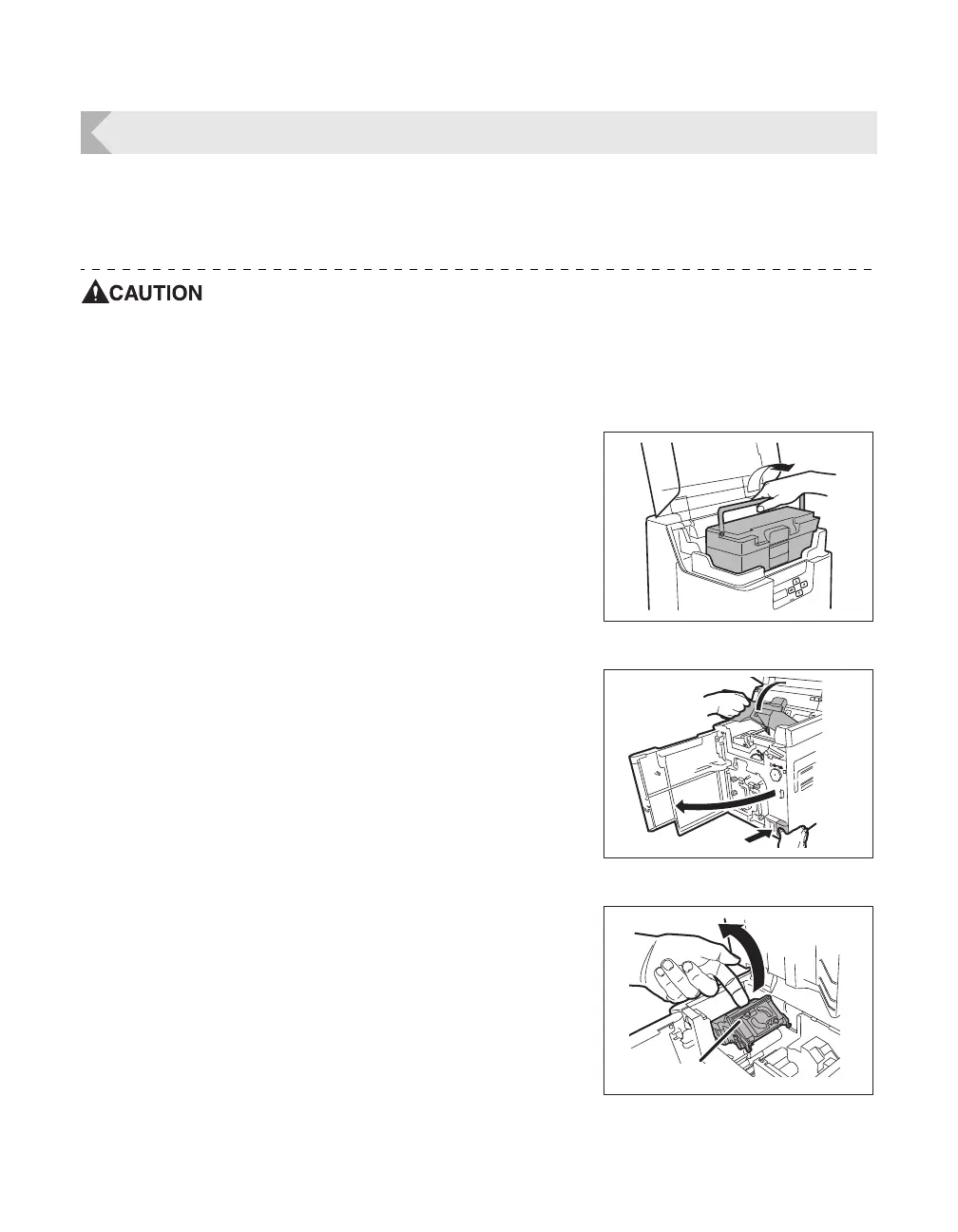
1 Turn off the power.
2 Open the top cover, and remove the
Card Case.
• Hold the Card Case handle, and remove.
3 Open the Front Cover and Top Cover.
• Press the open over switch, and pull the Front Cover
forward.
• Hold the handle of the Top Cover and lift to open.
• If you do not open the Front Cover, then you cannot
open the Top Cover.
4 Lift the decurl section.
• First release the lock on the decurl section as at right
before lifting.



 To Next Page