Full Color Card Printer
64
Primary Transfer Feeding Roller Cleaning
If a film-related error occurs such as [Film Wind up], or there is color bleed or image distortion,
then clean the primary transfer feeding roller.
Be sure to turn off the printer before cleaning the rollers.
Read the cautions in "Before Cleaning" on page 54.
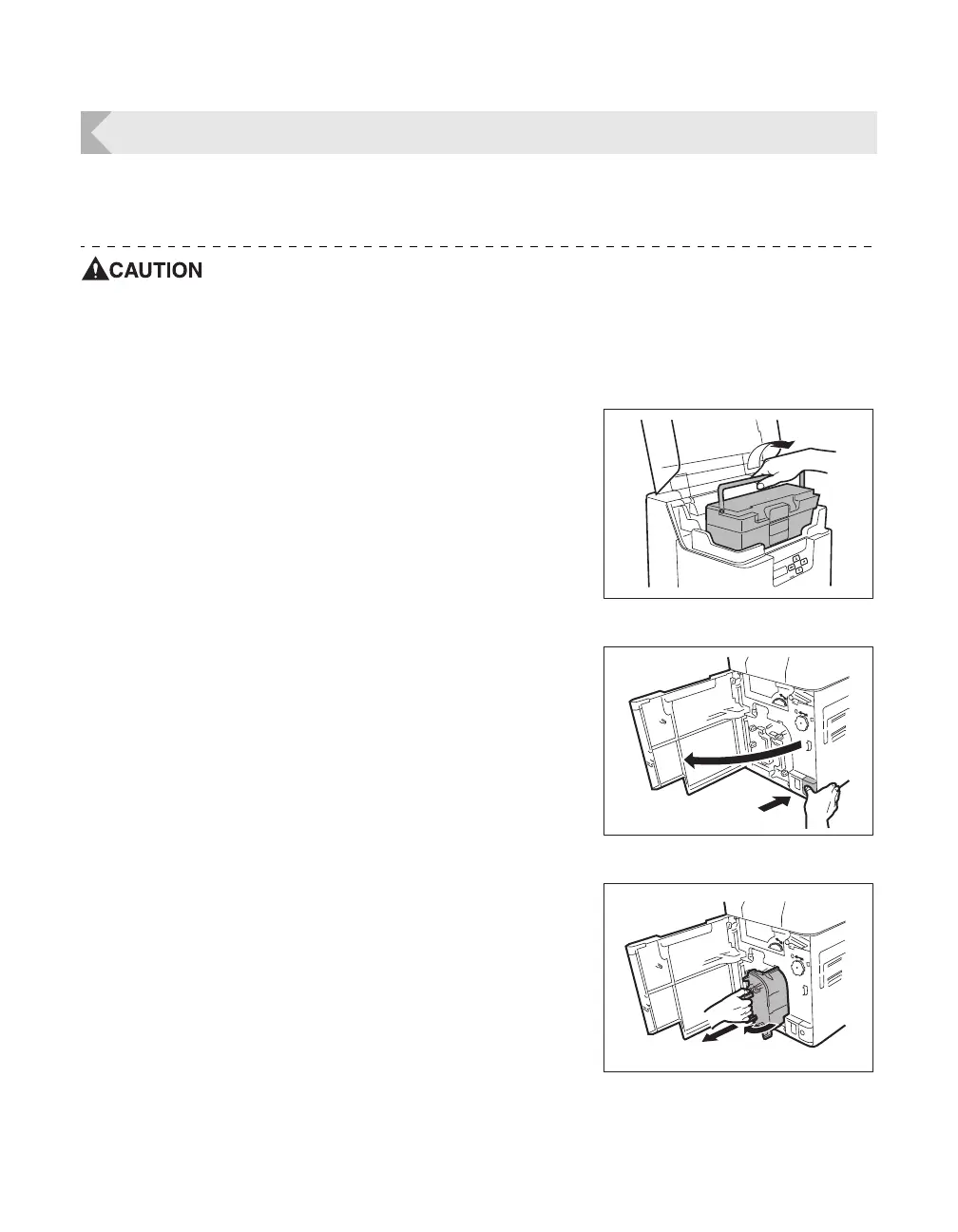
1 Turn off the power.
2 Open the top cover, and remove the
Card Case.
• Hold the Card Case handle, and remove.
3 Open the Front Cover.
• Press the open over switch, and pull the Front Cover
forward.
4 Remove the Ink Ribbon Cassette and
the Transfer Film.
• See "Changing the Ink Ribbon and Transfer Film" on
page 16 for details on how to remove the Ink Ribbon
Cassette and Transfer Film.



 To Next Page