RAID splitting 131
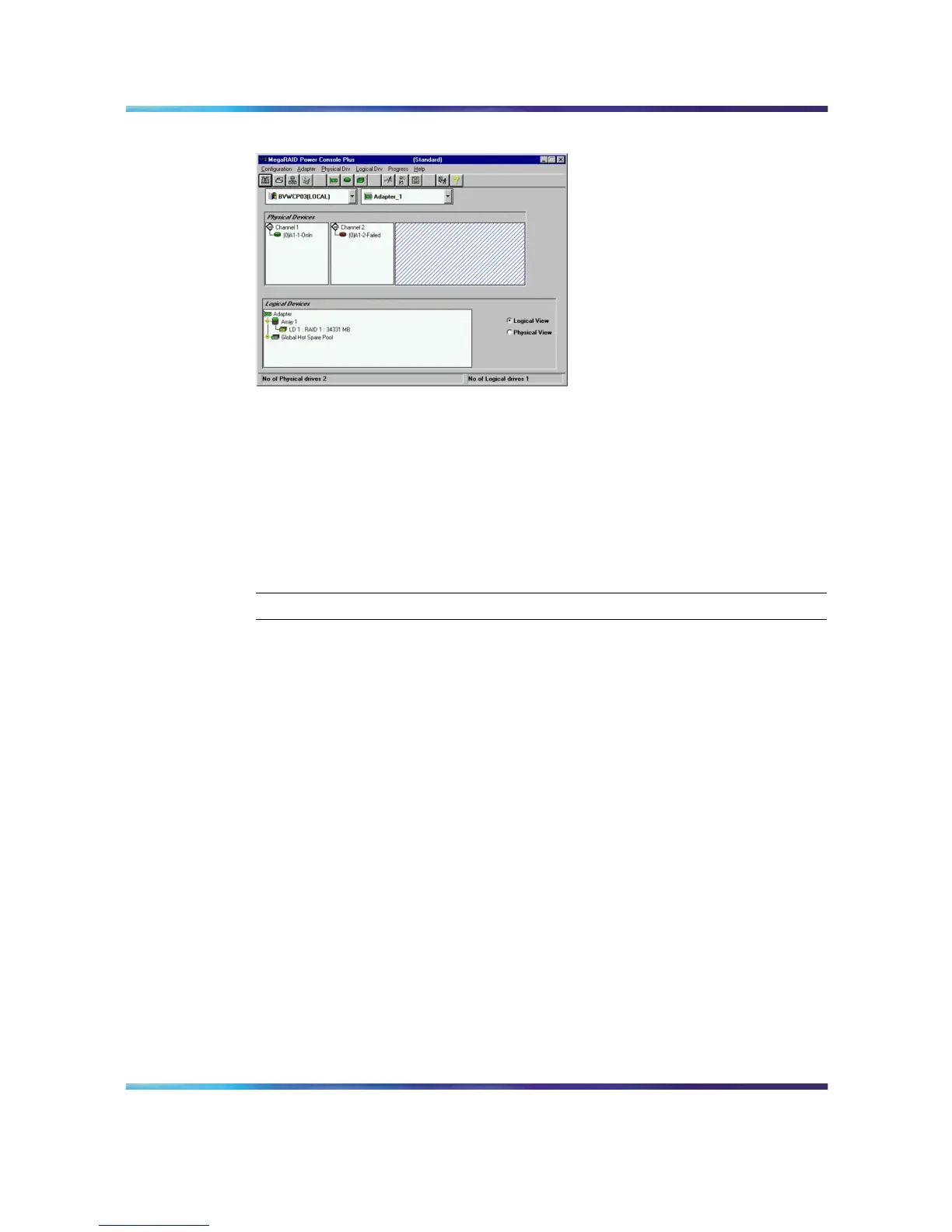
MegaRAID Power Console Plus drive status
Perform a CallPilot software upgrade
Let the system boot. The system will still run after Channel 2 of the RAID
card was taken out of service and will boot to Windows. Perform the
software upgrade.
To synchronize the RAID after a successful upgrade
To restore RAID to full service after completing a successful upgrade or
update:
Step Action
1
WITHOUT shutting down the server, from Windows, click Start →
Programs → Power Console Plus → Launch Client.
Note: Ensure that Access Mode → Full Access is selected.
2
Click OK.
Result: The MegaRAID Power Console Plus window appears.
3
In the Physical Devices section, right-click the Channel 2 hard disk
drive that was marked FAILED.
Example: Channel-2 (0)A1-2-Failed.
4
From the right mouse pop-up menu, select Rebuild.
Result: When Rebuild is done, the drive status changes to ONLINE
and the color of the icon should change to green. The alarm should
stop beeping unless it was temporarily silenced.
Note: The process can take up to 1 hour. DO NOT shut down
the machine before the rebuild is complete. If you do reboot or
power down during this process, you need to do "To synchronize
RAID after an unsuccessful upgrade" (page 132), then start
Nortel CallPilot
703t Server Maintenance and Diagnostics
NN44200-702 01.03 Standard
5.0 3 April 2007
Copyright © 2007, Nortel Networks Nortel Networks Confidential
.











 To Next Page