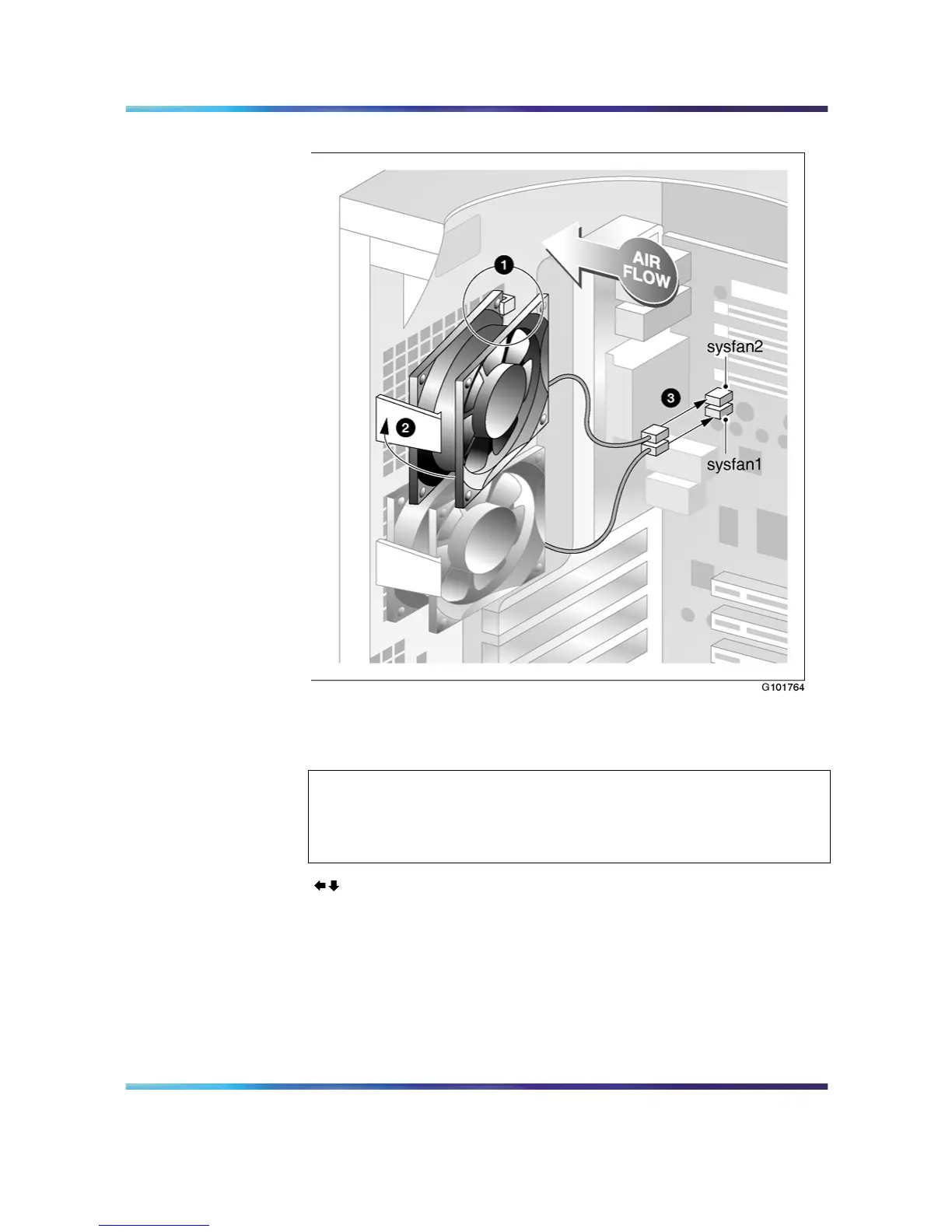
Replacing a rear system fan 97
install rear system fan
5
Place the bottom edge of the fan on the support bracket at the back
of the server.
ATTENTION
To ensure proper cooling operation, ensure that the printed label of the
fan is facing the back of the server, and the arrows embossed on the
fan casing are facing as follows:.
6
Lift the brackets tab, align the fan with the server back wall, and
then release the tab.
Ensure that the tab engages with the edge of the fan casing.
7
Connect the fan power cable to the motherboard.
Nortel CallPilot
703t Server Maintenance and Diagnostics
NN44200-702 01.03 Standard
5.0 3 April 2007
Copyright © 2007, Nortel Networks Nortel Networks Confidential
.











 To Next Page