Installing and connecting the batteries 9-21
AccessNode Series 800A Outside Plant Cabinet Installation 323-3001-210 Issue 1.0
Procedure 9-2 (continued)
Installing 6 V batteries in a cabinet
Step Action
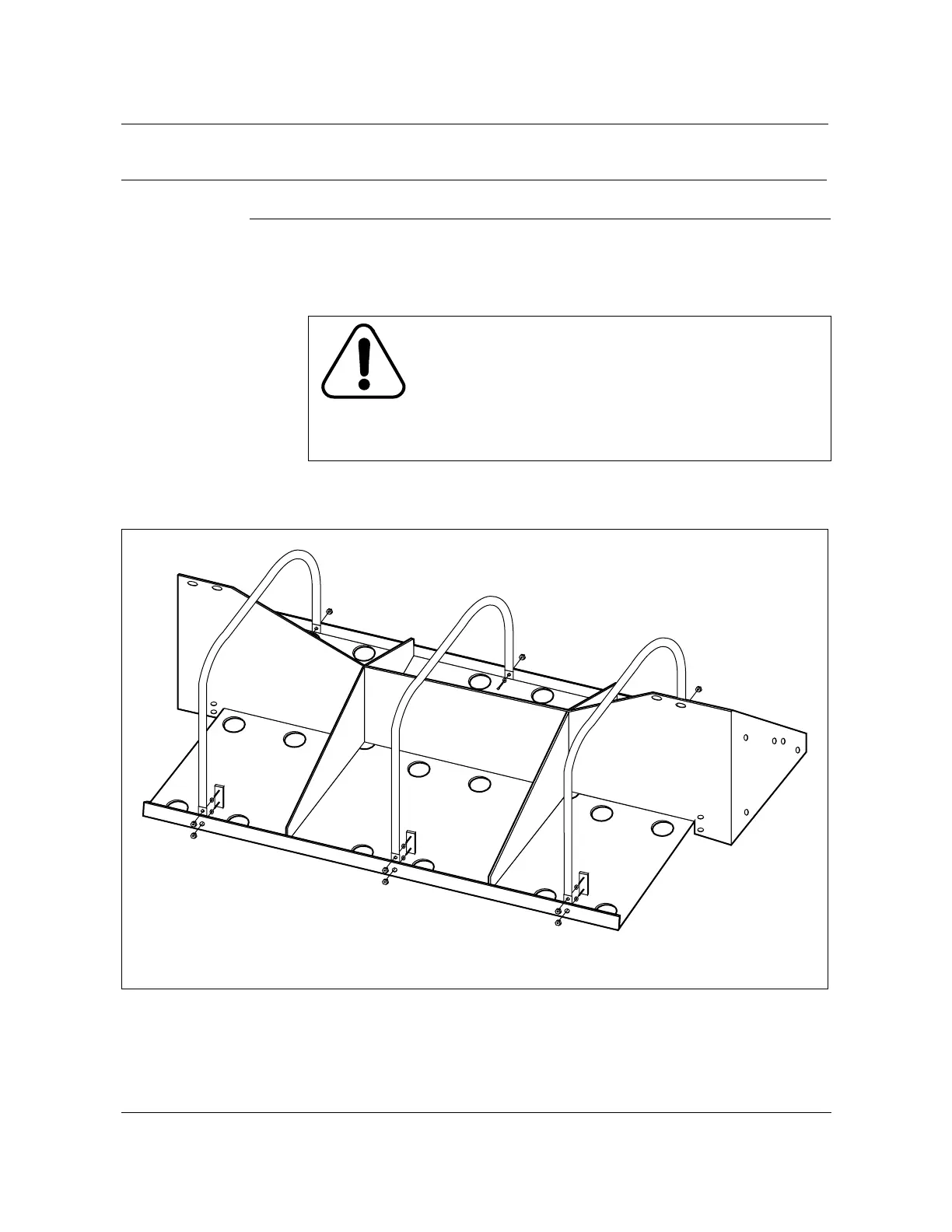
5 Install the battery strap installation kit (see Figure 9-10) onto the battery
shelves for Zone 4 earthquake applications.
6 Make sure circuit breakers BATT 1-2 through BATT 13-14 on the battery
breaker panel (BBP) are all in the Off position.
Figure 9-10
Optional battery strap installation kit for Zone 4 application
FW-15154
—continued—
CAUTION 6
Current inrush hazard
To avoid current inrush from one battery string, always turn
the battery string circuit breakers (BATT 1-2 through
BATT 13-14) on the BBP to the Off position before
connecting the battery cable assemblies to the BBP
interface connectors on the rear left swing frame.
Note:
Attach the straps to the inside of the battery shelf as shown.
Ensure that the straps are placed under the battery wiring.
Batteries not shown
FW-15154



 To Next Page