5.9.2.1 Removing the developer station
146 A29246-X20-X-4-7680 / fa509.fm
Preparations for removing the developer station
Proceed as follows:
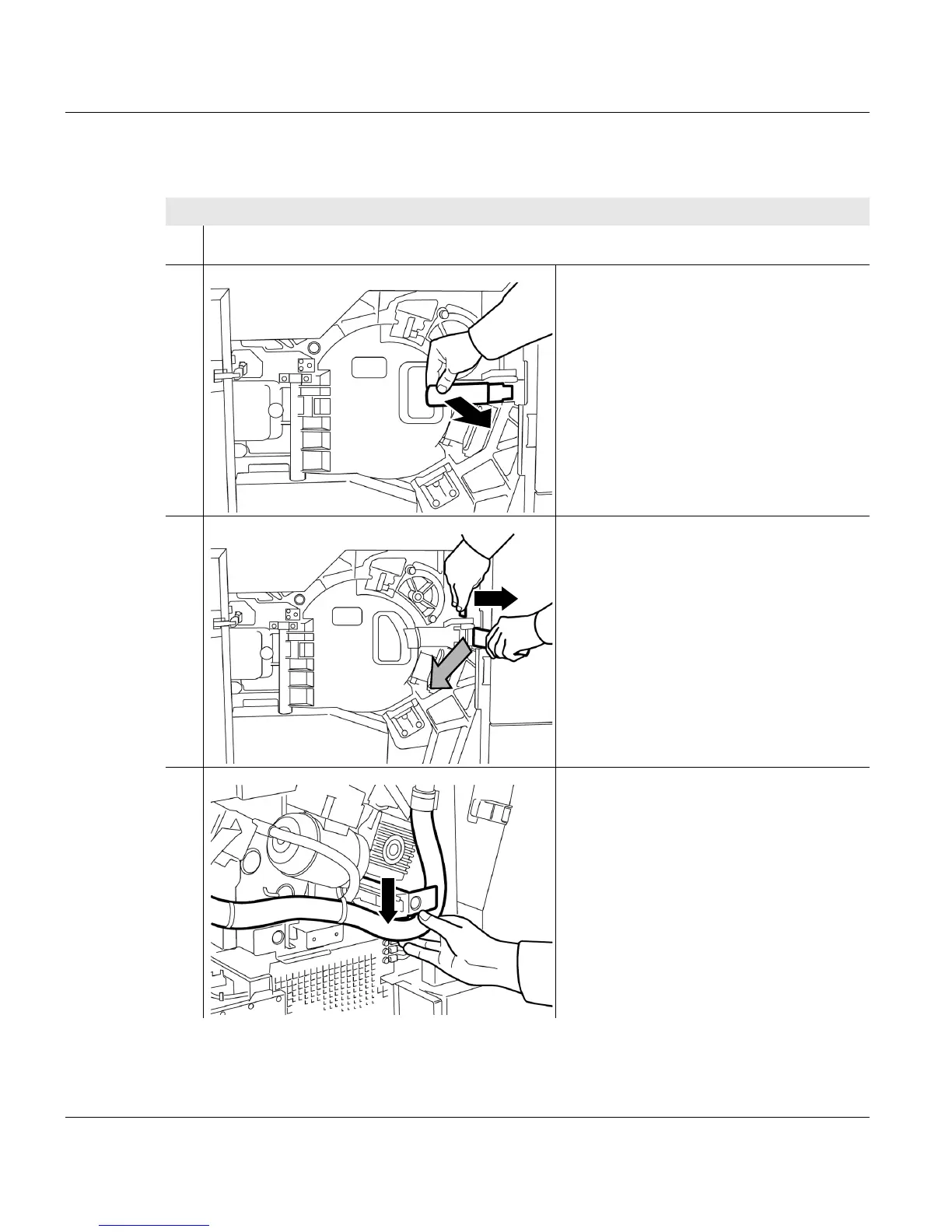
1. Open the left and right doors at the front of the printing system.
2. Open the door in front of the
photoconductor drum:
• Pull lever forward.
3. Push safety lever to the right and open
door by lever.
4. Put toner suction hose down.
1 of 3



 To Next Page