5.9.2.2 Installing the developer station
A29246-X20-X-4-7680 / fa509.fm 155
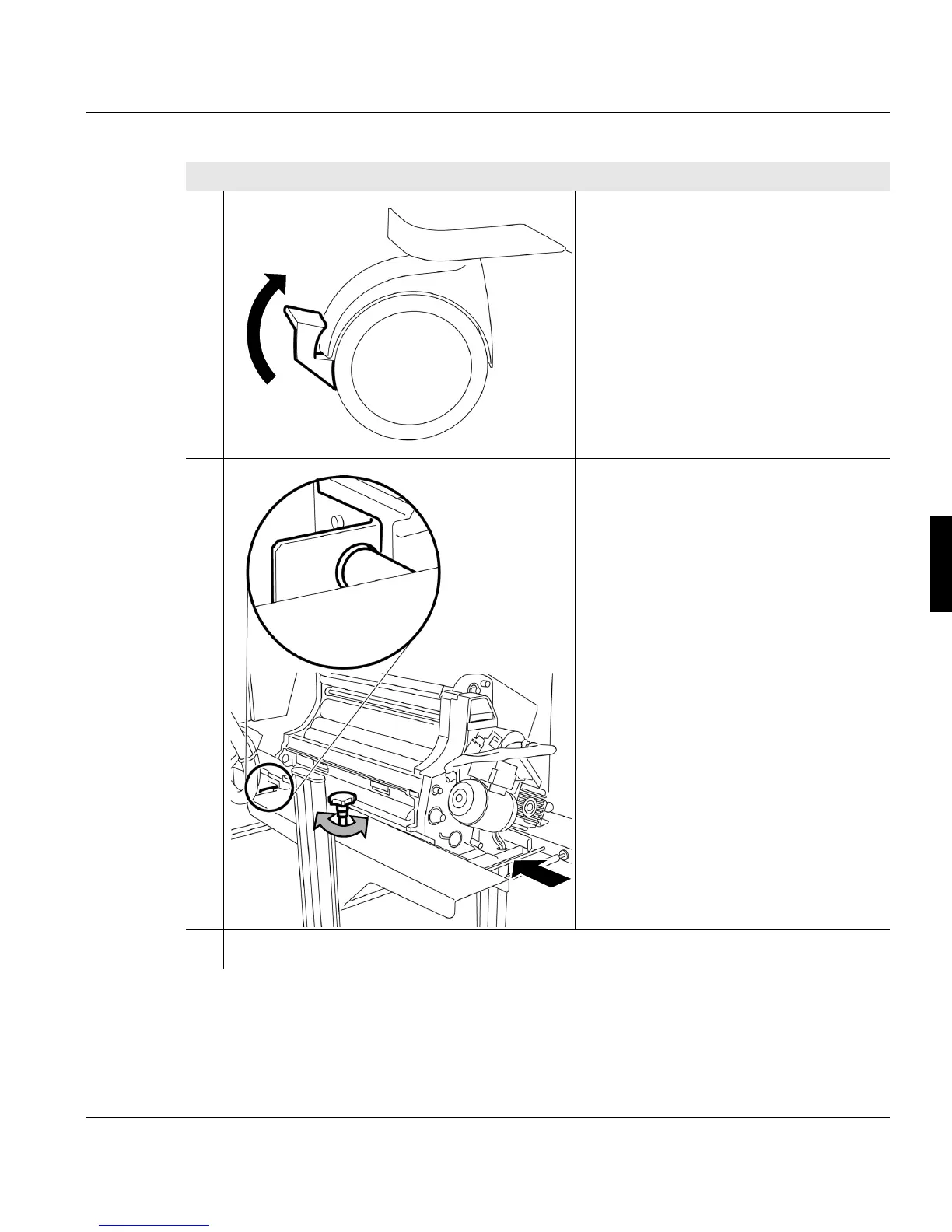
3. Push the lever on both roller brakes
upwards.
4. Push the replacement cart with the
developer station towards the printing
system and set the height of the
supports precisely:
Turn the setscrews so that the two pins
are directly opposite the
corresponding holes on the printing
system.
5. Installing the developer station >>> page 156
Proceed as follows:
2 of 2



 To Next Page