5.9.2.2 Installing the developer station
156 A29246-X20-X-4-7680 / fa509.fm
Installing the developer station
Proceed as follows:
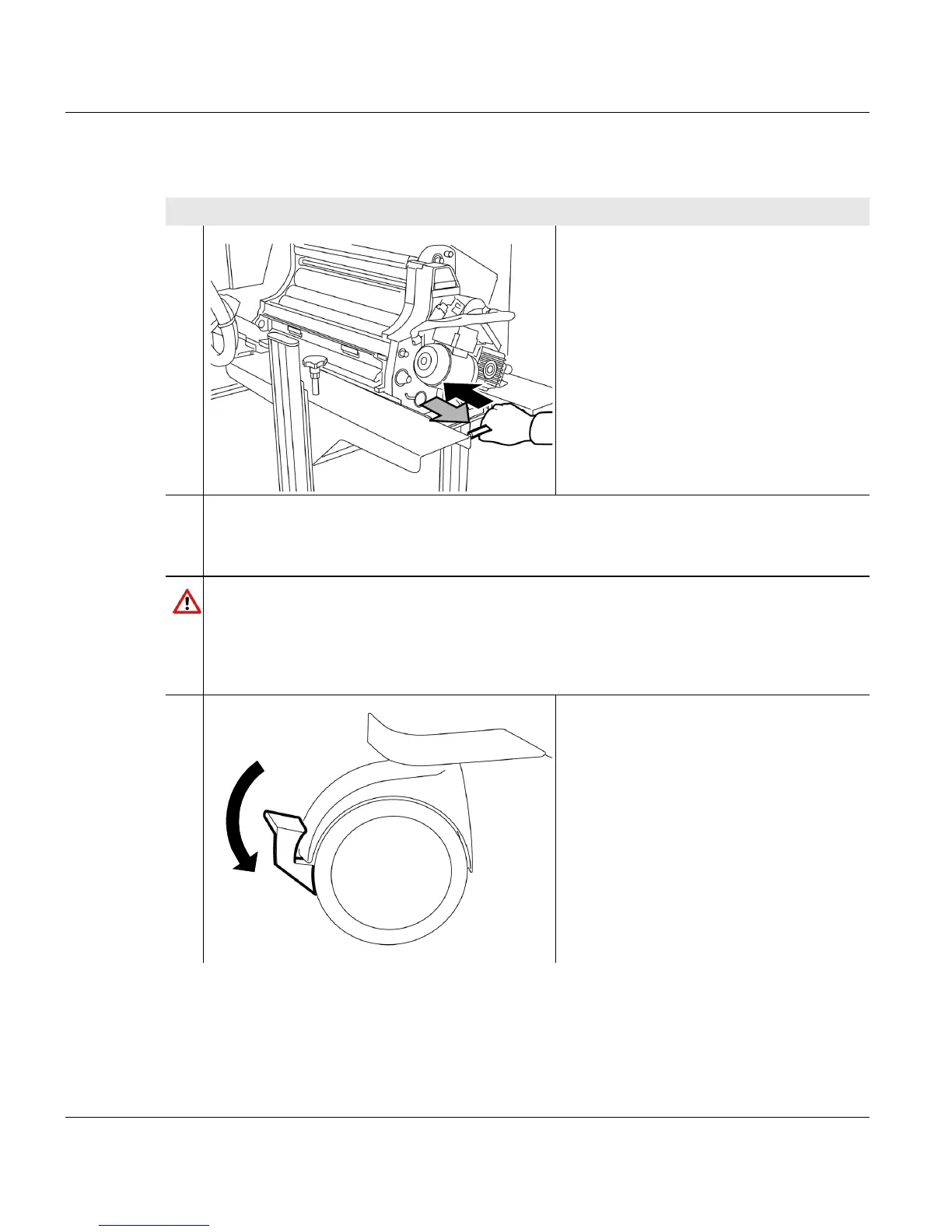
1. Push the replacement cart forwards
into the holes to the stop point.
2. Check whether the replacement cart has engaged in the printing system:
Hold the replacement cart by the handle and pull backwards. The replacement cart
must not come away from the printing system now.
Caution
Danger of damage to the replacement cart.
Make absolutely sure that the replacement cart has engaged in the printing system.
Otherwise, the replacement cart could be damaged at the horizontal guide rails when
the developer station is pushed into the printing system in the next step.
3. Push the lever on both roller brakes
downwards.
1 of 5



 To Next Page