6.5 Cleaning the fuser station
192 A29246-X20-X-4-7680 / fa603.fm
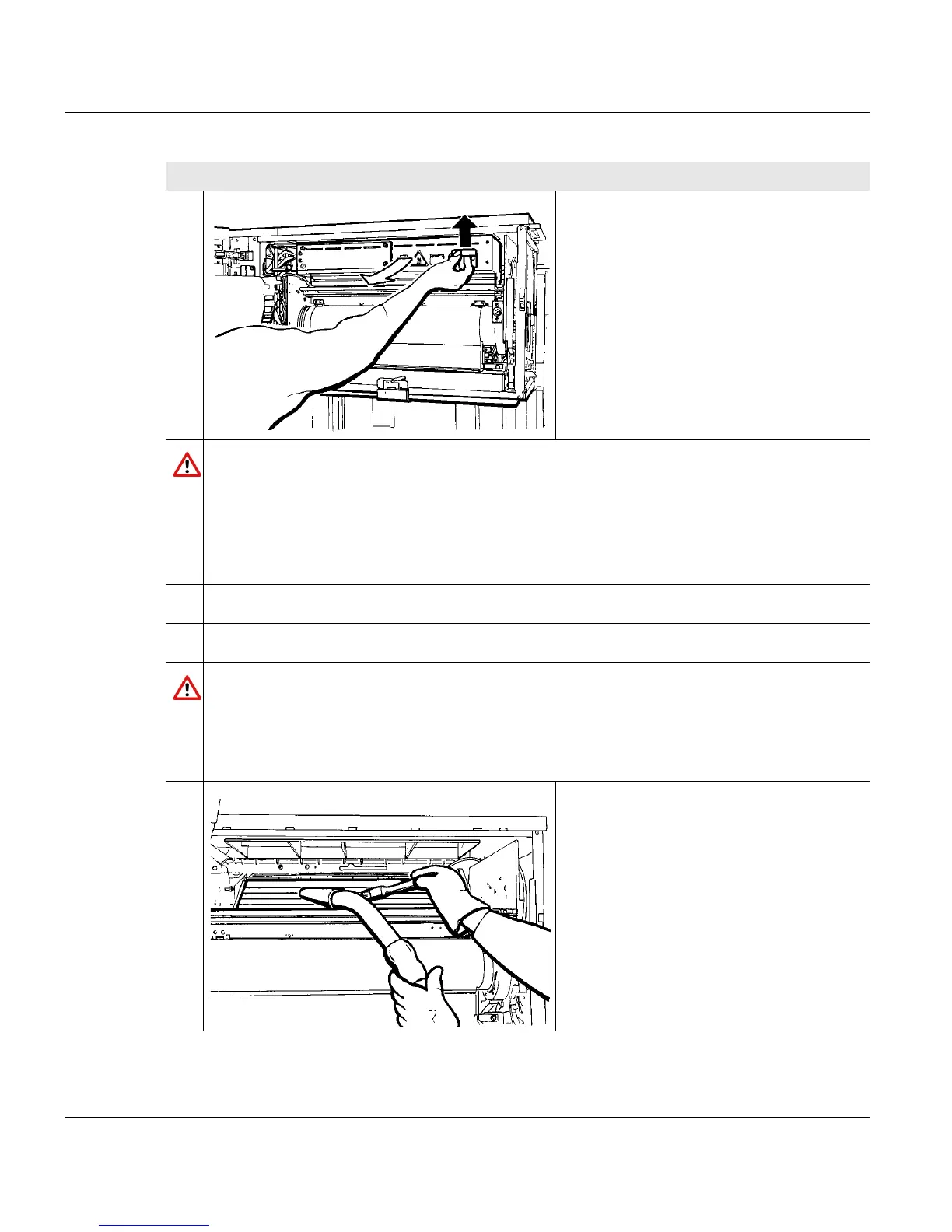
5. Lift up the active filter unit on the right
side using the handle and swivel out by
the rotary axle.
Caution
The components in the fuser station reach a surface temperature of approximately
230
o
C.
If you touch them, you may burn yourself.
Allow the printing system to cool down for at least 30 minutes with an open fuser
station and put on heat protection gloves.
6. Allow the printing system to cool down in this state for at least 30 minutes.
7. Put on heat protection gloves.
Caution
There can be a high build-up of static charge when vacuuming the toner spill.
Always use an industrial vacuum cleaner with a grounded suction tube, rubber
nozzle and filter set for fine dust. For larger quantities of toner spill (e. g. full bottle),
the industrial vacuum cleaner must be explosion-proof.
8. Clean the suction slots with a brush
and a vacuum cleaner.
Proceed as follows:
2 of 8



 To Next Page