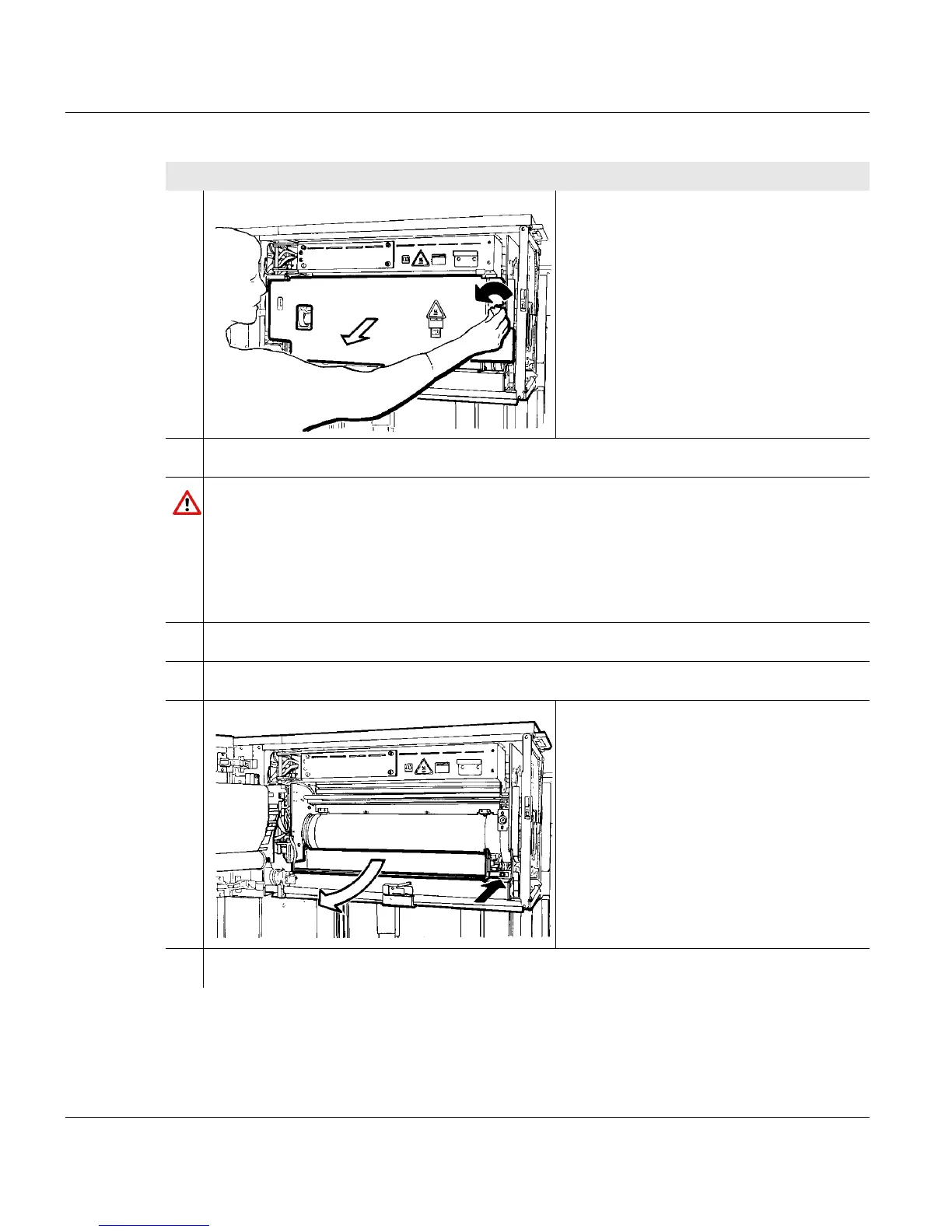
6.6 Cleaning the soft fuser roller
200 A29246-X20-X-4-7680 / fa603.fm
3. Turn the knob on the cleaning station
to the left.
4. Swivel on cleaning station.
Caution
The components in the fuser station reach a surface temperature of approximately
230
o
C.
If you touch them, you may burn yourself.
Allow the printing system to cool down for at least 30 minutes with an open fuser
station and put on heat protection gloves.
5. Allow the printing system to cool down for approximately 30 minutes.
6. Put on heat protection gloves.
7. Press against pressure pin and swivel
out waste collector.
8. Soak a fluff-free towel (e.g. paper towel) with cleaning agent 6-1508/W1/H.
Proceed as follows:
2 of 4



 To Next Page