7.2.1 Replacing the toner bottle
228 A29246-X20-X-4-7680 / fa701.fm
3. Click the following button to start toner bottle replacement:
Information on the icons displayed on the operator panel under "Worksteps":
see section Icons, page 93
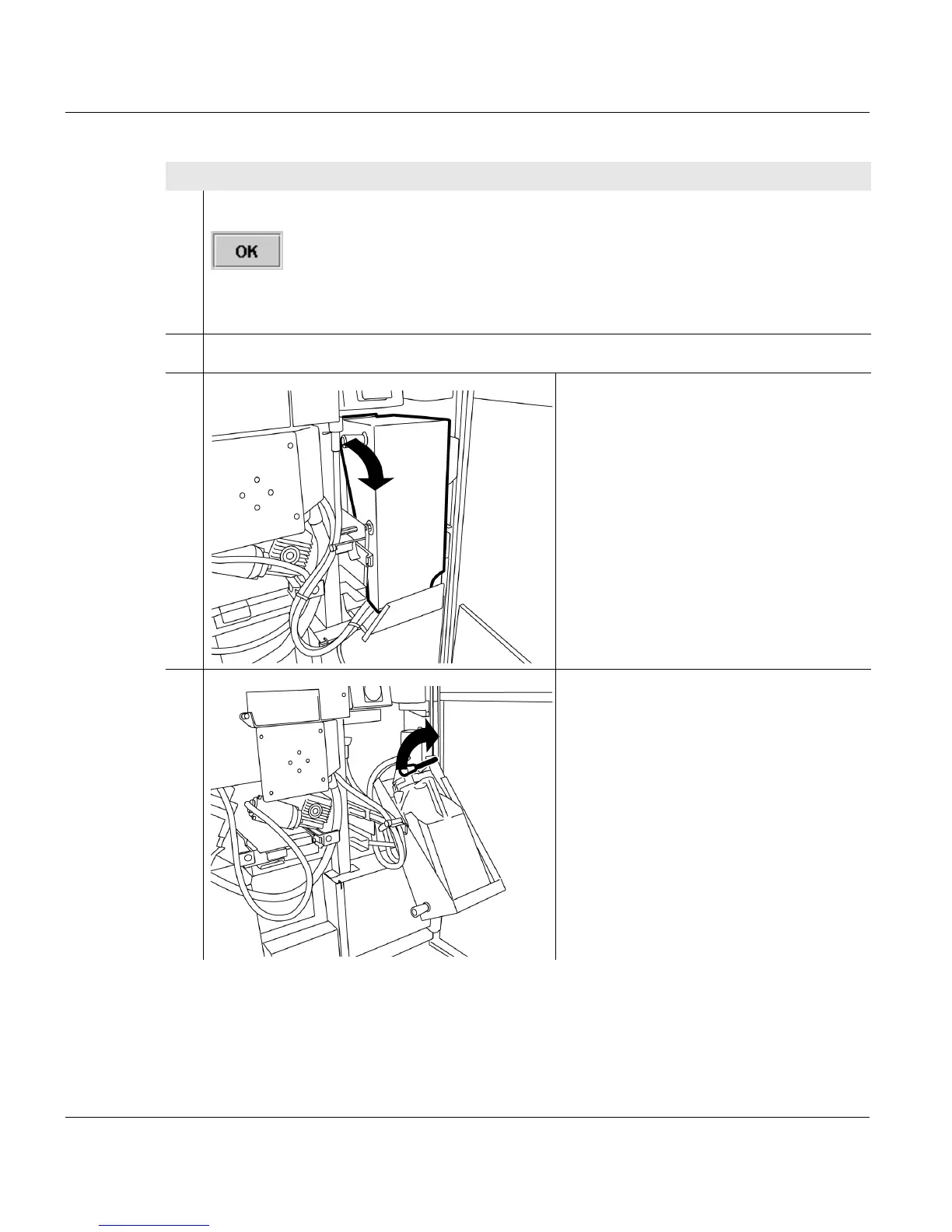
4. Open the center door at the back of the printing system.
5. Swivel toner bottle holder outwards
using the handle.
6. Pull locking lever upwards. The drain
head is swiveled off.
Proceed as follows:
2 of 3



 To Next Page