7.3.6 Replacing the cleaning belt
300 A29246-X20-X-4-7680 / fa703.fm
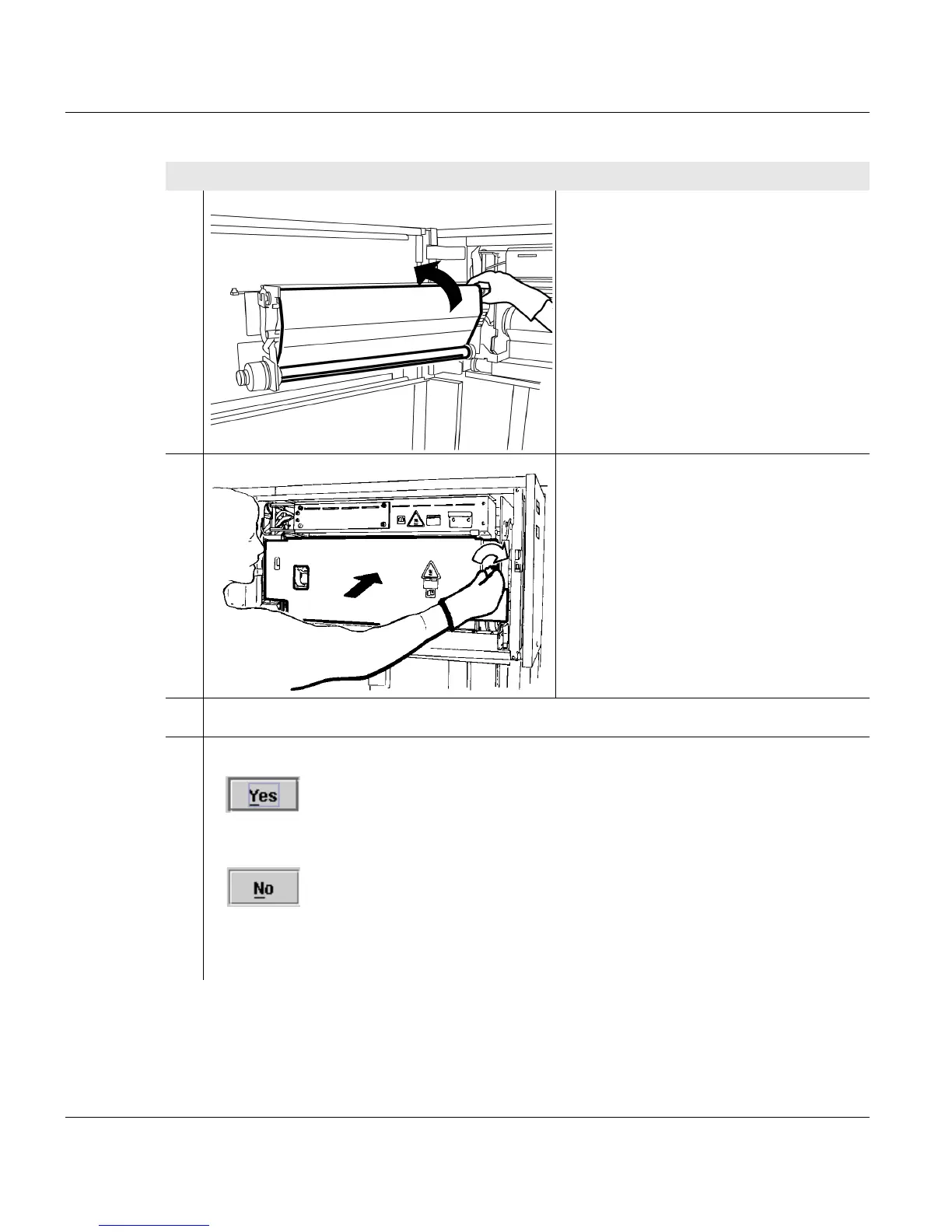
3. Turn the new roll in the opposite
direction to that in which it pays out to
tighten the cleaning belt until there are
no creases.
4. Swivel on oiling unit and turn the oiling
unit turning knob to the right.
5. Close side door of fuser station.
6. Enter on the operator panel whether a new cleaning belt was fitted:
•
The message is automatically deleted on the operator panel and the replacement
of the cleaning belt is documented in the <Consumables history> menu.
•
If the cleaning belt was not replaced.
The process is documented in the <Consumables history> menu.
Status display in the Consumables history:
Proceed as follows:
2 of 3



 To Next Page