7.3.8 Replacing the fuser roller
314 A29246-X20-X-4-7680 / fa703.fm
Important
Fuser roller models may be mistaken for each other.
Ensure that the new fuser roller has the same part number as the old one.
10. Ready carton for old fuser roller.
Caution
The components in the fuser station reach a surface temperature of approximately
230
o
C in operation.
If you touch them, you may burn yourself.
Put on heat protection gloves to continue working.
11. Put on heat protection gloves again if you have removed them.
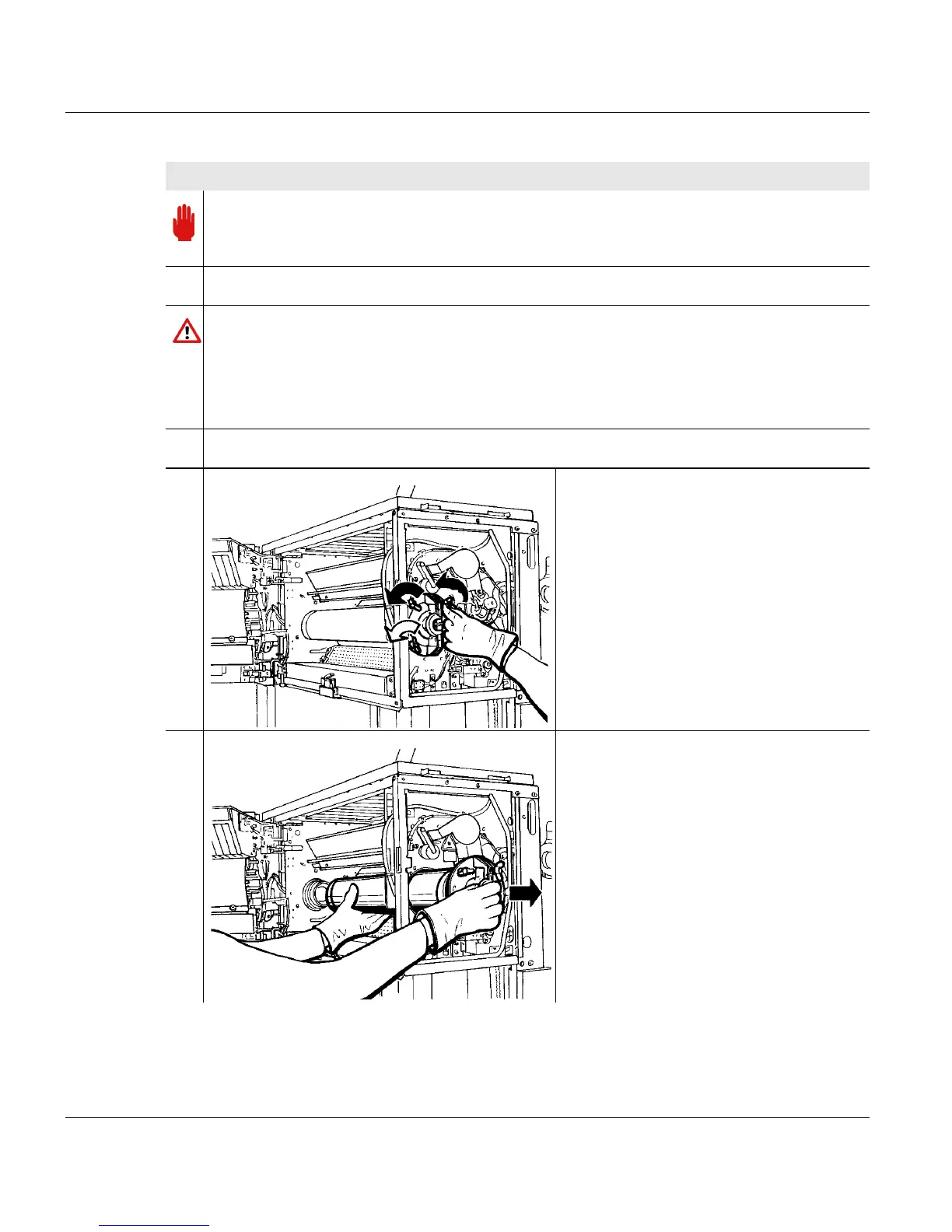
12. Evenly loosen the three wing screws
that secure the fuser roller insert (only
one turn for each wing screw).
13. Support the fuser roller by placing your
left hand under the center area and at
the same time pull on the handle.
Carefully remove the fuser roller from
the opening (right hand on the handle,
left hand supporting the fuser roller).
Carefully put the fuser roller down in an
upright position.
Proceed as follows:
3 of 4



 To Next Page