7.3.9 Replacing the pressure roller
322 A29246-X20-X-4-7680 / fa703.fm
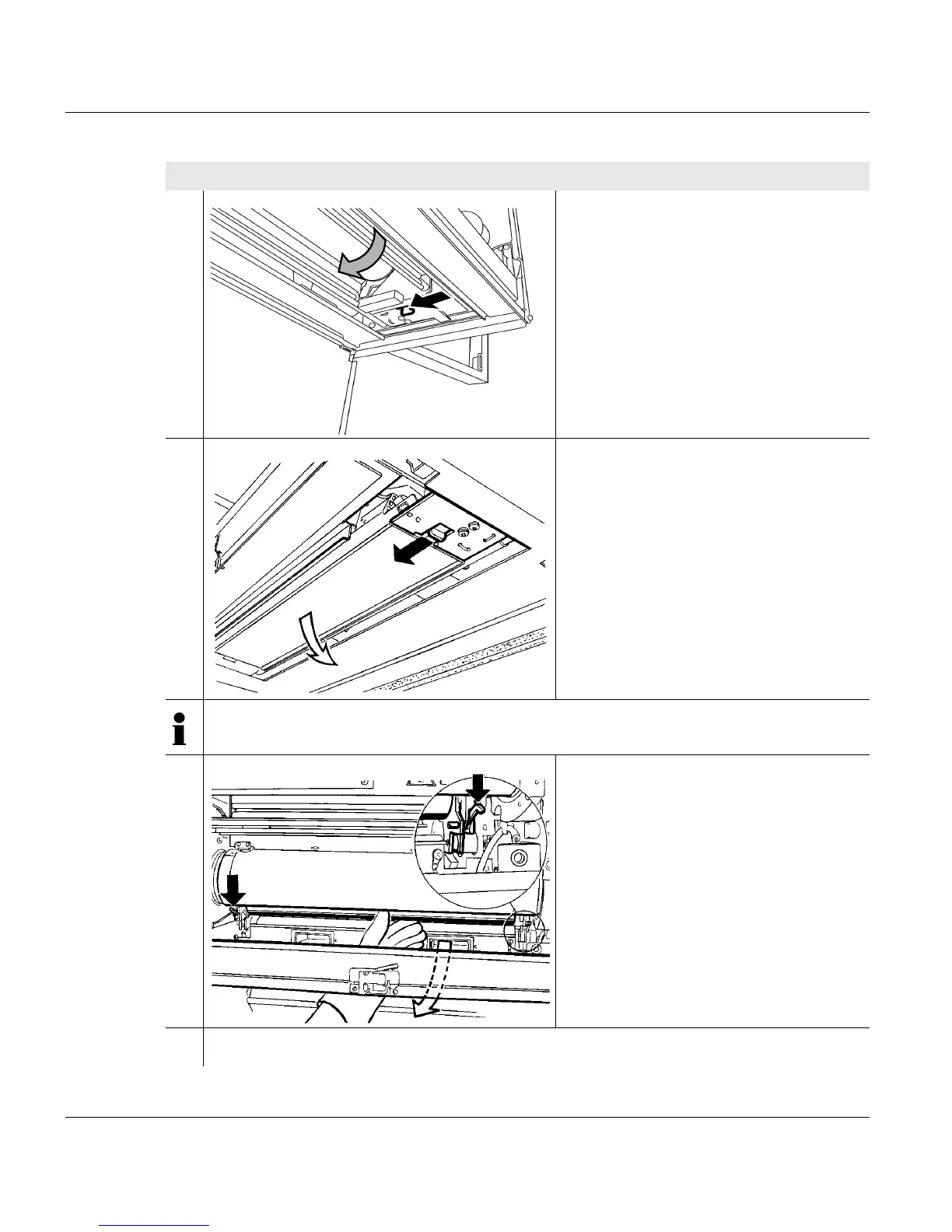
10. Swivel off the cover underneath the
fuser station.
11. Press opening lever to the left and
carefully swivel down roller saddle.
Note
Allow the printing system to cool down in this state for approximately 30 minutes.
12. Grasp pressure roller from below and
hold in the center.
Open the locking pins on the right and
left sides.
13. Carefully remove the pressure roller and place on paper surface.
Proceed as follows:
3 of 3



 To Next Page