DMTA-20015-01EN [U8778402], Rev. J, January 2014
Chapter 1
28
1.4 Top Panel
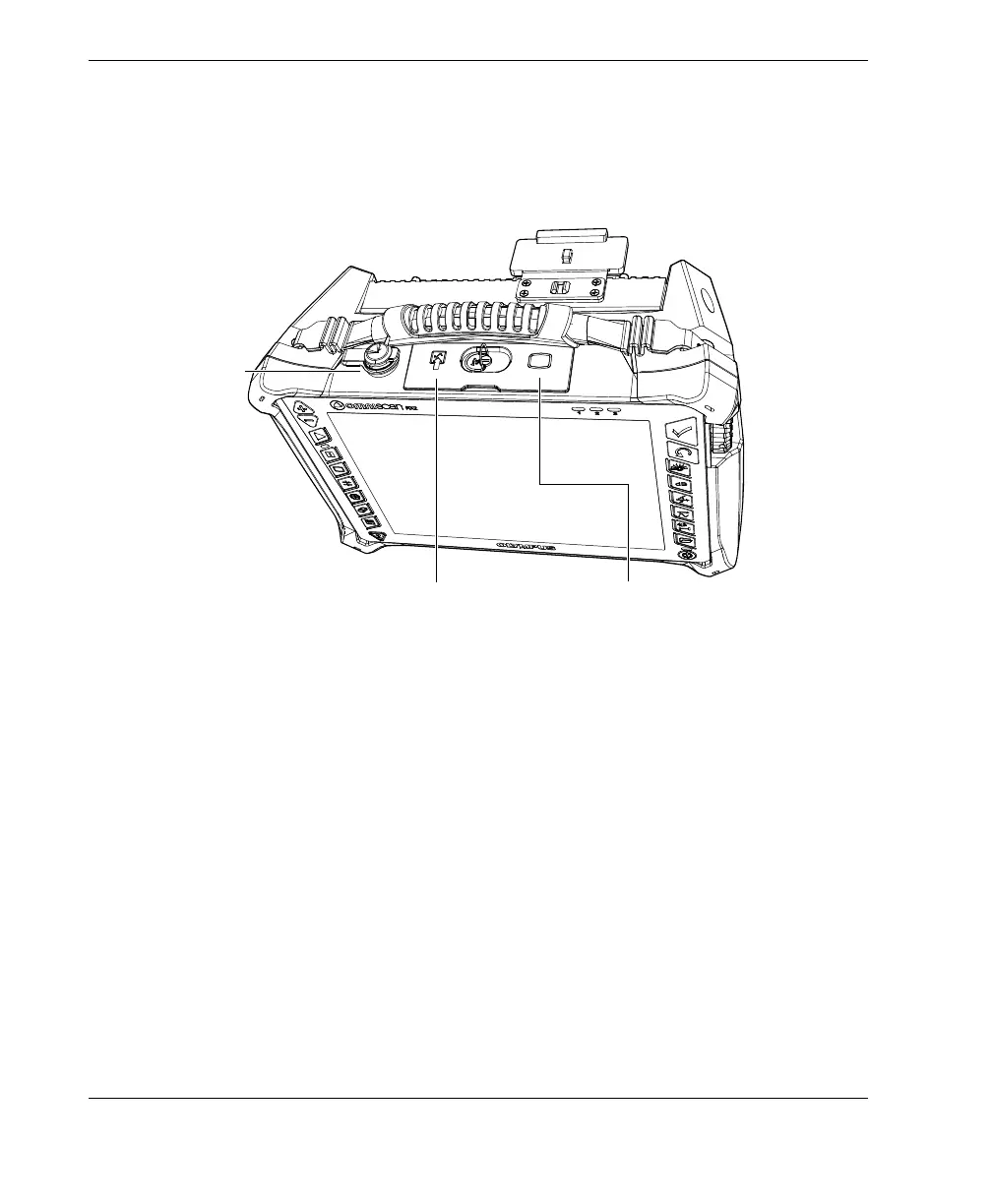
There are three connectors located on the top panel of the OmniScan MX2 (see
Figure 1-4 on page 28).
Figure 1-4 Top panel of the OmniScan MX2
Scanner interface
Used to connect a scanner device equipped with an encoder.
Alarm and I/O
Used as an alarm output and control input.
SVGA output
An external VGA or SVGA monitor that mirrors the OmniScan MX2 display may
be connected to this DB-15 port.
SVGA output
Scanner
interface
Alarm and I/O
connector


 To Next Page