DMTA-20015-01EN [U8778402], Rev. J, January 2014
Chapter 7
84
7.3 Left Side Panel
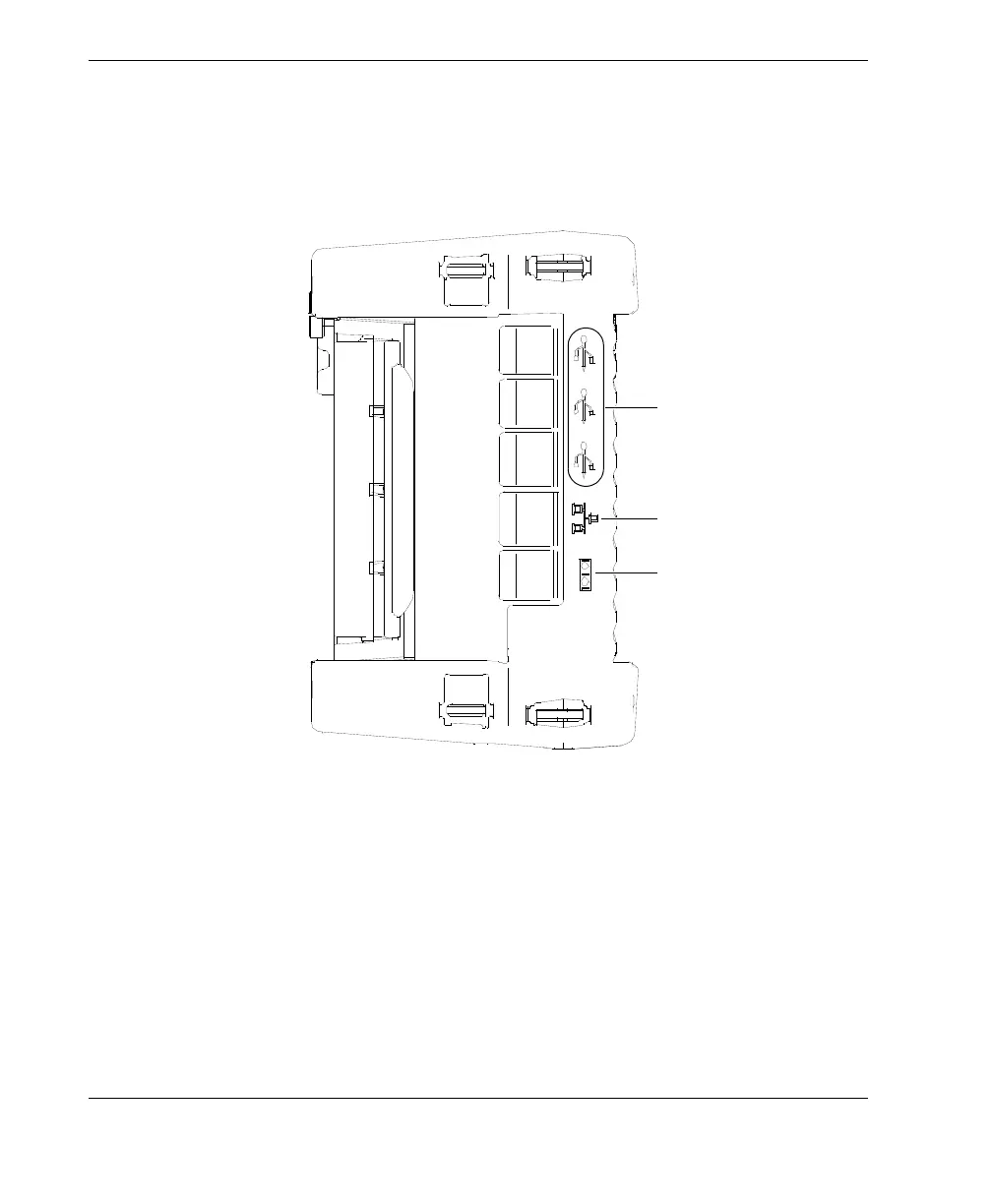
The left side panel of the OmniScan MX (see Figure 7-4 on page 84) contains standard
computer interface ports used for expanded connectivity.
Figure 7-4 Left side panel of the OmniScan MX
USB 1.1 ports (3)
Each one of the three USB 1.1 ports can accommodate USB peripherals such as
external keyboards, mouses, storage devices, printers.
Ethernet (RJ-45) port
Used to connect to an Ethernet network.
Serial port
Used mainly for debugging, or to supply DC power to accessories.
USB ports
Ethernet (RJ-45) port
Serial port


 To Next Page