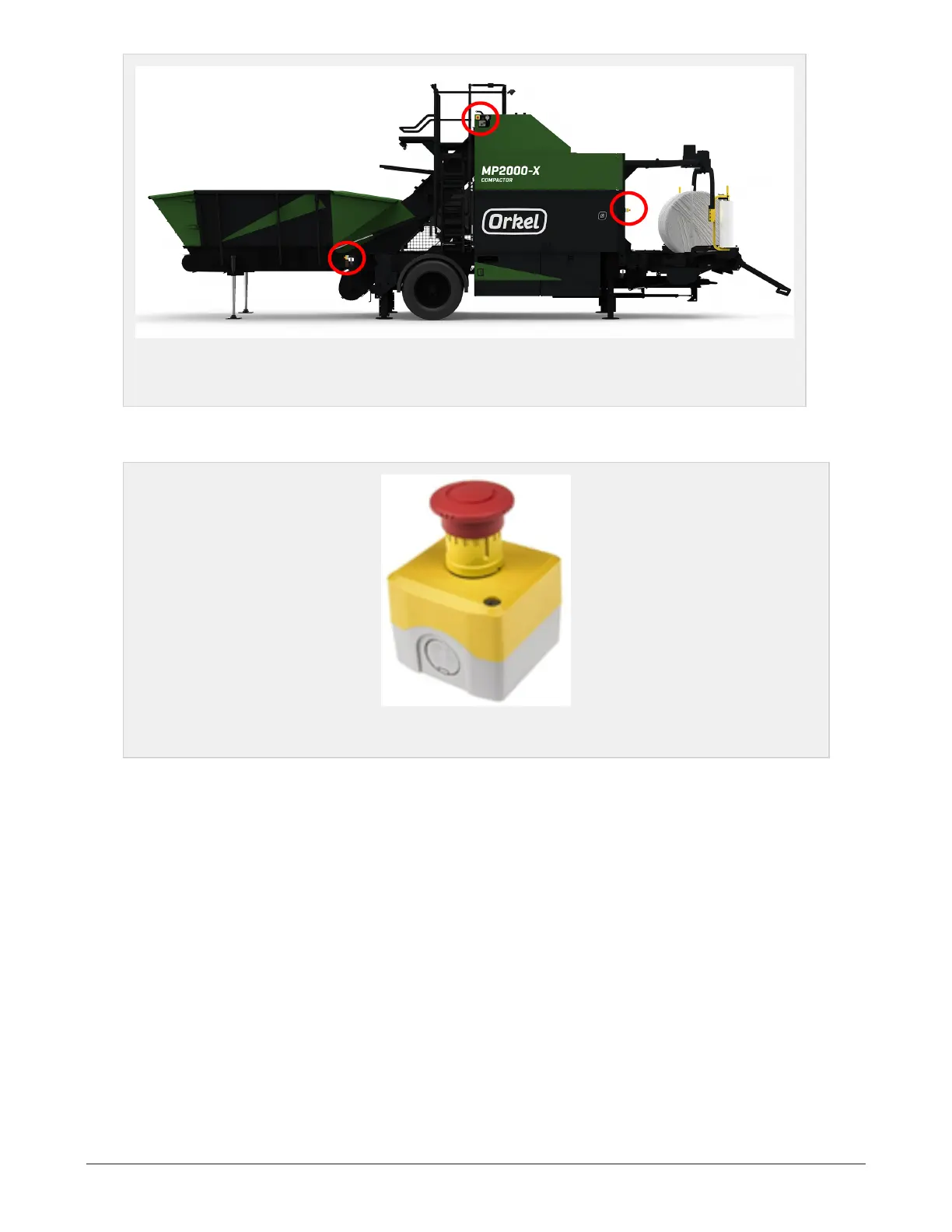
Figure 2.1 :
Red circles indicates emergency stop locations. Two more buttons are located on
the opposite side, ground level.
When an emergency stop button has been triggered, the emergency stop button has to be reset so that
the machine can be started from the control panel.
Figure 2.2 :
Mushroom head type emergency stop button. Twist the head to reset.
2.4 TO THE OPERATOR
2.4.1 Exercise of security
l As operator, it is your responsibility that you read and understand the safety instructions given in
this operator’s safety manual.
l These instructions must be followed without exception. The operator is the key to safety on this
machine, not only for you, but also for others in the compactors working area.
l Follow the safety instructions, and you will experience the compactor as a safe and secure place to
work.
2 SAFETY 18



 To Next Page