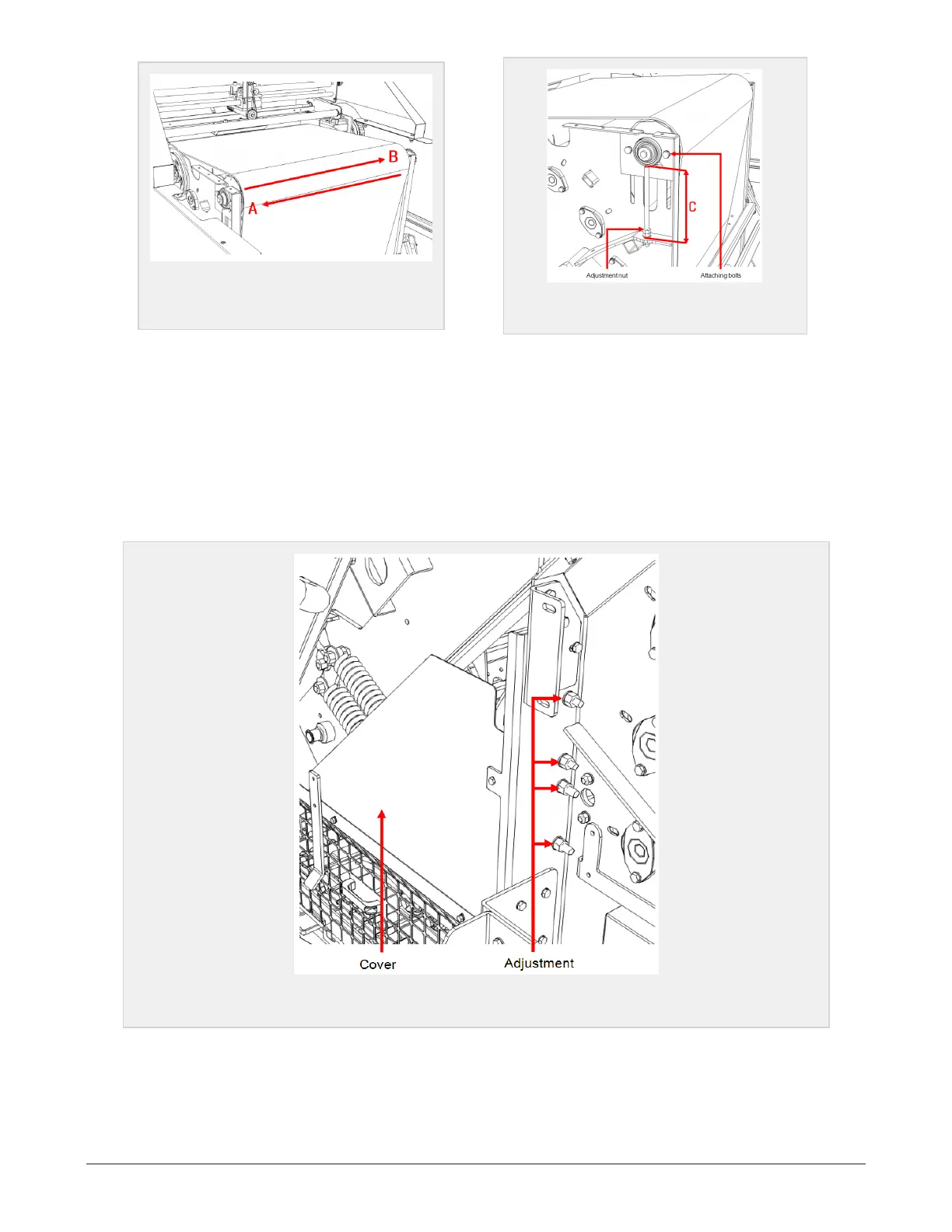
Figure 7.12 :
Front chamber belt is
tracking towards A/B
Figure 7.13 :
Front chamber distance C
Loosen the attaching bolts, to allow a movement of the bracket. Loosen the counter nut and adjust the dis-
tance C by turning on the adjustment nut.
Tighten the counter nut and the attaching bolts of the bracket when the belt has a correct tracking.
7.8.3 Adjusting the rear chamber belt
The adjustments of the rear chamber belt is done preferably from the right side of the machine. Dismount
the cover and safety net (Figure 7.14) to get access to the adjusting bracket and bolts seen in Figure 7.17.
Figure 7.14 :
Rear chamber adjustments
Rear tension roller
Adjusting the belt tracking is done by changing the distance C on the rollers bearing point D (Figure 7.16)
7 MAINTENANCE AND MECHANICAL ADJUSTMENTS 76


 To Next Page