6.1.9 Presets
From main page; press menu and then the icon for Presets.
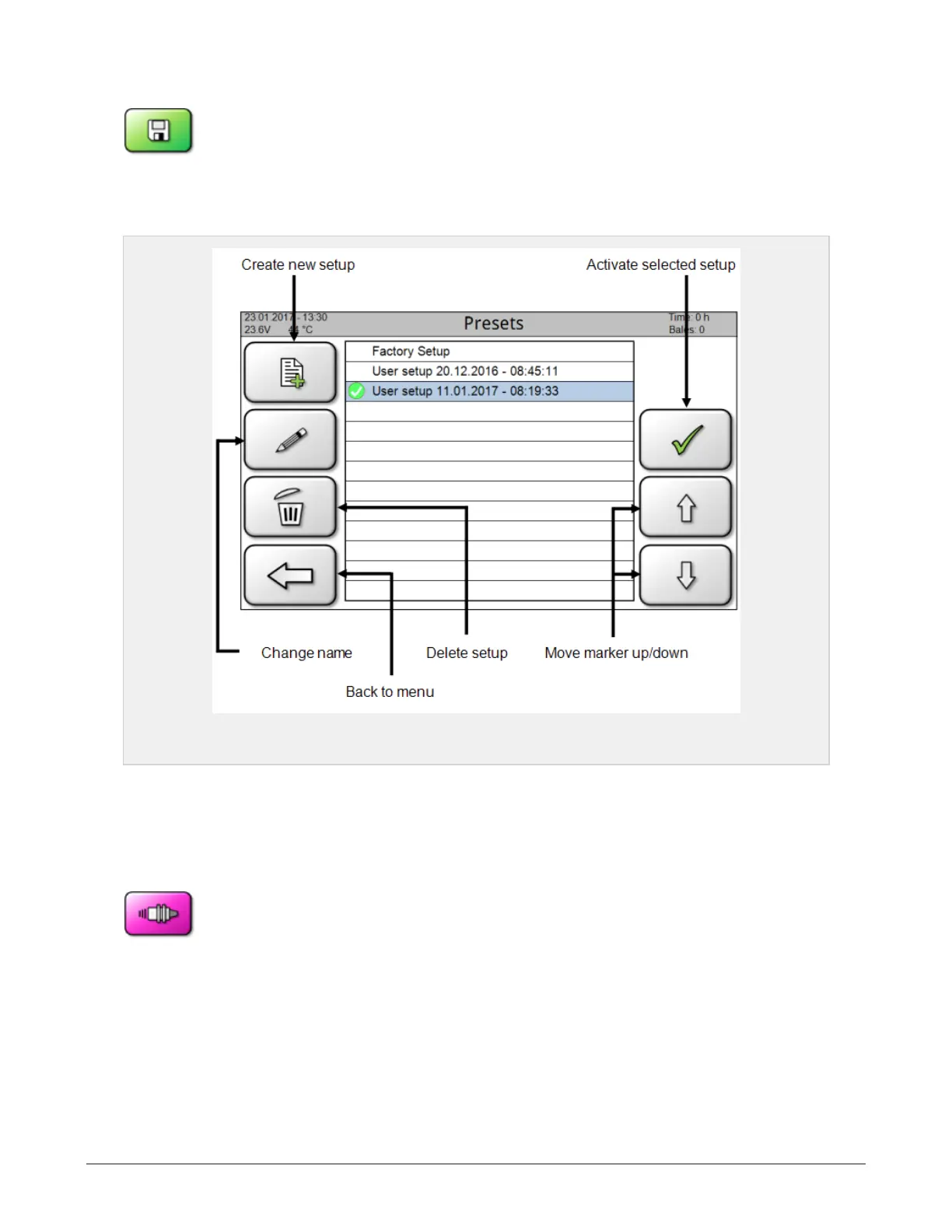
This page (see 6.1.9) allows the operator to create and activate complete setups of machine settings. A
setup is loaded by moving the marker to the chosen setup and clicking the activation icon. Subsequent
changes to the settings will be stored automatically in the selected setup.
Figure 6.9 :
Presets
The top of the list contains presets (predefined factory setups) from Orkel for several different materials.
These cannot be changed. If the machine settings are changed when such a preset is activated, a new
setup will automatically be created and activated.
6.1.10 Sensors
From main page; press menu and then the icon for Sensors. This page shows all
the sensors’ locations as well as their current state.
6 CONTROL SYSTEM 57



 To Next Page