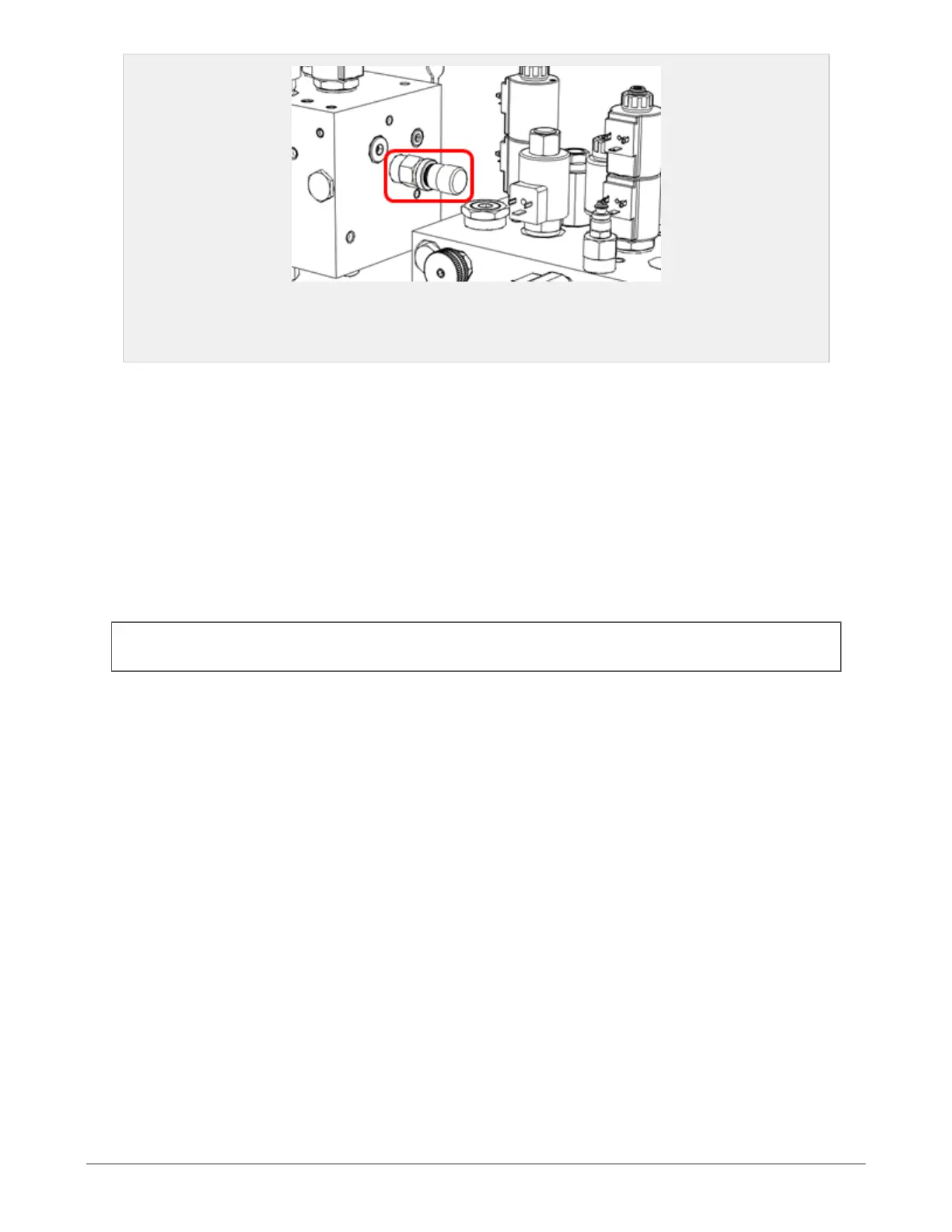
Figure 3.2 :
The red box indicates the M1 valve
3.4 ELEVATOR AND SUB CONVEYOR
3.4.1 Settings
The speed of the elevator belt and the sub conveyor may be changed from the display unit, on the machine
settings page.
3.5 CHAMBER
The bale chamber can handle high loads, but the set chamber pressure and the resulting bale density must
be considered and possibly limited according to type of material. When baling certain material, too high
chamber pressures may reduce the bale chamber life time. See section 6.1.7 "Machine settings" and sec-
tion 6.1.17 "Settings and explanations" for how to set the chamber pressure.
NOTE: All references to valves found in this sub chapter can be found in the hydraulic schematic and valve over-
view in chapter 11 "Hydraulics"
3.5.1 Opening speed settings
Closing speed: Adjusting the bale chamber closing speed is done by turning the K1 valve. Clockwise
decreases the speed. Counterclockwise increases the speed.
Default setting: Close the valve and then open 1/2 turn.
3.5.2 Chamber pressure settings
The chamber pressure settings is set on the display unit. When the baling starts, the elevator will run at its
higher set speed. When the chamber pressure surpasses the elevator slow threshold, the speed is reduced
in order to allow a higher bale density. The bale is done when set maximum chamber pressure is reached.
The plastic tying unit will then start.
Parameters that may be set on the display unit are:
Chamber max pressure: 100 - 280 bar
Elevator slow threshold: 30 - 100% of set pressure
Example:
Material: Wood chips
Set chamber pressure: 180 bar
Chamber slow threshold: 75 %
3 SETTINGS AND HYDRAULIC ADJUSTMENTS 25


 To Next Page