3.6.4 Remote control
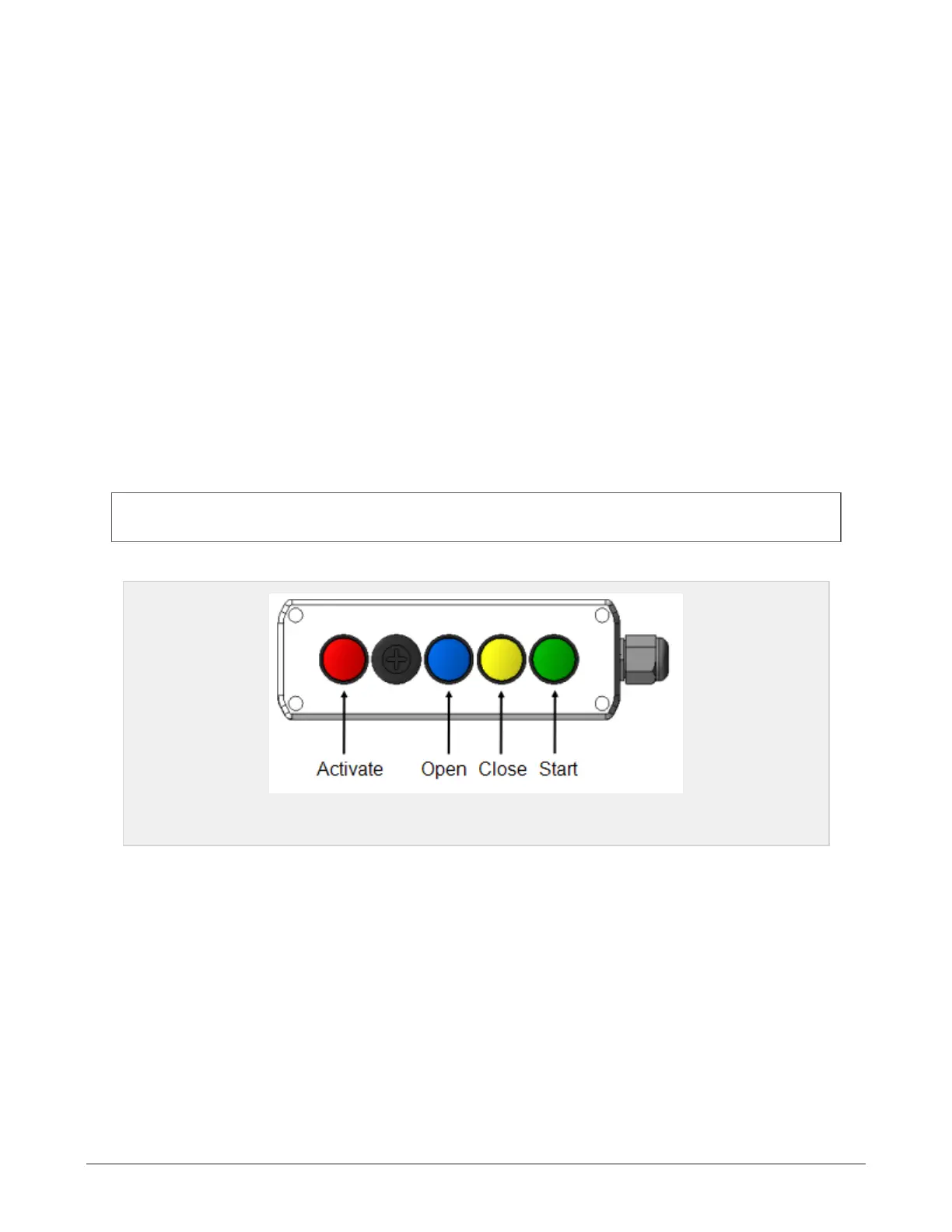
The plastic tying unit may be operated from the platform using the remote control. Each button activates
a programmed sequence, including several functions running in order:
Open film system:
Press and hold red and blue buttons until the sequence is finished (knife and feed
rollers open).
Close film system:
Press and hold red and yellow buttons until the sequence is finished (feed rollers
and knife close).
Start net/film system
Press and hold green button for at least 2 seconds until the net/film
system starts
Release brake: Press and hold red button and shortly tap blue button.
Engage brake: Press and hold red button and shortly tap yellow button.
The brake will automatically release and engage when the opening and closing sequences are engaged.
NOTE: When the net/film system is started from the remote control, the machine will continue in auto mode
when the sequence is completed.
Figure 3.5 :
Plastic tying unit control
3.7 WRAPPING TABLE
3.7.1 Wrapping settings
Wrapping arms, high speed: Valve P1 regulates the oil flow to the wrapping arms. Turning it clockwise
increases the speed. Counterclockwise decreases the speed. Recommended wrapping arms speed is 27-28
rpm.
Perform adjustment as follows: Open valve P1 completely. Then close valve P1 gradually until the correct
speed is achieved. Check and reset the settings on the display unit in order to maintain the appropriate
wrapping belt rotation and hence wrap film overlap.
Wrapping arms, low speed: When the wrapping arms high speed is set, the low speed may be set using
valve P2. The low speed may not exceed 10 rpm.
3 SETTINGS AND HYDRAULIC ADJUSTMENTS 28


 To Next Page