TIMING CASE AND DRIVE ASSEMBLY 15
Timing case cover
To remove and to fit15A-01
To remove
1Remove the fan, operation 21A-04.
2Remove the alternator, operation 23A-04.
3Remove the crankshaft pulley, operation 14A-01.
4 Drain the coolant and remove the coolant pump,
see section 21.
5 Release the setscrews and nuts of the cover and
remove the cover. There is no need to remove the
noise shield from the cover.
To fit
Special tools:
Centralising tool, PD. 163A (6 cylinder engines)
Centralising tool, PD. 162B (4 cylinder engines)
1 Clean the faces of the timing case cover.
2 Put the cover and a new joint in position on the
timing case. Loosely fit two setscrews which are in
opposite locations to hold the cover in position. Fit
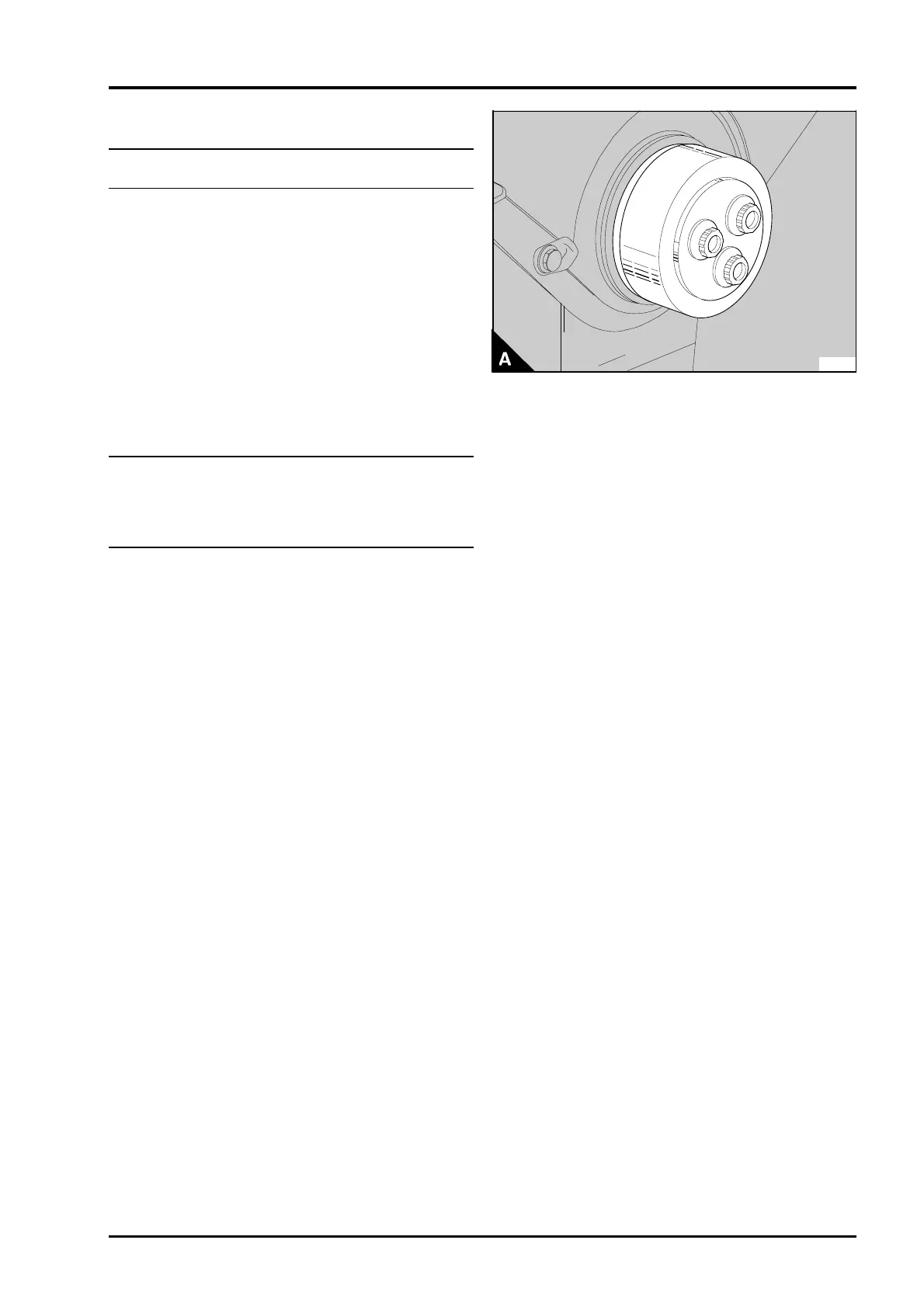
the centralising tool in the oil seal housing (A) and
use the special washer and the crankshaft pulley
setscrews to put the cover in its correct position.
Do not overtighten the setscrews. Fit the remainder
of the setscrews and nuts and tighten all of the
cover fasteners to 22 Nm (16 lbf ft) 2,2 kgf m.
Remove the centralising tool.
Caution: It is important that the cover of the timing
case is centred correctly. If the cover is not
centred, the backlash between the fuel pump gear
and coolant pump gear could be affected. This
could cause the seizure of the fuel injection pump.
3Fit the coolant pump, see section 21.
4Fit the crankshaft pulley, operation 14A-01.
5Fit the drive belts, operation 23A-03 and adjust
the belt tension, operation 23A-02.
6Fit the fan, operation 21A-04.
7 Fill the cooling system.
PA126
Perkins Phaser/1000 Series, April 1995 15A.03




 To Next Page