TIMING CASE AND DRIVE ASSEMBLY 15
Camshaft gear
To remove and to fit15A-05
To remove
Special tools:
Gear puller, PD.155C
Adaptors for use with PD.155C, PD.155B-5
1Remove the fan, operation 21A-04.
2Remove the drive belts 23A-03.
3Remove the crankshaft pulley, operation 14A-01.
4 If necessary, remove the fan drive pulley,
operation 21A-05.
5 Drain the coolant and remove the coolant pump,
operation 21A-02.
6Remove the timing case cover, operation
15A-01.
7 Rotate the crankshaft until the marked teeth of
the crankshaft gear, the camshaft gear and the fuel
pump gear are all in mesh with the idler gear. The
marked teeth of the idler gear will not necessarily
be in mesh with the marked teeth of the other
gears because of the different speed of rotation of
the idler gear.
Note: The fuel pump gear used on engine types AE
and YE does not have marked teeth.
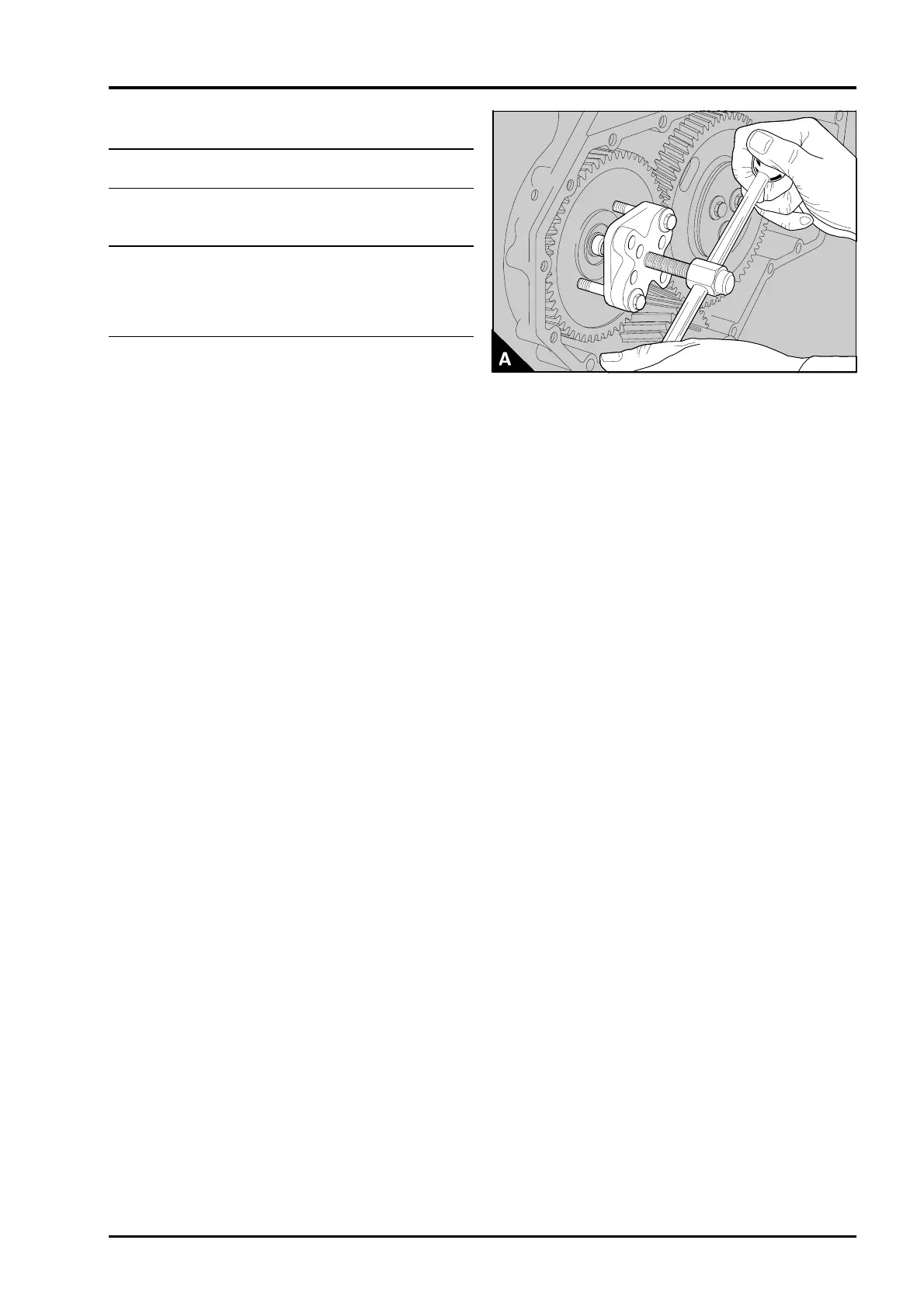
8 Remove the setscrew and washer of the
camshaft gear. Put a suitable adaptor onto the end
of the camshaft and remove the gear with the puller
and adaptor (A). Ensure that the key in the
camshaft is not lost.
9 Inspect the gear for wear and any other damage
and renew it, if necessary.
PA134
Perkins Phaser/1000 Series, April 1995 15A.13




 To Next Page