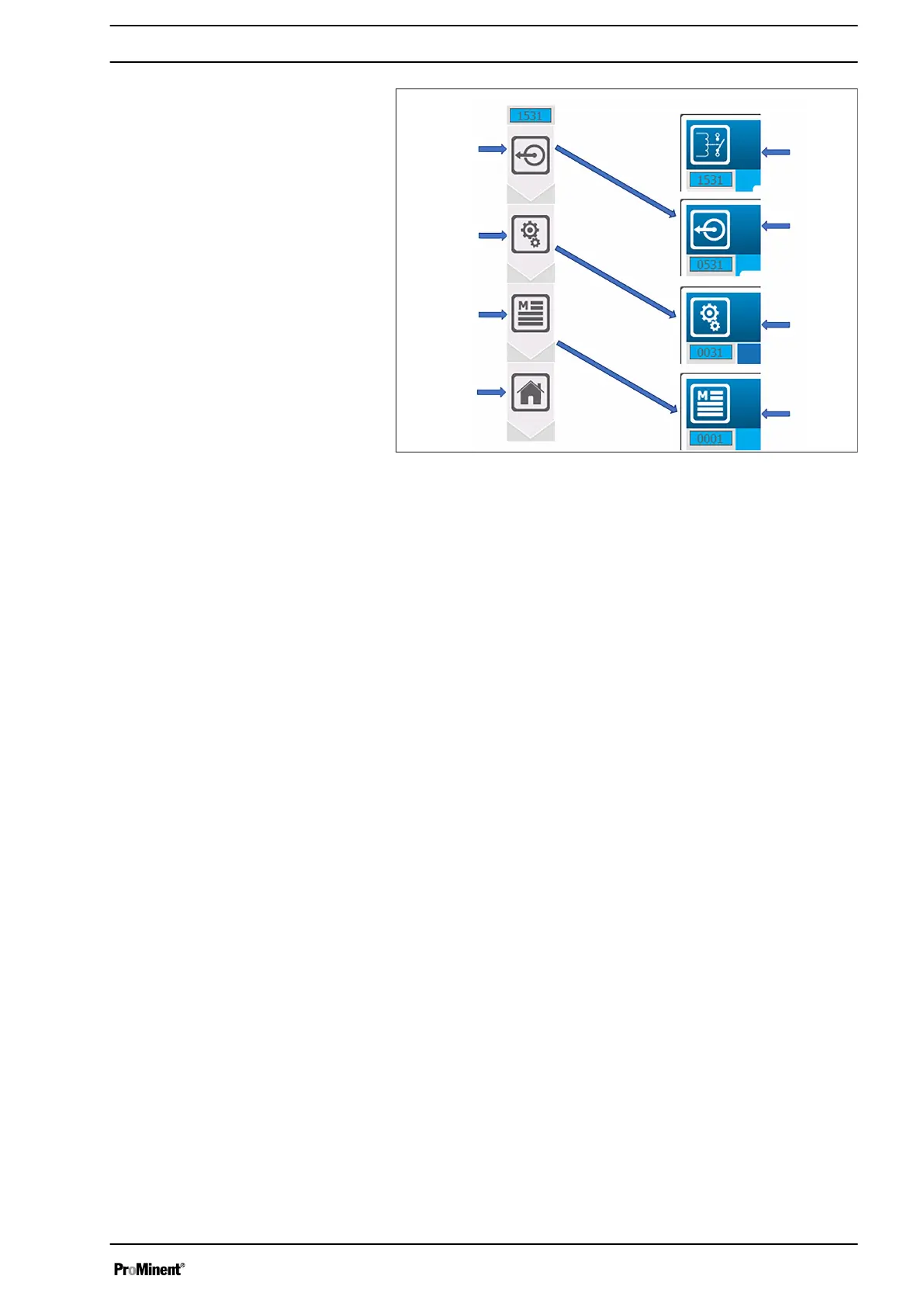
Fig. 53: Navigation bar (example)
1 Menu number
2 Menu, Output relays
3 Menu, Output selection
4 Menu, Installation
5 Main menu
6 Menu, Main screen
7 Main menu
8 Menu, Installation
9 Menu, Output selection
In the programming menu, each selection of a function adds a key
to the navigation bar. You can go down one or more levels in the
programming at any time by clicking on one of the menu keys.
The symbols in the navigation bar correspond to the identification
symbols at the top left of every image.
The padlock symbol is used when a menu is password-protected
or an option is locked by the configuration.
Navigation bar
Padlock symbol
Operating concept and operation
57














 To Next Page