Operation Cubing and Weighing Using the Control Panel
CubiScan 110 23
NOTE
If you have not already done so, remove the thin protective film that
covers the CubiScan control panel. Peel it back from one of the cor-
ners using your fingernail, and then pull it off.
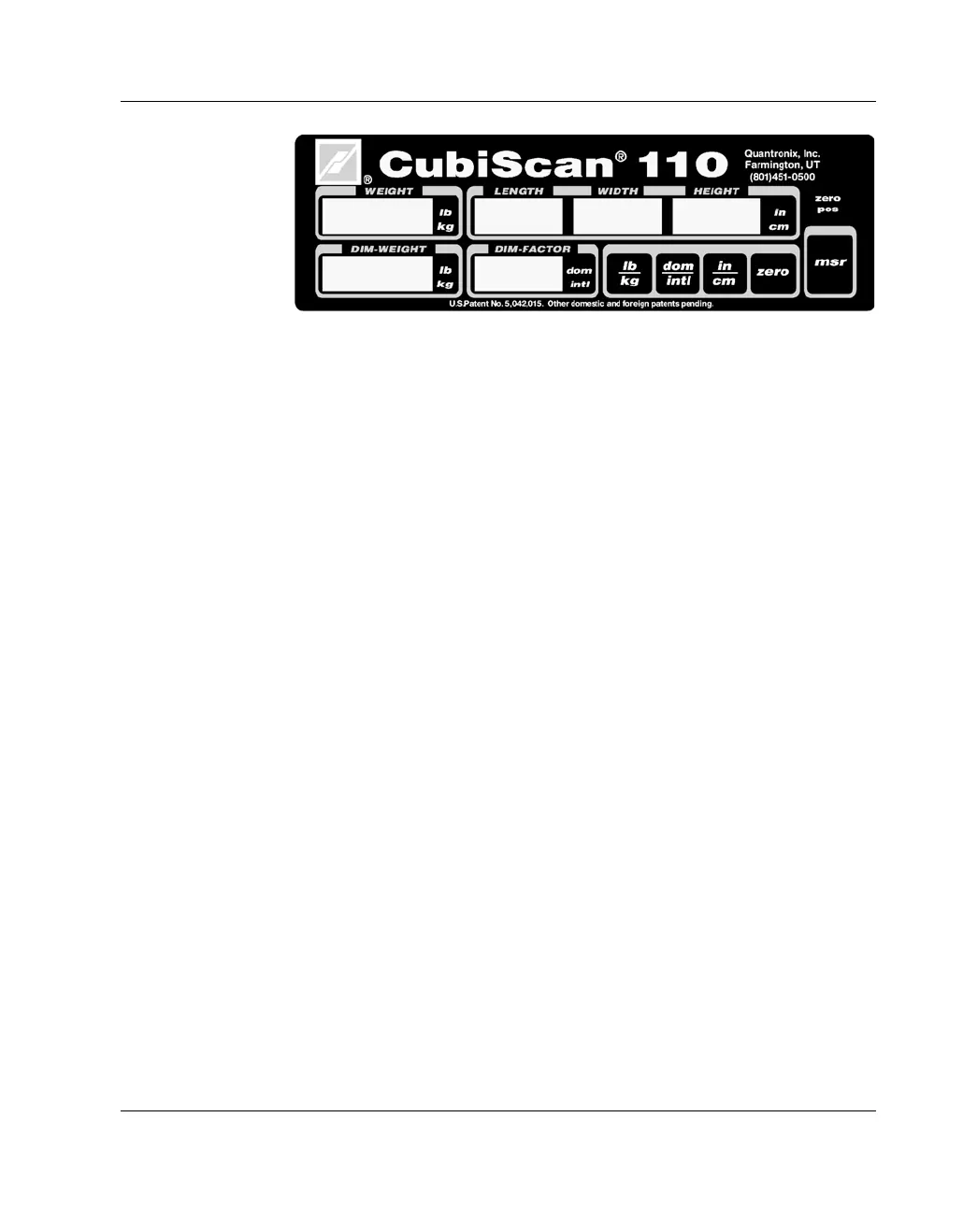
WEIGHT This displays the measured weight in pounds (lb) or kilograms (kg)
as selected.
LENGTH
WIDTH
HEIGHT
These display the measured dimensions in inches (in) or centimeters
(cm) as selected.
DIM-WEIGHT This displays the dimensional weight in pounds (lb) or kilograms
(kg) as selected.
DIM-FACTOR This displays the dimensional factor currently being used to calcu-
late the dimensional weight.
zero (Indicator) This indicates that the scale platform is empty and ready to receive a
package. This indicator must be lit before you can place a package
on the platform. When you place a package on the platform, the
indicator goes off.
Press this key before you place a package on the platform to change
the weight and dimensional weight from pounds to kilograms and
vice versa.
Figure 11
CubiScan 110 Control Panel
☞
lb
kg
------



 To Next Page