3
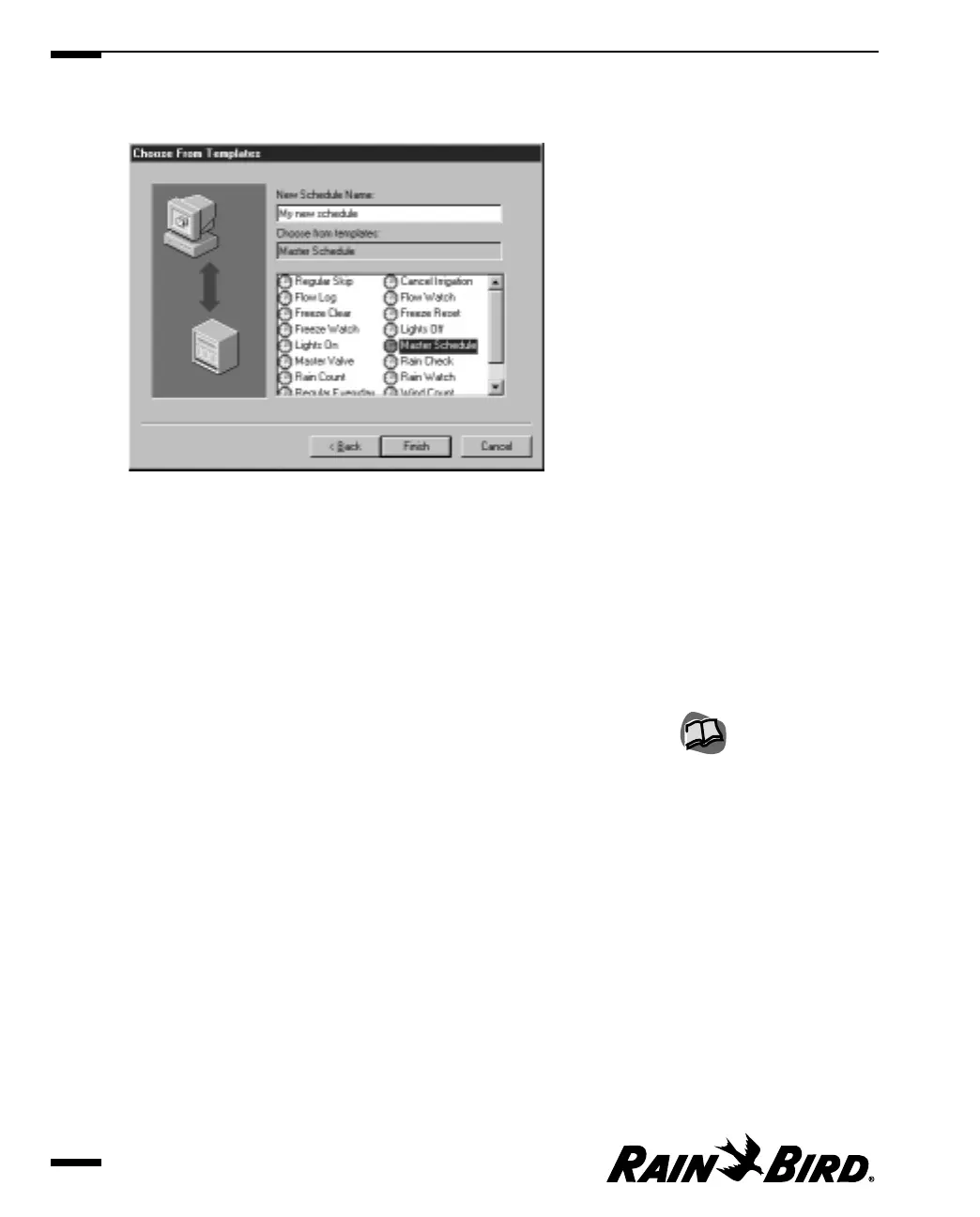
Enter a name for the new schedule in the New Schedule Name field.
Schedule Wizard Template Options
4
Select a schedule template from the list. The template options are:
• Regular Skip • Cancel Irrigation
• Flow Log • Flow Watch
• Freeze Clear • Freeze Reset
• Freeze Watch • Lights Off
• Lights On • Master Schedule
• Master Valve • Rain Check
• Rain Count • Rain Watch
• Regular Everyday • Wind Count
• Wind Watch
Click on the Finish button.
Creating and Editing a Site Schedule
6.8
You can change the parts of
the schedule that are
already filled in after the
schedule is in the Schedule
Editor window. For more
information, see “Using the
Schedule Editor Window
and Toolbar” on page 6.14.



 To Next Page