Instrument Functions
R&S
®
NRP2
95User Manual 1173.9157.02 ─ 03
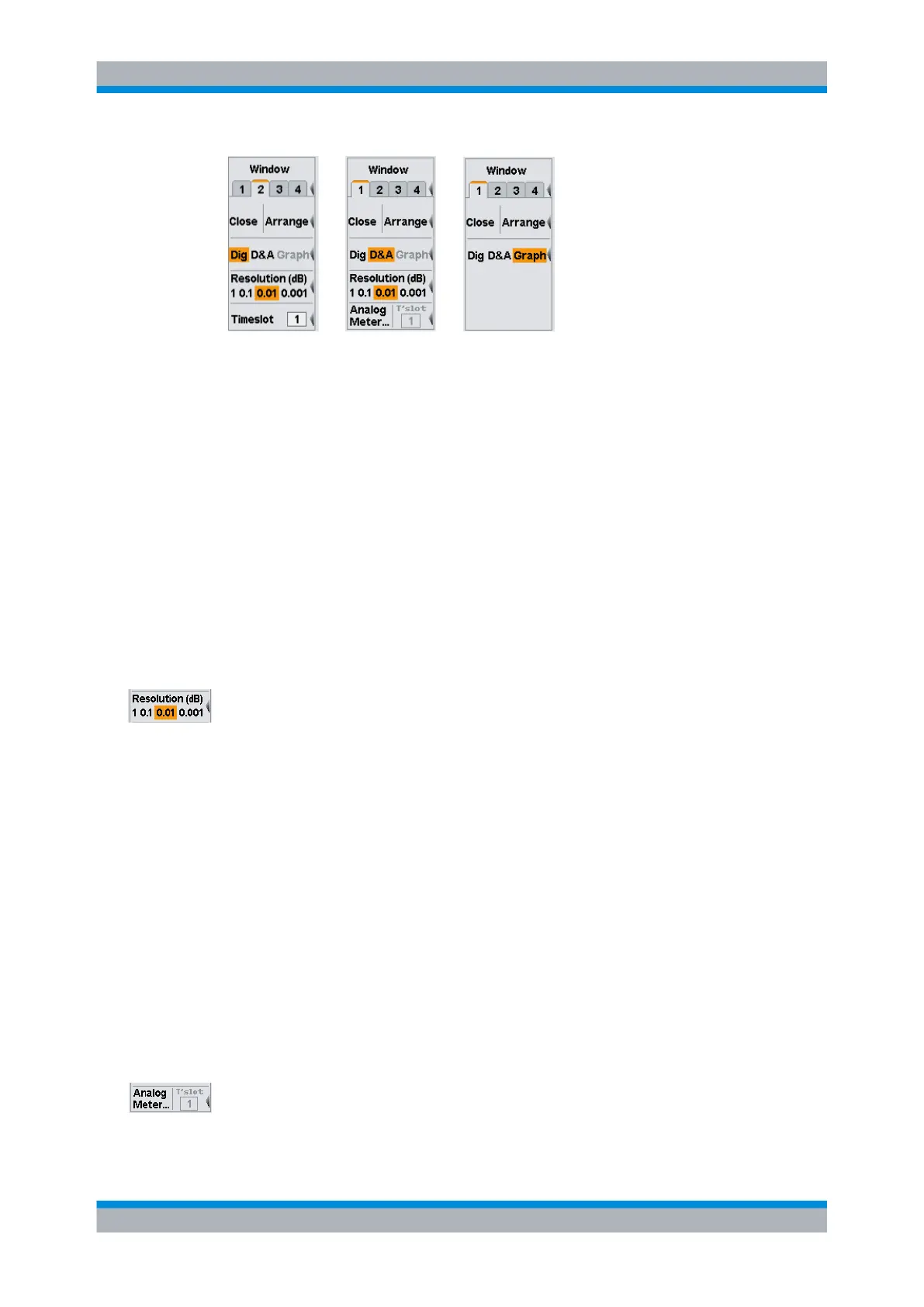
Fig. 4-26: Display mode-specific settings
The available configuration parameters depend on the selected display mode.
●
"Dig"
In the digital display, the resolution is adjustable, see Setting the resolution.
For "TimeSlot AV" measurements, the timeslot to be displayed can be chosen.
●
"D&A"
In the hybrid digital & analog mode, the resolution of the digital display ("Setting the
resolution" on page 95) and the scaling for the analog meter are adjustable ("Setting
the Analog Meter" on page 95).
●
"Graph"
In the graphical representation, all further settings are provided in the corresponding
diagrams. Once the window has been expanded, as described in "Expand"
on page 92, additional submenus provide trigger, marker or scale-setting parameters.
Setting the resolution
The resolution of a digital measurement result display can be set in 4 stages, designated
as 1 dB, 0.1 dB, 0.01 dB and 0.001 dB. If dB, dBm or dBμV is selected as the unit, the
number of places after the decimal point is set directly. In the linear mode (W, Δ%, 1),
the number of digits after the decimal point depends on the selected resolution and the
magnitude of the result. A digit is added or removed for each resolution stage that is
added or removed.
The selected resolution also influences the automatic selection of the averaging number
in the "Normal" mode (see chapter 4.2.3, "Filter / averaging", on page 79). The higher
the selected resolution, the higher the averaging number to correspond to the number of
digits.
Resolution (dB)
Sets the resolution for the measurement result display.
The resolution of the displayed result corresponds to the selected setting.
SCPI command:
DISPlay[:WINDow]<[1]..4>:RESolution on page 243
Setting the Analog Meter
The analog scale in the hybrid digital & analog display mode ("D&A") is set in the "Meter
Scaling" dialog box. The dialog box opens after pressing the "Analog Meter" softkey.
Displaying measurement results



 To Next Page