1.Replacement and Adjustment
5
Controller Board
1. Pull out the paper tray.
2. Remove the rear cover (Rear Cover)
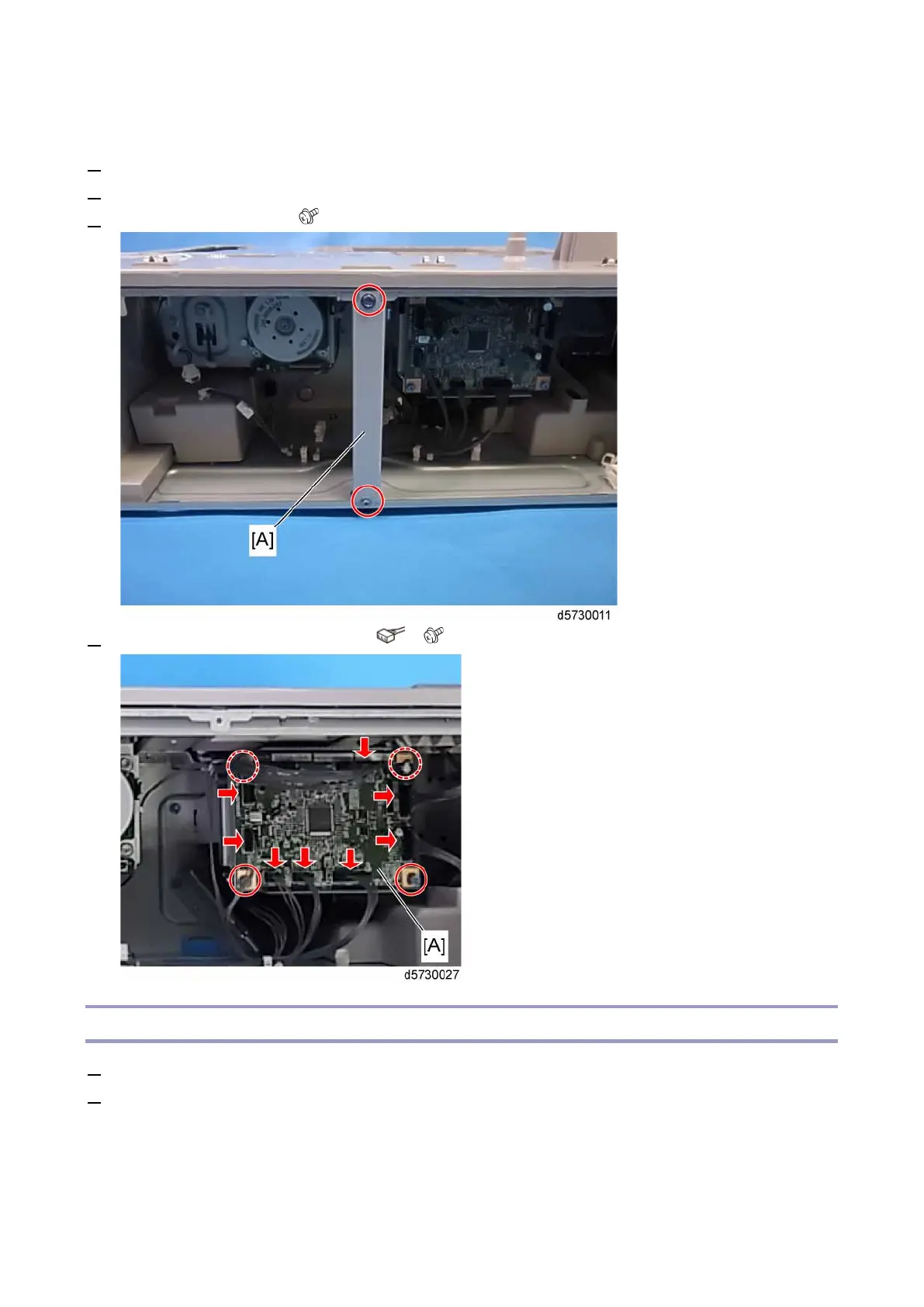
3. Remove the rear stay [A]. ( × 2)
4. Remove the controller board [A]. (All s, × 4)
Controller Board with the Bracket
1. Pull out the paper tray.
2. Remove the rear cover. (Rear Cover)









 To Next Page