2-6
2 Copy
ComColor Series User’s Guide 09
■
Changing the Settings During Copying
1
Press the [STOP] key.
The [Confirm] screen is displayed.
2
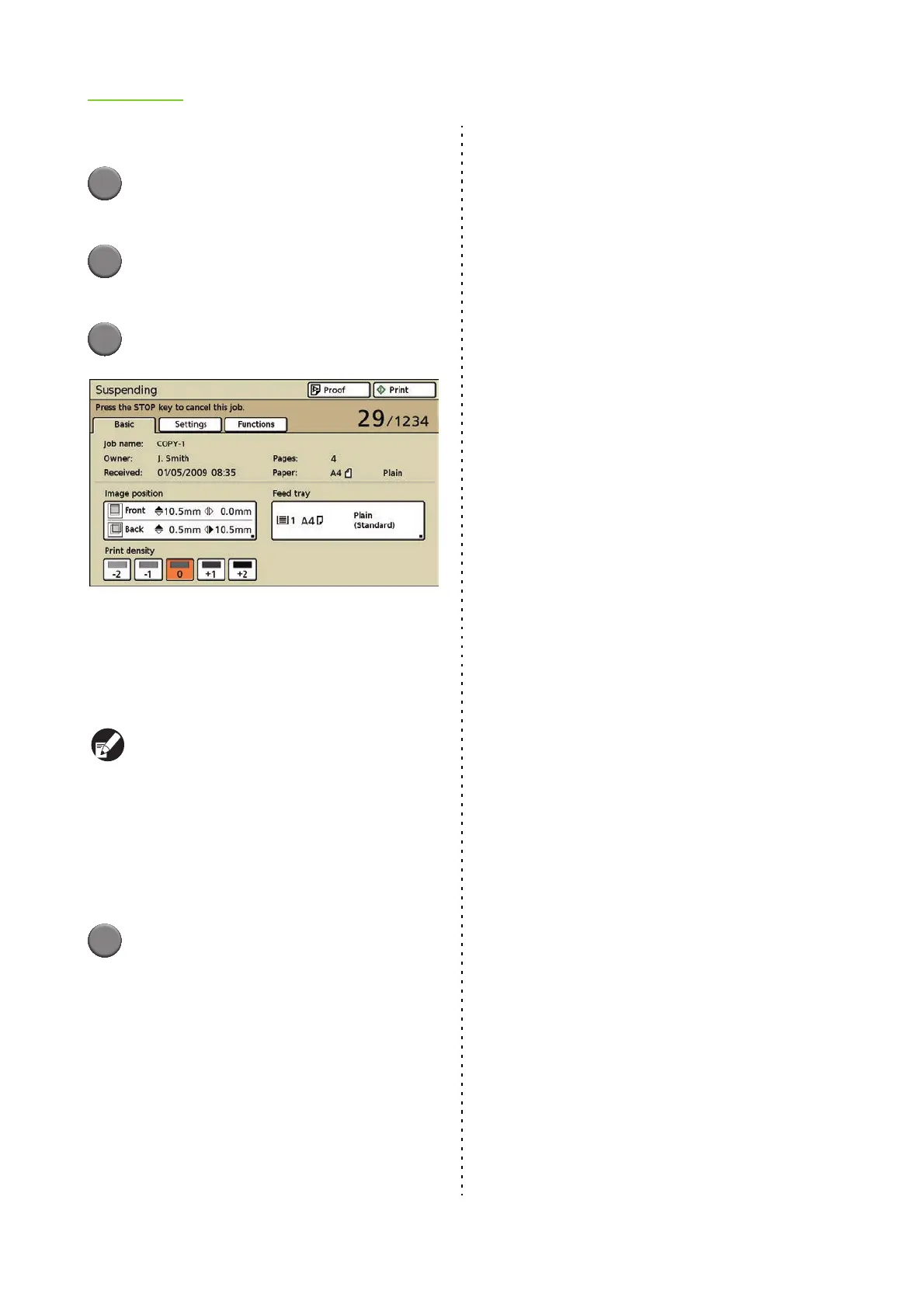
Press [Setting chg.].
The [Suspending] screen is displayed.
3
Change Settings.
You can modify the following settings.
• Image position (p. 4-13 "Image position" in
"Printer")
• Feed tray (p. 2-10 "Feed tray" in "Copy")
• Print density (p. 4-14 "Print density" in "Printer")
● To confirm the settings of the job, press
[Settings]. Press [S] and [T] to scroll the list.
● To configure the following settings, press
[Functions].
• "Paper guide control" (p. 2-51)
• "Jump wing control" (p. 2-52)
• "Head cleaning" (p. 2-52)
• "Front door release" (p. 2-53)
4
Press [Proof] or [Print].
● When you press [Proof]
The page that was being printed when the [STOP]
key was pressed is printed using the new settings.
If the print result is satisfactory, press [Print].
● When you press [Print]
Copying of the job with changed settings starts.













 To Next Page