10
q
!2
!4
!5
!6
!1
!0
o
w
e
r
!3
u
i
t
y
Knowing the Parts
and Components
=With the optional ADF Unit=
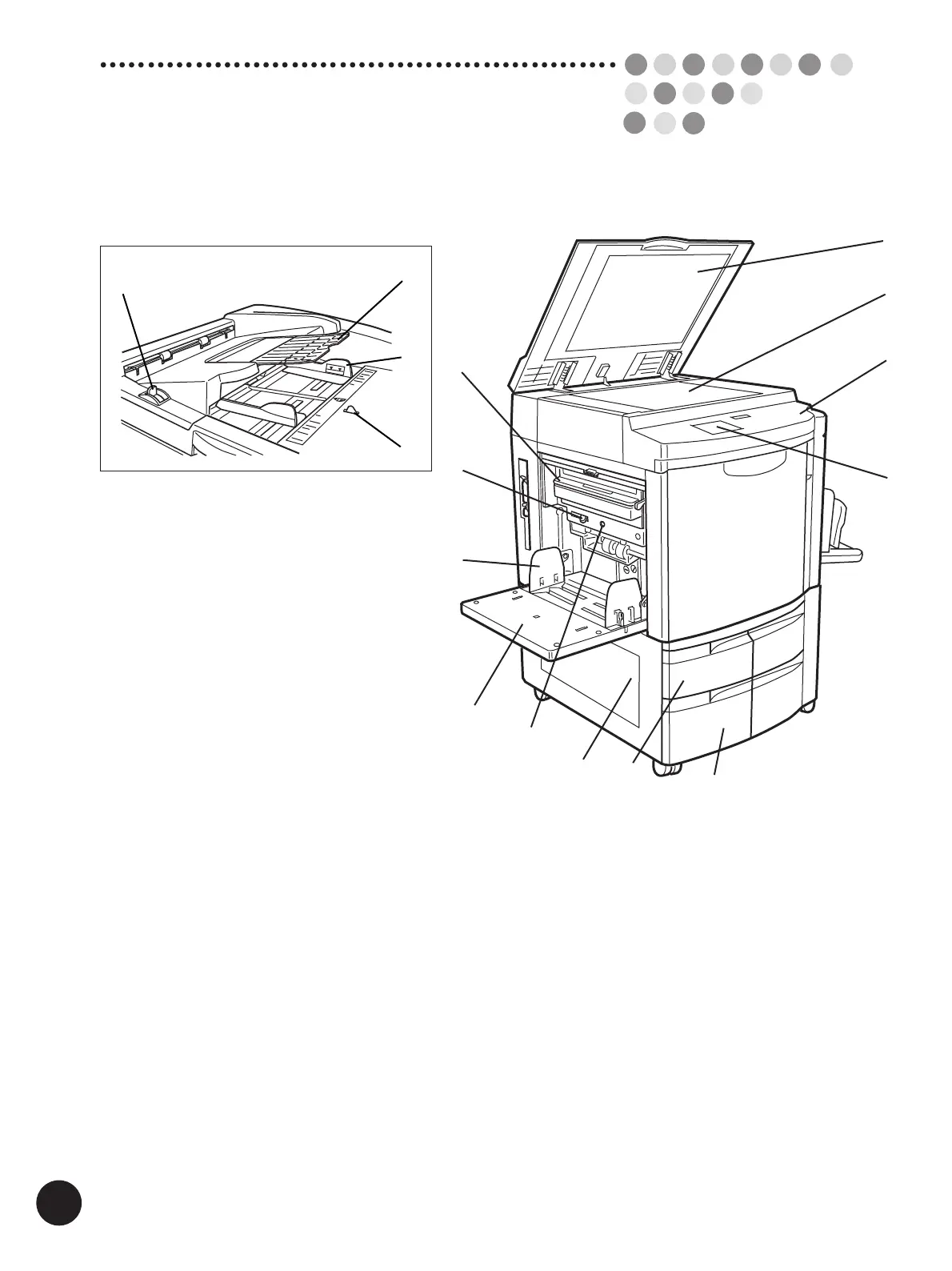
Upper Area
q Main Display (☞ p.12)
w Control Panel (☞ p.12)
e Stage Glass (☞ p.177)
r Stage Cover (☞ p.177)
Secures the original placed on the Stage Glass.
=With the optional ADF Unit=
t ADF Original Guide
Holds and guides originals in the ADF Unit.
y ADF Original Receiving Tray
Receives originals after scanning in the ADF Unit.
u ADF Original Release Lever
Releases the original fed in the ADF Unit for removal
or realignment.
i Original Size Sensor
Paper Feed Area
o Master Disposal Box (☞ p.170)
Holds discarded masters.
!0 Paper Feed Pressure Adjustment Lever
(☞ p.20)
Adjusts the paper feed pressure according to the
paper being used.
!1 Feed Tray Paper Guide (☞ p.20)
Holds and guides paper.
!2 Standard Paper Feed Tray (☞ p.20)
!3 Feed Tray Descent Button (☞ p.22)
Lowers the Standard Paper Feed Tray for replacing
or adding printing paper.
=For RP3790 and RP3590 only=
!4 Multi-Tray Transfer Unit
!5 Paper Feed Tray 1
!6 Paper Feed Tray 2



 To Next Page