64
Changing Image
Contrast on Prints
To achieve different tones on printed copies from those of an original, adjust the scanning
contrast.
[Auto]
The scanning contrast will be adjusted automatically according to the darkness of the
original scanned.
[Manual]
The scanning contrast can be selected manually.
Important!
The Auto Scanning Contrast Adjustment mode is available only for the Line processing
mode. However, this mode is not available with the Book Shadow Editing feature ([Book
shadow Editor]) even when the Line processing mode is selected.
NOTE
[Auto] scanning contrast adjustment is not selectable when the Editing board
(optional) is in use.
Main-panel
Contrast
A3/Black
13:59
MULTIUP>
OFF
SORTER>
OFF
AUTO-GO>
OFF
Line
Duo
Photo Options
Auto
100%
Manual
Auto
Ready to Make Master
Image Size Contrast Paper
Idle
Advanced
A 3
Standard
M
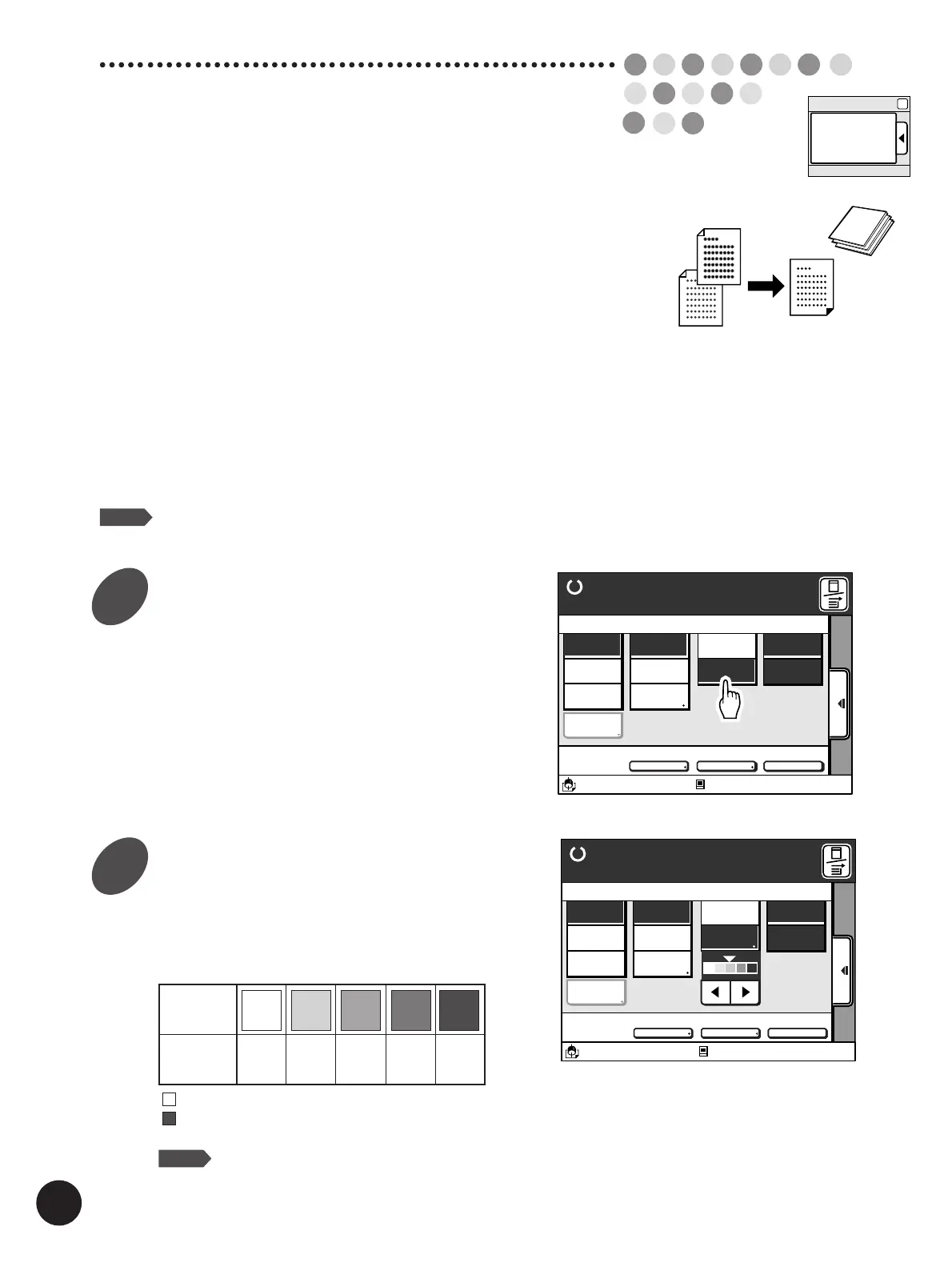
Change the scanning contrast.
The mark (
d
) on the indicator will move when the
[
h
] or [
j
] button is touched and indicates the
contrast currently selected.
......
For newspaper or colored originals.
......
For poor copies or pencil-written originals.
NOTE
• After adjusting the scanning contrast, make another master
to make the adjustment effective for further printed copies.
• You can customize initial settings.
☞ p.154... Customizing the Initial Settings
A3/Black
13:59
MULTIUP>
OFF
SORTER>
OFF
AUTO-GO>
OFF
Line
Duo
Photo
Ready to Make Master
Manual
Auto
Options
Auto
100%
Image Size Contrast Paper
Idle
Advanced
M
A 3
Standard
Indicator
Scanning
Contrast
Light
Slightly
light
Standard
Slightly
dark
Dark
1
2
Touch the [Manual] button in the
[Contrast] column on the Main-
panel window.
The [
h
] [
j
] buttons and the indicator appear.



 To Next Page