20
Preparing to Print
Setting Up the Paper Feed Tray
Standard Paper Feed Tray
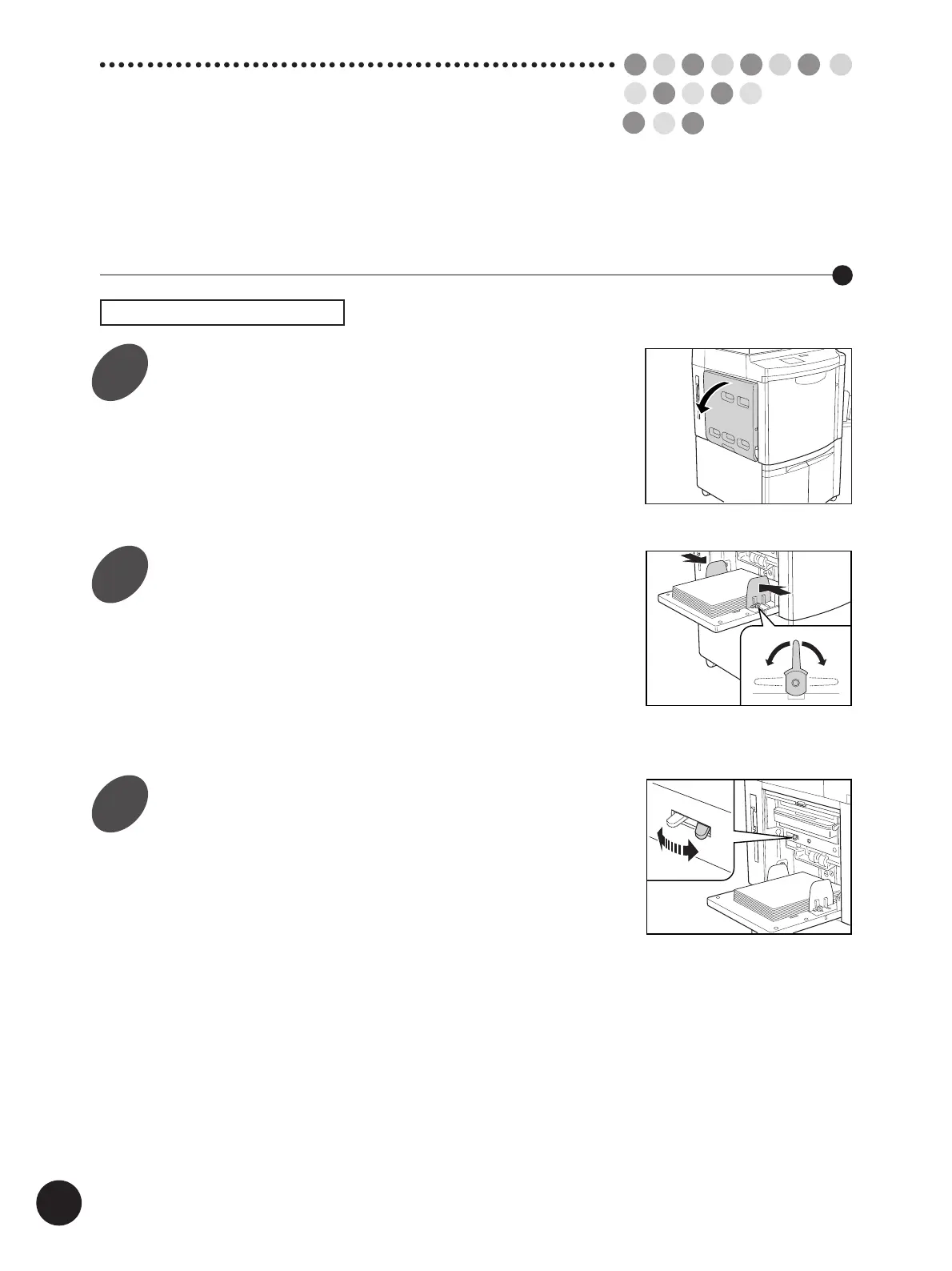
Open the Paper Feed Tray.
Load printing paper and slide the
Feed Tray Paper Guides to fit the
paper width.
Push down the Feed Tray Paper Guide Lock
Levers to lock the guides.
Important!
Do not mix printing paper of different sizes.
Set the paper feed pressure.
Position the Paper Feed Pressure Adjustment
Lever at either "NORMAL" or "CARD" according
to the paper to be used.
• NORMAL Standard paper
• CARD Thick paper such as card stock
Lock Lock
Free
NORMAL
CARD
1
2
3



 To Next Page