178
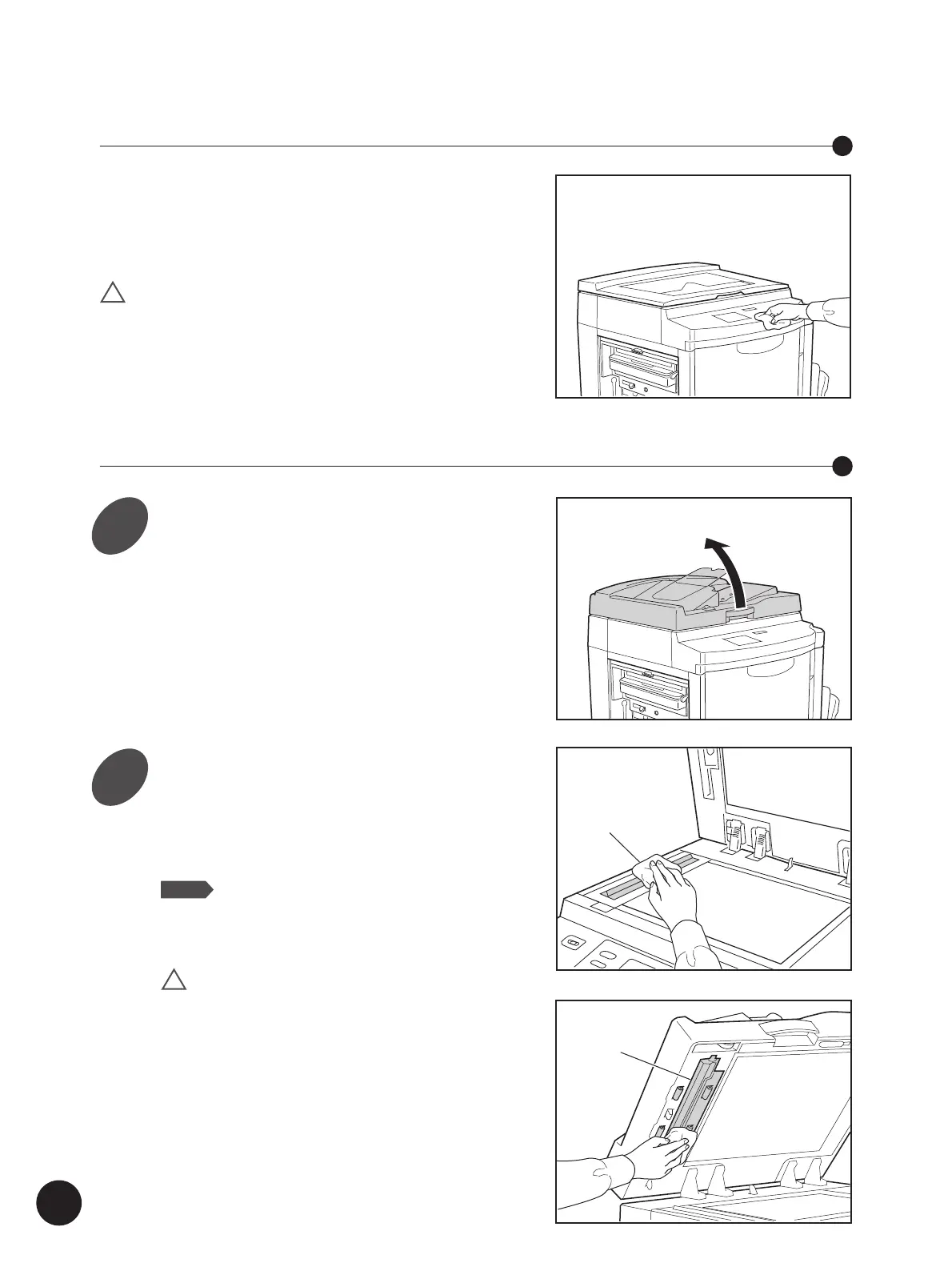
To remove dust, wipe the machine exterior periodically
with a soft cloth.
To remove stains, use an appropriate cleanser
recommended by your authorized service representative.
!
Caution The machine exterior is plastic.
Never use alcohol or solvent for cleaning.
Printer Exterior
Optional ADF Scanner Glass and White Roller
Cleaning
Open the Optional ADF Unit Table.
Wipe the Scanner Glass and
White Roller.
Gently wipe the Scanner Glass and the White
Roller several times with a soft cloth or tissue.
NOTE
For more effective cleaning, dampen a
soft cloth or tissue with a small amount
of alcohol before wiping the Scanner
Glass and the White Roller.
!
Caution Since the Scanner Glass is very
delicate, avoid shocks or
scratching with a hard object.
ADF Scanner Glass
White Roller
1
2



 To Next Page