154
Customizing the
Initial Settings
You can customize some of the initial settings to which the
machine status will be returned when the power is turned
on, or the Reset key is held down for more than one
second.
NOTE
When you customize the initial settings, they
remain valid until they are changed again.
Changing the Initial Settings
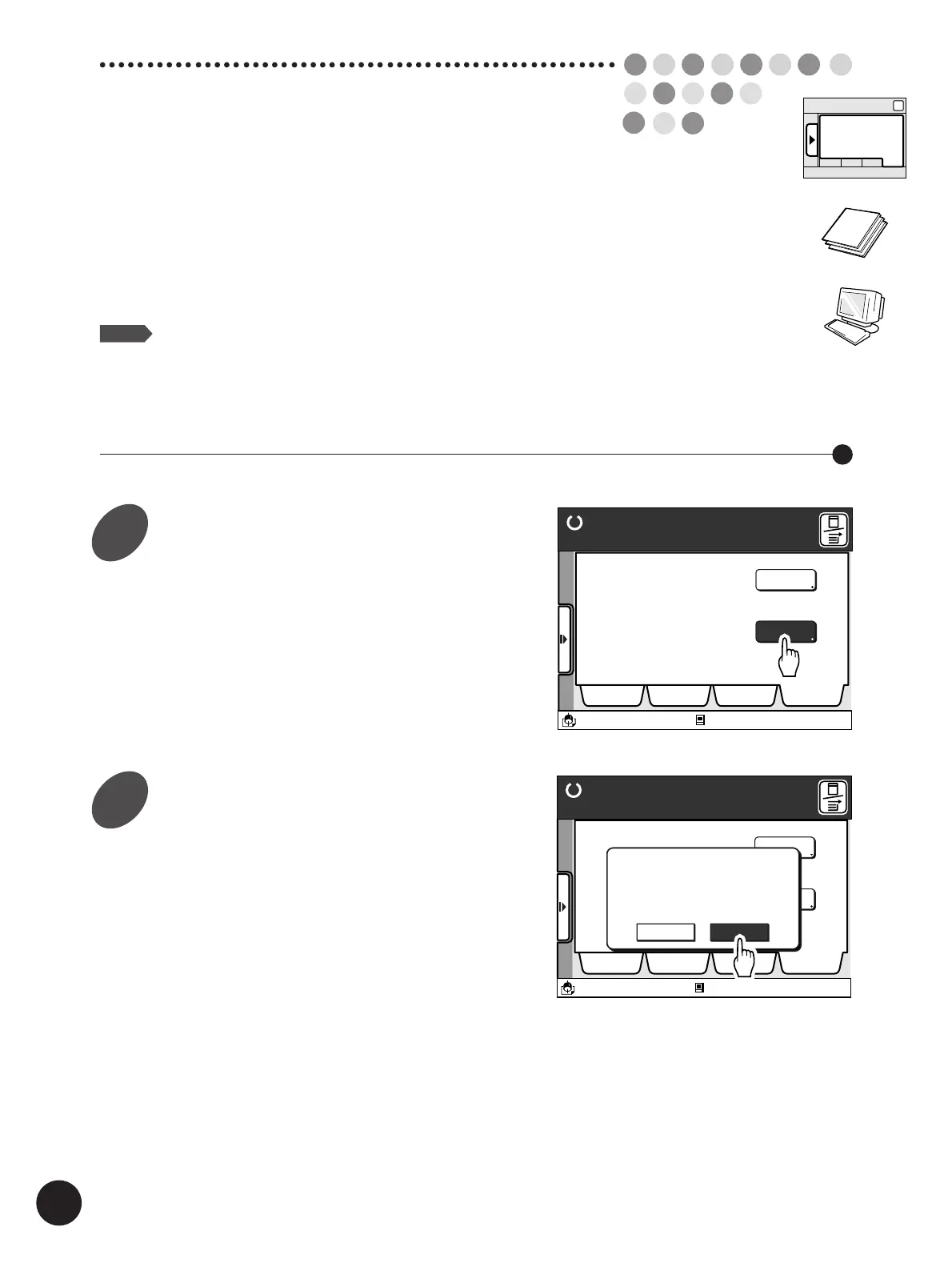
Display the [Catalog] tab, and
then touch the [Properties] button.
The confirmation message box appears.
Touch the [OK] button.
The [Properties] window appears.
Touch the [Cancel] button to cancel the operation
and return to the [Catalog] tab.
Ready to Make Master
A desired function can be
selected from the list
The properties of your RISO
printer can be changed
Functions
Properties
Selections Job List Program Catalog
A3/Black
13:59
Idle
M
Ready to Make Master
A desired function can be
selected from the list.
The properties of your RISO
printer can be chenged.
Functions
Properties
Selections Job List Program Catalog
A3/Black
13:59
[Properties] initializes
system once opened.
Continue?
Cancel OK
Idle
M
Sub-panel
Catalog
1
2



 To Next Page