137
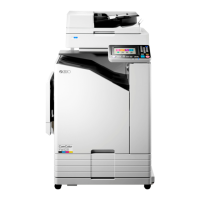
Touch the corresponding field
directly for the value to be
changed.
Press the [C] key to clear the current value, and
then enter the desired number.
Repeat this procedure for all values that require
amendment.
Touch the [Clear All] button to clear all values
back to [0].
NOTE
• Proceed to the step 7 if the program
name does not require amendment.
• You can shift the cursor by pressing
the [q] key.
Renaming/Changing a Saved Program Setting
Display the [Program] tab on the
sub-panel window and then touch
the [Change] button.
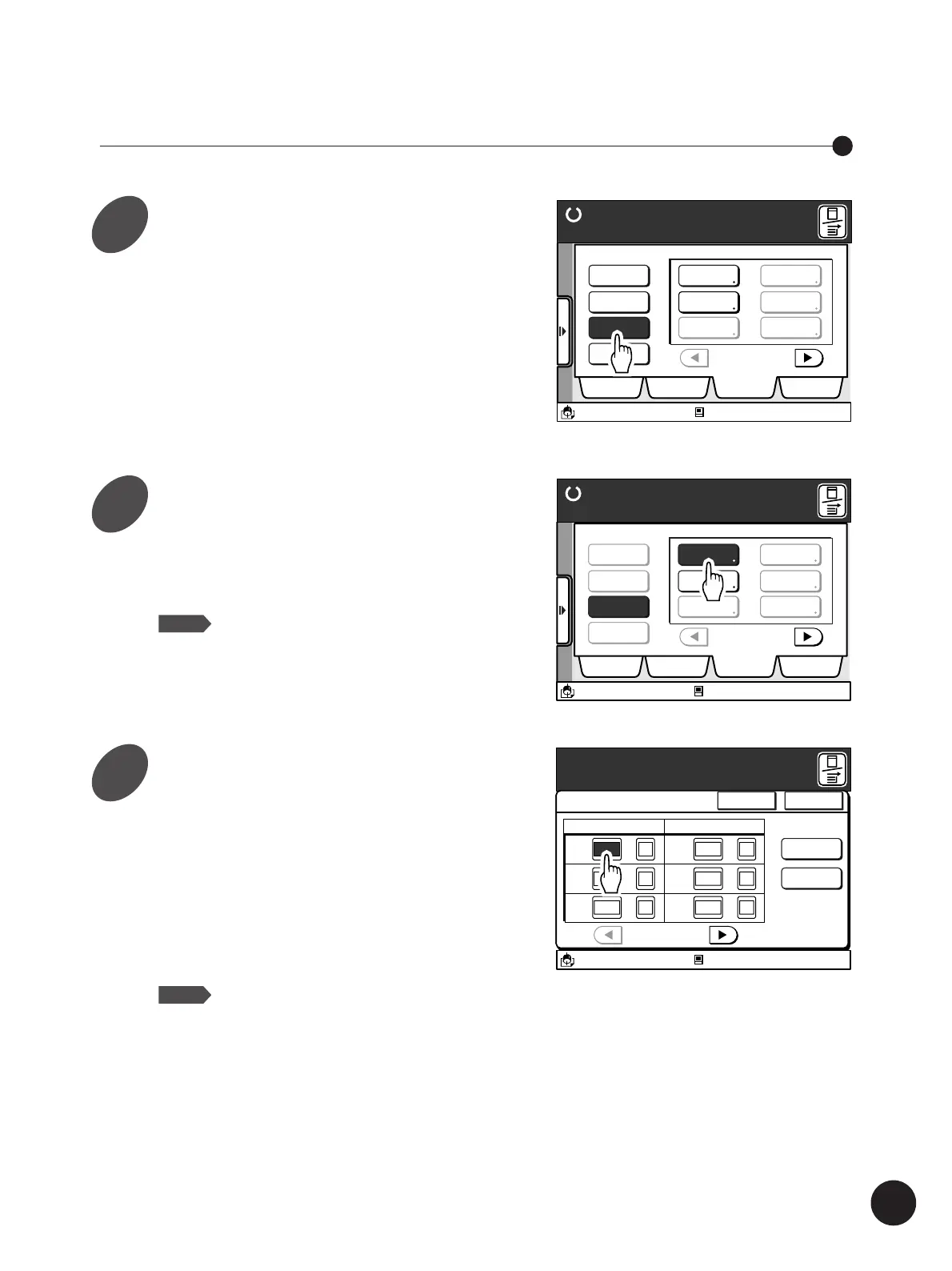
A message [Select a Program to be Changed]
appears.
• Only the occupied Program buttons can be
selected.
• If the required Program button is not displayed
on the window, scroll through the list by
touching the [
h
] or [
j
] button.
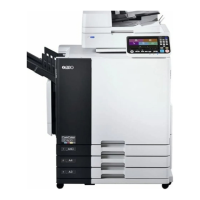
Touch the Program button for the
settings to be changed.
The [Single Page Mode] or [Multi-Page Mode]
window appears.
NOTE
Proceed to the step 4 if program settings
does not need to be changed.
Automatic Sorting into Groups
P.1/4
P-2
P-3
P-4
P-5
P-6
P-1
Ready to Make Master
Retrieve
Register
Change
Clear
Selections Job List Program Catalog
A3/Black
13:59
Select a Program to be Changed
Idle
M
Ready to Make Master
Retrieve
Register
Change
Clear
Selections Job List Program Catalog
A3/Black
13:59
P-1
P.1/4
P-2
P-3
P-4
P-5
P-6
Select a Program to be Changed
Idle
M
A3/Black
13:59
Cancel OK
Single Page Mode
P.1/4
Cps.
x
Sets
Rename
P-1
Clear All
[Total]
200-
x
x
Cps.
x
Sets
x
x
1G 20 2
2G 30 1
3G 40 2
4G 50 1
5G 0 1
6G 0 1
Idle
Enter Print Quantity and Set Number
M
1
2
3



 To Next Page