138
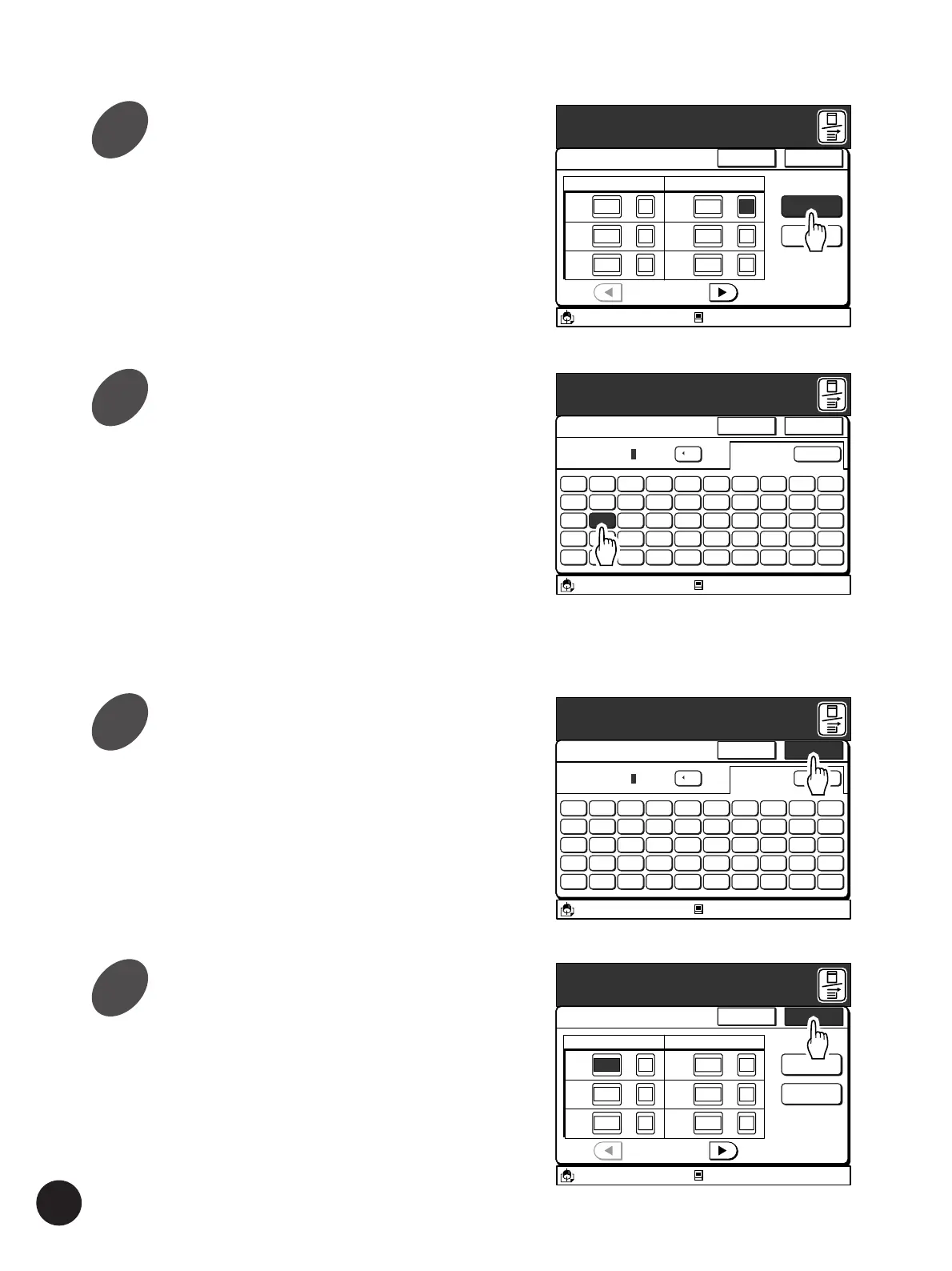
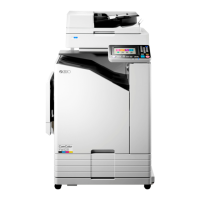
Touch the [OK] button again.
The window returns to the [Program] tab.
Touch the [Cancel] button to cancel the current
amendment and return to the [Program] tab
without any change.
A3/Black
13:59
Cancel OK
Single Page Mode
P.1/4
Cps.
x
Sets
Rename
RISO NEWS
Clear All
[Total]
140-
x
x
Cps.
x
Sets
x
x
1G 10 2
2G 30 1
3G 40 1
4G 50 1
5G 0 1
6G 0 1
Idle
Enter Print Quantity and Set Number
M
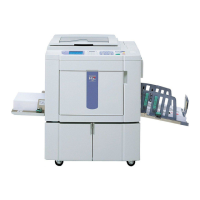
Touch the [OK] button.
The window returns to the [Single Page Mode] or
the [Multi-Page Mode] window. The amended
name will be displayed above the [Rename]
button.
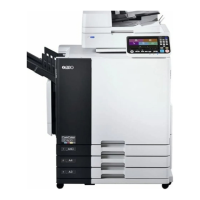
Touch the [Rename] button.
The [Rename] window appears.
Enter a new name for the selected
program setting.
The [Rename] window can be switched between
the uppercase window and the lowercase window
by touching the [Shift] button.
• Up to ten spaces can be entered.
• Numerals can also be entered with the Print
Quantity keys.
• Touch the [
h
C] button to erase an entered letter
(one letter will be erased each time this button
is touched).
Automatic Sorting into Groups
A3/Black
13:59
Cancel OK
Single Page Mode
P.1/4
Cps.
x
Sets
Rename
P
-
1
Clear All
[Total]
140-
x
x
Cps.
x
Sets
x
x
1G 10 2
2G 30 1
3G 40 1
4G 50 1
5G 0 1
6G 0 1
Idle
Enter Print Quantity and Set Number
M
A3/Black
13:59
Shift
5 6 7 8 9 04321
T Y U I O PREWQ
G H J K L :FDSA
B N M < > :VCXZ
( ) [ ] ~/-
+
Cancel OK
Rename
C
[RISO NEWS
Idle
M
A3/Black
13:59
Shift
5 6 7 8 9 04321
T Y U I O PREWQ
G H J K L :FDSA
B N M < > :VCXZ
( ) [ ] ~/-
*
+
Cancel OK
Rename
C
[RISO NEWS
Idle
M
4
5
6
7



 To Next Page